

You've probably done this the hard way already.
A customer asks, “Can you send me the exact setup you recommend?” A team member builds a supply order but someone else has to approve and pay. An influencer wants a clean way to share a featured bundle without dropping ten product links into a caption. The default workflow is messy. People copy SKUs into Slack, paste item URLs into email, or rebuild the same cart by hand on another device.
That friction costs time, and sometimes it costs the sale. A share a cart extension fixes a very specific problem. It lets one person build the basket and another person load that basket directly, instead of reconstructing it item by item.
What a Share a Cart Extension Solves for Your Business
The simplest way to understand this tool is through the support queue.
A shopper emails your store and says they need the same replacement parts as last time, plus one accessory. If you don't have a native “send cart” feature inside your store, your team usually falls back on links, screenshots, or a typed list. That works for small orders. It breaks down fast when the cart has variants, quantities, or products that need to be bought together.
A share a cart extension turns that into a cleaner handoff. One person builds the cart, creates a code or link, and the recipient loads the same basket in one move. Share-A-Cart has been around long enough to count as infrastructure rather than a novelty. The Chrome-stats listing shows roughly 60,000 users, a 4.11/5 rating from 159 reviews, and a public creation date of 2020-09-30 on its Chrome extension profile.
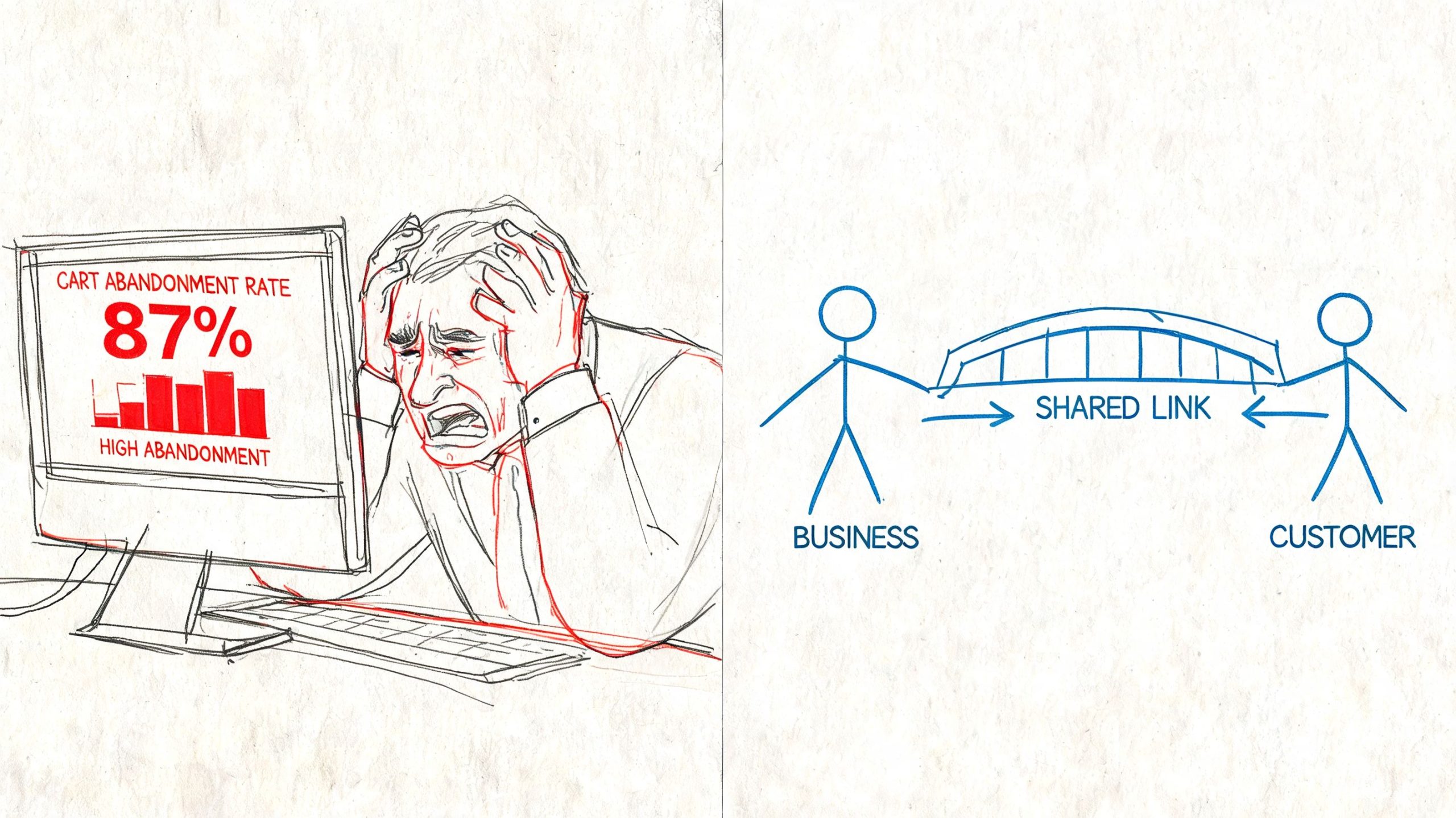
For operators, the value isn't just convenience. It's fewer dead-end conversations.
Where the friction usually shows up
Here are the moments where this tool earns its keep:
- Customer support handoffs: A support rep can guide a buyer into the right bundle without forcing them to hunt through the catalog again.
- Internal purchasing: One employee assembles what the team needs, another person reviews and checks out.
- Content-driven selling: A creator can point people to a ready-to-buy cart instead of a loose product roundup.
- Cross-device shopping: Someone starts on desktop, sends the cart, and completes checkout elsewhere.
Practical rule: If the buyer already knows they want the items, don't make them rebuild the basket.
I also like this approach when stores want more visibility into hesitation before checkout. If you're trying to understand where shoppers get stuck before they ever place an order, tools that show how to view live Shopify shopper activity can complement cart sharing because they help you spot where manual rescue or proactive support might help.
What it does better than a wishlist
Wishlists are fine for discovery. They're weaker for execution.
A wishlist says, “These are the products.” A cart-sharing tool says, “These are the products, in these quantities, ready to load.” That distinction matters when the order has multiple parts, options, or buying dependencies. For entrepreneurs, especially in support-heavy niches, that's the difference between a helpful suggestion and a transaction-ready recommendation.
Core Business Use Cases for Entrepreneurs
A share a cart extension is often first perceived as a consumer convenience tool. That undersells it. Used well, it can support revenue, reduce support overhead, and clean up internal buying workflows.
Customer support that closes the loop
This is the first use case I'd test if you sell anything even slightly technical.
Say a customer needs the right combination of parts, refills, accessories, or compatible add-ons. Instead of replying with five links and a paragraph of instructions, support can build the exact cart and send it over. That removes interpretation from the process. The customer doesn't have to guess which variant you meant or whether they remembered every item.
What works:
- Build the exact fix: Include only what solves the problem.
- Name the use case in the message: “This cart includes the replacement filter and matching housing.”
- Keep the handoff short: Don't bury the link under a long explanation.
What doesn't work:
- Sending a blog post and expecting the buyer to assemble the order alone.
- Adding optional upsells before the core need is solved.
- Mixing too many alternatives into one cart.
Team procurement without the spreadsheet circus
This is one of the least flashy but most useful applications.
Operations, admin, and project teams constantly need someone to assemble an order while someone else holds the budget. A share a cart extension keeps that process simple. The person closest to the need builds the basket. The manager or buyer opens it, reviews it, and places the order.
I'd use it for:
- Office restocks when an assistant knows what's needed.
- Project materials when a team lead needs approval.
- Client gifting when marketing picks the items and finance pays.
The best procurement workflows separate selection from payment, but keep the cart intact between those two actions.
Influencer and affiliate campaigns
Influencer content often creates intent faster than standard product pages. The weak point is fulfillment. If the creator lists every item separately, people drop off while trying to recreate the recommendation.
A prebuilt cart is cleaner. For a “get the full setup” promotion, I'd give the creator a cart for the hero products only, then a second version for the fuller bundle if the retailer supports it. That lets you match the CTA to the audience's buying temperature.
A practical format looks like this:
- Primary CTA: “Shop the exact kit”
- Secondary CTA: “Load the full routine”
- Fallback: individual product links only for shoppers who want to browse
Content marketing that reduces decision fatigue
If you publish tutorials, buying guides, or “my setup” posts, cart sharing can make the content more transactional without feeling pushy.
This works especially well for:
| Content type | Better cart angle | Why it helps |
|---|---|---|
| Tutorial post | Buy the materials | Readers want the complete list |
| YouTube description | Load the setup | Faster than opening many links |
| Email campaign | Refill your basket | Good for repeat purchases |
| Seasonal guide | Shop this bundle | Keeps the offer focused |
My preference is to use cart sharing when the items are meant to be bought together. If the products are substitutes, a comparison page works better. Don't force a single cart when the buyer still needs to choose among options.
How to Install and Use a Cart Sharing Extension
Installation is easy. The bigger point is understanding the workflow well enough to use it in support, content, and operations without confusing the recipient.
If you're evaluating the bigger technical picture, especially across multiple storefront systems, a Cart API integration guide is useful context because it shows how cart data and platform connections differ from a browser-extension approach.
Install it where your team actually works
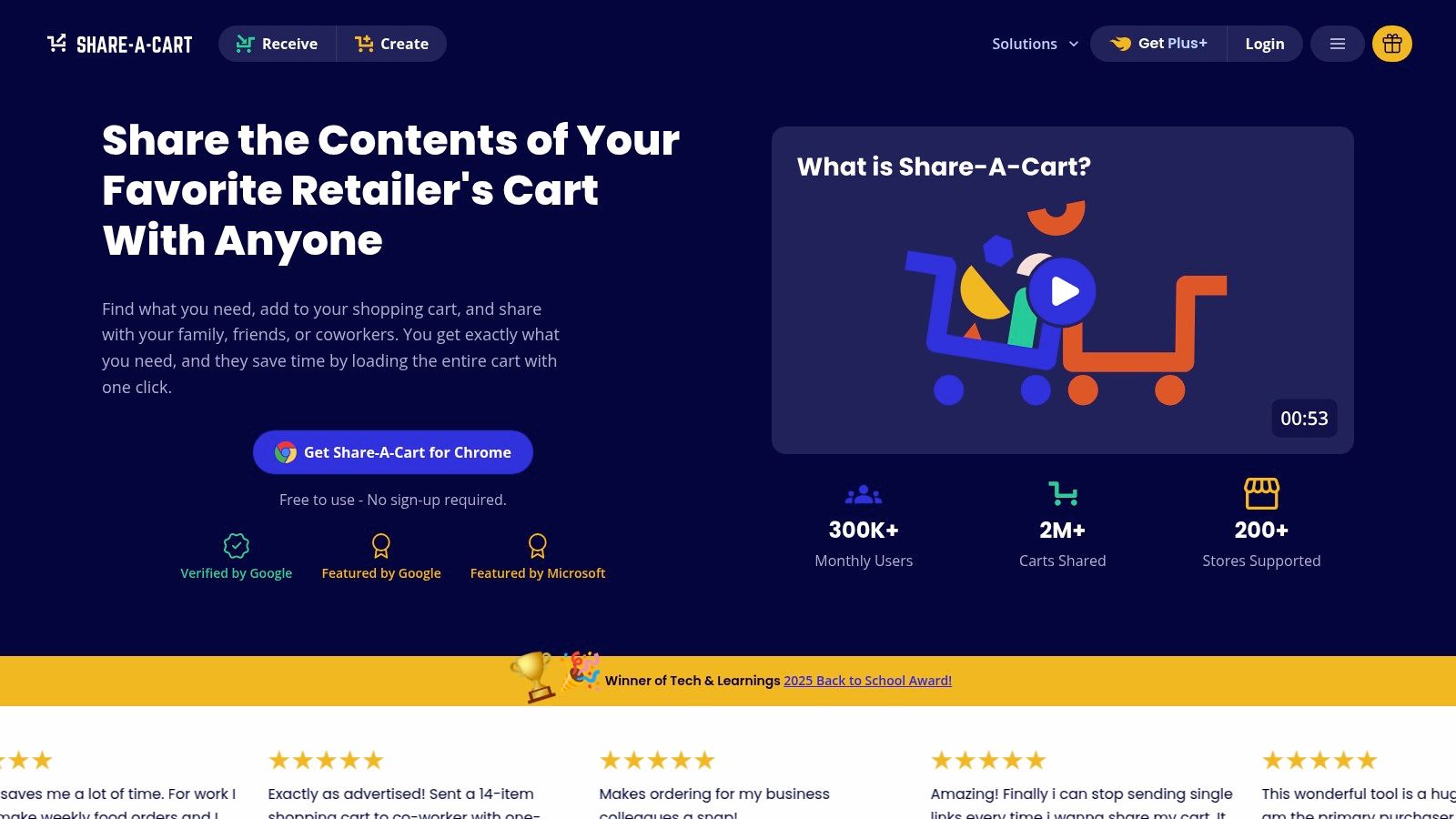
For the broadest coverage, a common starting point is Share-A-Cart. The vendor describes a simple transfer flow on its main product page: the sender builds a cart on a supported retailer site, opens the extension, clicks “Create Cart ID,” gets a 5-character code, and the recipient enters that code or uses the /get/YOUR_CART_ID link to load the cart. The same page says the process works across major browsers and supports over 200 stores.
That matters because browser support changes whether this becomes a real workflow or a one-off hack. If your support rep uses Chrome, your buyer uses Safari, and a client uses Edge, you don't want the process collapsing at the handoff.
Here's the practical setup I'd use:
- Add the extension to the browser your team already uses most
- Test it on one target retailer first, such as Amazon, Walmart, or your key supplier
- Create a sample cart internally before sending anything to a customer
- Write one short template message so everyone shares carts the same way
If your site stack is getting cluttered, it's also worth cleaning up related plugin conflicts and checkout friction. This guide on WordPress plugins that fix common issues is a good companion if your storefront or content site runs on WordPress.
Build the cart before you worry about the link
The right order is simple. Start on the retailer site, add the exact products, then launch the extension.
That sounds obvious, but teams often reverse it. They install the extension first, click around, and assume the tool itself creates the shopping session. It doesn't. The cart still starts on the merchant's site. The extension handles the transfer.
A clean operator workflow looks like this:
- Build the basket with the right quantities and variants.
- Double-check that every item belongs there.
- Open the extension and generate the Cart ID.
- Share the code or direct link with one sentence of context.
- Have the recipient load it and review before checkout.
Here's a quick visual walkthrough if you want to see the process in action.
Keep the recipient experience idiot-proof
The sender's work is only half the job. The recipient needs to know what to do next.
My default message is short: “Open this cart link and it should load the exact items into your browser. Review quantities before checkout.” That's generally sufficient. If you add three extra paragraphs, they'll skim and miss the only instruction that matters.
The process feels lightweight because there's no long onboarding for the core flow. That's one reason this model works well in support and campaign settings where you need speed more than deep integration.
Platform-Specific Approaches and Alternatives
A universal extension isn't always the best answer. Sometimes it's the best fast answer.
If you run a Shopify, WooCommerce, Magento, or BigCommerce store, the bigger decision is whether you want a browser-based sharing method or a native platform solution built into your storefront experience. The right choice depends on where the cart starts, who's sharing it, and whether branding and tracking matter more than flexibility.
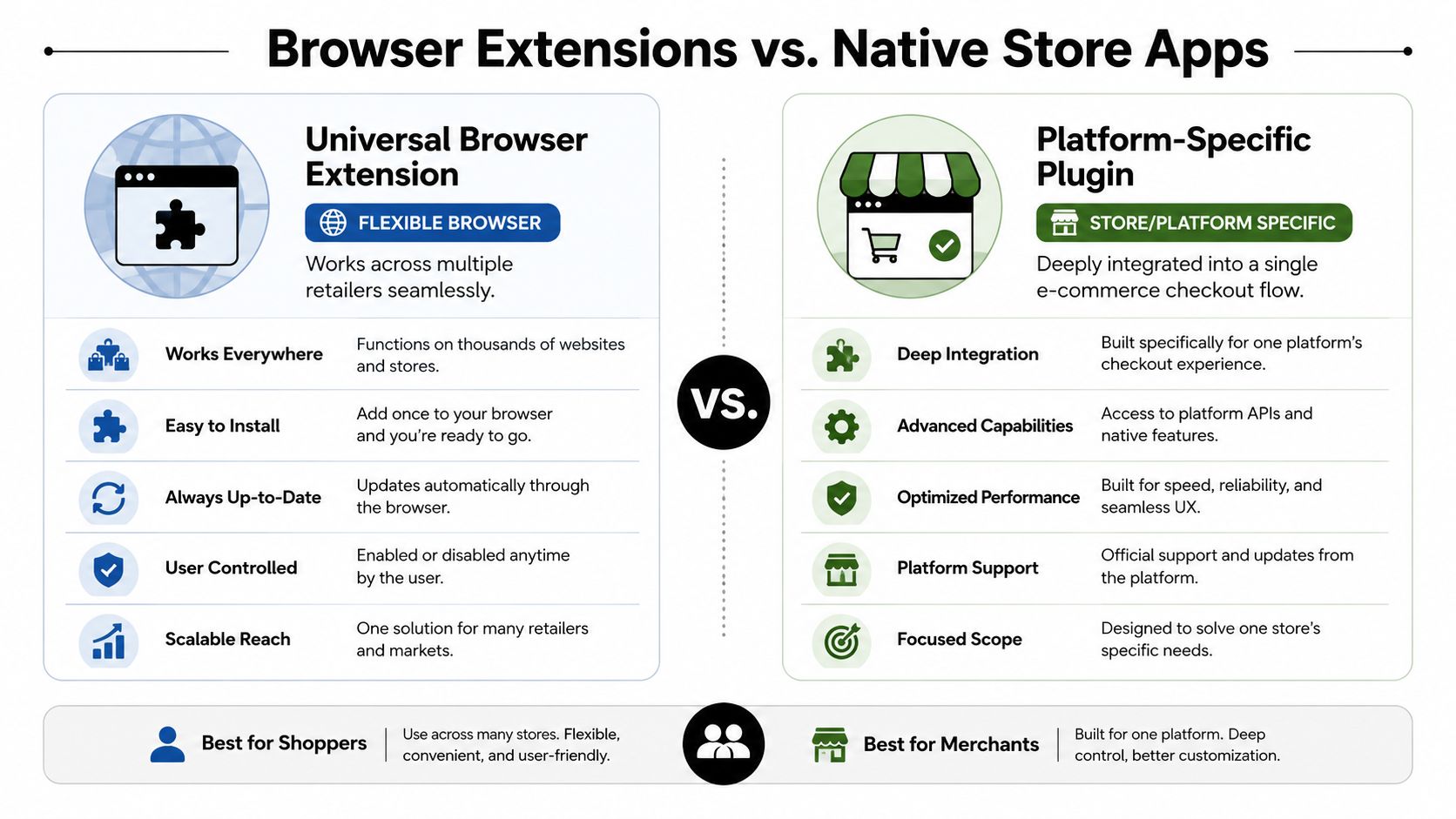
Universal extension versus native app
A browser extension wins when you need to work across many retailers or when the shopping journey doesn't live only on your own store. That makes it useful for procurement, support teams buying from suppliers, and creators who curate products across marketplaces.
A native app or plugin wins when your store owns the full customer experience. You usually get tighter branding, cleaner analytics, and stronger alignment with your checkout flow.
If the cart starts and ends inside your store, native usually feels better to the buyer. If the workflow jumps across retailers, the extension model is far more practical.
Cart sharing solutions by e-commerce platform
| Platform/Method | Primary Solution | Pros | Cons |
|---|---|---|---|
| Universal browser extension | Share-A-Cart style extension | Works across many retailers, useful for support and procurement, quick to deploy | Limited native branding, lighter store-level analytics |
| Shopify | App or custom cart-share flow | Better storefront integration, cleaner customer experience, easier campaign alignment | Usually tied to your own store only |
| WooCommerce | Plugin or custom share-cart setup | Flexible, can be tailored to your checkout and theme | Plugin quality varies, maintenance can be messy |
| Magento | Module or custom development | Strong fit for complex catalogs and business workflows | Heavier implementation burden |
| BigCommerce | App or custom implementation | Better platform alignment and merchant control | Less universal outside your store |
For WooCommerce users, platform control can be a big advantage if you're already committed to a WordPress stack. This overview of why many store owners choose WooCommerce is a useful read if you're deciding whether to double down on native store functionality.
How I'd decide
I'd use a universal extension when any of these are true:
- Your team buys from external retailers
- Support staff need to assemble third-party product carts
- Influencers promote marketplace bundles
- You need a fast solution without custom development
I'd choose a platform-specific solution when these apply:
- You want branded share links on your own domain
- You care about tying cart sharing to customer records
- You need store-level reporting and attribution
- Your dev team can support the setup over time
The mistake is treating these as direct substitutes in every context. They solve related problems, but not the same exact problem. One is a portable operational tool. The other is a storefront feature.
Best Practices to Maximize Conversions and Efficiency
Installing the extension is the easy part. Key gains come from how you package the cart, how you present the link, and how consistently your team uses it.
By 2026, Share-A-Cart had expanded beyond one-off transfers with Share-A-Cart+, which the company says lets users view a complete history of carts, add notes and tags, search history, and export data on its Share-A-Cart+ page. That's a useful signal for entrepreneurs because it pushes cart sharing into repeat purchasing and workflow memory, not just convenience.

Write the message like a closer, not a technician
Most shared carts underperform because the message around them is vague. “Here's the cart” is functional, but it doesn't reduce uncertainty.
Use copy that answers two questions fast. What is in this cart, and why should I load it?
A few templates I'd use:
“I preloaded the exact items you need. Open the cart, review the quantities, and check out when ready.”
Support reply: “This cart includes the replacement parts we discussed, already grouped for compatibility.”
Creator CTA: “Want the exact setup from this video? Load the cart and you'll get the same product mix.”
Track the handoff
A cart share without tracking is helpful, but it's hard to optimize.
You don't need a complicated analytics stack to start. Use campaign tags, link shorteners, or dedicated message variations for each placement. The point is to learn which context gets the best response. A support email, a blog post CTA, and an influencer story all create different intent.
Here's what I'd track qualitatively:
- Channel source: support, blog, creator, email, team procurement
- Cart purpose: bundle, replacement, refill, seasonal collection
- Message style: plain utility versus benefit-led copy
- Follow-up need: whether the recipient still asked questions before checkout
If your sales process already leans on cart-based offers and one-click checkout tools, it's worth comparing the role of a share a cart extension with dedicated cart platforms. This breakdown of ThriveCart helps frame where a sales cart platform fits differently from a browser-based sharing workflow.
Standardize repeatable workflows
The biggest efficiency gain comes when you stop improvising.
Create a short internal playbook with named cart types. For example: “Support replacement cart,” “influencer starter bundle,” “team supplies order,” and “refill reminder cart.” Once your team recognizes those patterns, they build faster and make fewer mistakes.
A few habits matter:
- Keep carts focused: Don't overload them with optional extras.
- Use notes externally if needed: Explain who the cart is for and what problem it solves.
- Refresh recurring carts: Seasonal products, stock levels, and pricing can shift.
- Save proven combinations: If a bundle repeatedly solves the same need, treat it like an asset.
That's where cart history becomes useful. Not because more data is automatically better, but because recurring buying patterns are easier to reuse when the system remembers what your team already assembled.
Privacy, Security, and Common Questions
Most writeups about a share a cart extension focus on convenience. Operators should ask harder questions.
The Chrome Web Store listing for Share-A-Cart says it is “privacy first” and states that it never sells user data on its Chrome Web Store page. That's helpful, but it doesn't remove the need for judgment. In business use, you still need to think through what the cart reveals, including selected products and potentially store-context details tied to a logged-in session.
What to be careful about
For B2B, agency, and client-facing workflows, I'd keep these guardrails in place:
- Don't share sensitive intent casually: A cart can reveal planned purchases, budget direction, or product preferences.
- Review before sending: Make sure the basket doesn't include test items, staff-only add-ons, or irrelevant products.
- Avoid assumptions about session behavior: The extension may transfer the cart, but the recipient still interacts with the retailer in their own browser context.
- Use plain-language instructions: Tell recipients to review the loaded cart before paying.
Privacy matters less at the extension level than at the workflow level. Sloppy internal process creates more risk than the share action itself.
Common questions
Why isn't the link working?
Usually the cart wasn't built correctly, the retailer changed something, or the recipient opened the link in a browser setup that isn't ready for the extension flow. Test the cart yourself before sending it widely.
What if an item is out of stock?
Then the loaded cart may not match perfectly. That's why support and procurement teams should review recurring carts before reuse.
Can I share carts across multiple stores at once?
Not as one combined universal checkout. A cart-sharing workflow generally mirrors one retailer's cart at a time.
Is this better than sending product links?
For small selections, product links are fine. For bundles, replacement sets, or exact purchase recommendations, cart sharing is usually cleaner.
Should every business use it?
No. If your store already has a strong native cart-sharing app, use that for your own storefront. The extension model shines when flexibility matters more than deep platform integration.
If you want more practical breakdowns like this, including tool comparisons, ecommerce workflows, and operator-minded growth tactics, check out EntreResource.