

You're probably in the danger zone already if any of this sounds familiar: one spreadsheet for eBay, another for Amazon, a notes app full of SKU reminders, and a vague confidence that you still have one unit left somewhere on a shelf. That setup works right up until the first overlapping sale, the first canceled order, or the first buyer message asking why their “in stock” item suddenly isn't available.
That's when ebay inventory software stops looking like overhead and starts looking like protection.
I've seen sellers wait too long because the feature lists all sound similar. Sync channels. Track stock. Print labels. Run reports. Fine. The essential questions are different. When does software pay for itself? Which tools effectively reduce operational risk? And where do they fail when inventory gets messy across multiple channels?
This guide focuses on those questions.
When Spreadsheets Break and Chaos Begins
A buyer checks out on eBay. Minutes later, the same SKU sells on another channel because your quantity sheet was last updated before lunch. Now you are issuing a refund, explaining the mistake, and checking whether that order cancellation will hurt your metrics.
That is usually the primary tipping point. Not when inventory feels messy, but when one preventable stock error costs more than a month of software.
The manual system that works until it stops paying for itself
Most eBay sellers begin with a setup that makes sense:
- Custom SKUs in a spreadsheet that one person knows how to maintain
- Physical storage notes taped to bins, boxes, or shelves
- Manual quantity updates after each sale
- Channel-by-channel edits for items listed in multiple places
That system can work for a while. I have used versions of it myself. For a small catalog, slow sales, and one selling channel, spreadsheets are cheap and flexible.
The problem is not the spreadsheet itself. The problem is delay.
Once inventory moves across channels, locations, bundles, or purchase orders, your process depends on perfect timing. One late update creates a mismatch. One duplicated SKU creates two versions of the truth. One interrupted workday turns inventory control into guesswork.
Spreadsheets usually fail in small, expensive ways first. They do not flag sync lag, bad SKU mapping, or quantity edits made by the wrong person at the wrong time.
Many sellers try to extend the life of the manual system with better documentation, reorder tabs, and cleaner templates. That is a reasonable stopgap. If you are still standardizing how you track stock, these Excel templates for marketers and operators can help you build a cleaner process. But templates stop being enough once the business has to update inventory faster than a person can reliably do by hand.
Hidden complexity starts before high volume
A lot of reviews make it sound like inventory software is only for large sellers. That misses where the actual risk begins.
You do not need thousands of orders a month to justify better controls. You need enough overlap that a single mistake becomes costly. That can happen surprisingly early if you list on eBay and one other channel, store similar products in multiple bins, or sell variations that share components.
The ugly part is that overselling is only the visible failure. The hidden failures show up first in places sellers often miss:
- Reserved stock is not separated from available stock
- Returns are back on the shelf before they are inspected
- Bundles do not reduce component quantities correctly
- Supplier lead times live in email, not in your inventory workflow
- The same product has slightly different SKUs across channels
Those are sync problems, not just counting problems. Good inventory software reduces them. Weak inventory software can create new ones if SKU mapping, listing relationships, and order timing are handled badly.
That is also why software decisions affect purchasing, not just selling. If stock counts are unreliable, reordering gets distorted too. Teams that need to streamline procurement processes usually find that purchasing discipline and inventory accuracy rise together.
What the first oversell usually teaches
The first oversell tends to expose three financial realities fast:
Inventory errors are margin leaks.
The refund is obvious. The lost shipping time, support time, marketplace friction, and possible negative feedback are the part sellers often undercount.Manual updates break under interruption.
Nobody needs a terrible process for this to happen. A sourcing trip, a supplier call, or a busy afternoon is enough.You need one source of truth.
If eBay, your spreadsheet, your warehouse notes, and your other sales channel all show different quantities, the business is already operating on borrowed luck.
That is the point where ebay inventory software starts to earn its keep. Not because software is cleaner on paper, but because the cost of one bad sync can exceed the cost of the tool meant to prevent it.
Core Decision Criteria for Your eBay Business
Most product pages sell convenience. You need to buy based on risk reduction and decision quality.
If I'm evaluating ebay inventory software for a real store, I care about four things first: sync behavior, order flow, replenishment visibility, and financial clarity. If a tool is weak in one of those areas, the nice extras don't matter much.
Real-time sync matters more than feature depth
Multi-channel sync is the first filter because overselling is the fastest way to turn an operational problem into a customer problem. Good software should treat one system as the source of truth, then push quantity changes outward without forcing you to babysit every listing.
Many reviews remain too shallow by stating a tool “supports multi-channel inventory” before moving on. That is not enough. The difficult aspect is conflict handling. What happens when the same SKU sells on different channels close together? What happens when one marketplace updates slower than another? What happens when a listing was duplicated badly or mapped to the wrong SKU?
Those are the questions that separate a safe system from a dangerous one.
Practical rule: If a tool treats syncing as a checkbox feature, assume you'll be the one cleaning up edge cases.
Reporting should help you buy smarter
A lot of sellers think inventory software is mostly about not selling items you don't have. That's only half the job. The better systems also tell you what you should stop buying, what you should replenish sooner, and which SKUs are tying up cash.
One metric matters here: inventory turnover ratio. A healthy turnover ratio ranges from four to six times annually, and software helps monitor it so you can spot overstocking on the low end or missed sales from understocking on the high end, according to SureDone's breakdown of eBay inventory turnover.
Here's what I want the reporting layer to answer quickly:
- Which SKUs are slow movers so I stop restocking dead weight
- Which items need reorder attention before I create avoidable stockouts
- Which channels convert better for specific products
- Which products look good on revenue but weak on margin
If you're pairing inventory decisions with sourcing research, these eBay research tools help tighten the front end of that process.
Purchasing and receiving can't stay disconnected
Inventory errors often begin before a listing ever goes live. If purchase orders, receiving, and stock updates live in separate systems, mistakes creep in during intake. That's why sellers who are scaling beyond casual resale should also think about how to streamline procurement processes so incoming inventory lands cleanly in the same workflow.
Don't ignore warehouse and fulfillment logic
Even if you don't have a formal warehouse, you still have location logic. Bin locations, prep areas, FBA shipments, and local stock all create opportunities for bad counts. Software that supports barcode workflows, order routing, and location-specific visibility usually feels “advanced” right until you need it. Then it feels basic.
The Top eBay Inventory Software Compared
A seller has five units left on eBay, three left on Shopify, and one return sitting unopened on a prep table. The software says nine available. Reality says four sellable. That gap is where inventory tools either pay for themselves or create a new layer of confusion.
The mistake many comparison posts make is treating every platform as if it solves the same problem. It does not. Some tools are listing-first. Some are warehouse-first. Some are finance-first. If you pick the wrong category, you can spend months setting up software and still eat cancellations, stock mismatches, and bad reordering decisions.
| Tool | Best fit | Main strength | Known trade-off | What matters in practice |
|---|---|---|---|---|
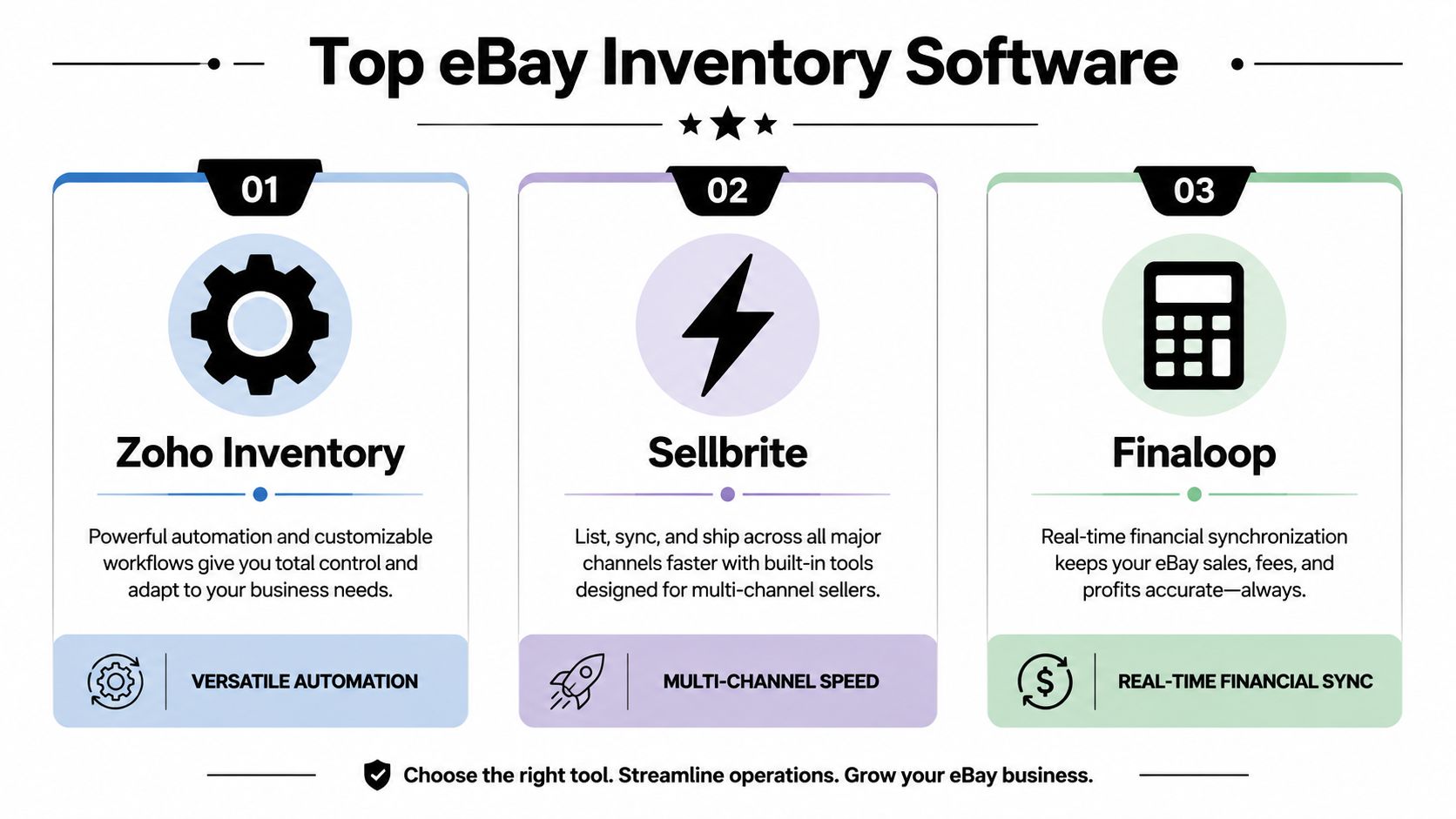
| Zoho Inventory | Sellers graduating from spreadsheets and basic manual tracking | Solid day-to-day inventory operations with room to add process | Margin visibility is lighter unless you connect other finance tools | Good for sellers who need control first and accounting detail second |
| Sellbrite | Sellers focused on multi-channel listings and simpler stock sync | Easier listing and channel management than heavier systems | Edge cases can still break sync logic during returns, bundles, and SKU mismatches | Works best when catalog structure is clean and fulfillment is straightforward |
| Finaloop | Sellers who need SKU-level profit clarity, not just stock counts | Inventory tied closely to COGS, landed cost, and channel profitability | Can be more system than a smaller seller needs early on | Strong fit when cash is being tied up by unclear margins |
| Fishbowl Commerce Suite | Higher-volume operations with warehouse process needs | Barcode workflows, reordering, location control, and multi-warehouse support | Setup is heavier and usually requires stricter process discipline | Better for operators managing physical movement, not just listings |
| ExportYourStore | Sellers prioritizing marketplace exposure and broad publishing | Fast cross-channel listing reach | Inventory depth is lighter than warehouse-oriented systems | Fine for reach. Less convincing for tight stock control |
Zoho Inventory
Zoho Inventory is usually the first serious upgrade that feels justified. It gives sellers purchase orders, stock tracking, and channel connectivity without forcing a full warehouse overhaul.
That makes it a practical choice for businesses in the middle zone. They have enough volume that manual updates are hurting them, but not enough operational complexity to justify a heavier system. I usually put Zoho in the "good process control" bucket, not the "final answer" bucket.
The trade-off shows up later. Once you need exact profitability by SKU, tighter exception handling, or more control over how inventory moves across locations and channels, Zoho can start feeling broad rather than precise.
Sellbrite
Sellbrite appeals to sellers who want to clean up listing management quickly. That appeal is legitimate. If the immediate problem is keeping eBay, Amazon, and a store catalog from drifting apart, a lighter interface can save time fast.
The catch is sync complexity. A feature page saying "multi-channel sync" does not tell you how the system handles returns not yet restocked, kits with shared components, duplicate SKUs, delayed order imports, or a marketplace reserve quantity you forgot to set. Those are the costly problems.
I would choose Sellbrite for a seller with a fairly clean catalog and straightforward fulfillment flow. I would be more cautious for used goods, one-off inventory, bundles, or any business where the same SKU can exist in multiple physical states like sellable, damaged, or awaiting inspection.
Finaloop
Finaloop belongs in a different conversation because it pushes inventory decisions closer to financial truth. In Finaloop's software guide, the company notes that InventoryIQ tracks COGS by SKU and channel and includes landed cost visibility across the same workflow. That matters when a product appears healthy on sell-through but weak on actual margin after fees, shipping, and acquisition cost are accounted for. Finaloop's guide to eBay inventory management software is useful for that broader category overview.
This matters most for sellers who have reached the financial tipping point. They no longer need software just to avoid oversells. They need it to stop reinvesting cash into items that move but do not really produce profit.
If your operation also touches Amazon prep, scanning, or more warehouse-style receiving flows, compare that setup against inventory-first tools with this ScanPower review for Amazon and multichannel workflow evaluation.
A separate but related issue is valuation. Sellers who start carrying more inventory across periods usually need a clearer handle on accounting treatment, especially if they are trying to understand write-downs and aging stock. This guide to mastering inventory valuation for small businesses is a useful companion to the software decision.
Fishbowl Commerce Suite and ExportYourStore
Fishbowl Commerce Suite makes more sense once inventory is a physical operations problem. Barcode scanning, reordering, reporting, and multi-warehouse support matter when staff are receiving, moving, and picking products across locations. At that point, listing software alone will not protect you from count errors.
That extra control comes with a price beyond the subscription. Implementation takes more discipline. Bin locations need to stay accurate. Receiving has to happen in the system, not on paper first. If the team will not follow process, Fishbowl can become an expensive mirror of bad habits.
ExportYourStore sits on the other side of that divide. It is more useful for getting products published across channels than for running strict inventory control. That can be enough if your real bottleneck is exposure and your stock setup is still simple. It becomes limiting if your losses are coming from sync mistakes, not listing reach.
The tool I'd pick by business situation
- Choose Sellbrite if your main issue is keeping multi-channel listings and basic inventory updates under control, and your catalog is clean enough that sync exceptions should stay limited.
- Choose Zoho Inventory if you need stronger operating discipline, purchase orders, and stock visibility without committing to a warehouse-heavy setup.
- Choose Finaloop if your next mistake is more likely to be a bad buying decision than a bad listing decision.
- Choose Fishbowl if inventory accuracy now depends on receiving, bin control, barcode workflows, and location-level movement.
- Choose ExportYourStore if broader marketplace distribution matters more than advanced inventory logic.
The right comparison is not feature count. It is cost of failure. A seller with ten orders a day can live with a few rough edges longer than a seller pushing volume across several channels with shared stock. Once one bad sync can trigger cancellations, fee waste, and customer service cleanup in the same afternoon, lighter tools stop being cheap.
Pricing Models and Calculating True ROI
Most sellers ask the wrong pricing question. They ask, “What does the software cost?” The better question is, “What is manual inventory management already costing me?”
That's the financial tipping point. And most reviews skip it. As noted in Closo's write-up on scaling with eBay inventory software, the decision hinges on whether the monthly software cost is lower than the losses from oversells, negative feedback impact, and time spent on manual tracking.
The three costs that matter
A subscription fee is visible. The actual costs of not upgrading usually aren't.
Oversell fallout
One inventory mismatch can trigger a cancellation, buyer frustration, extra support time, and seller-metric damage.Manual labor
Time spent updating counts, fixing SKU mismatches, reconciling returns, and checking channel parity has a real cost even if you don't put it on a payroll line.Bad buying decisions
If you don't know what's moving, what's stale, or what's profitable, you'll tie cash up in the wrong inventory.
A practical break-even test
Use this simple decision framework:
- Add up your monthly software cost
- Estimate your monthly time spent on manual inventory work
- Add the cost of recent inventory mistakes
- Compare that total to the subscription
If the software costs less than your current drag, it isn't overhead. It's a correction.
A lot of sellers wait for certainty. You don't need certainty. You need repeated signs that manual control is now more expensive than automation.
Pricing model trade-offs
Different tools package the same pain differently.
| Pricing model | Usually works best for | Main risk |
|---|---|---|
| Tiered plans | Sellers who want predictable software spend | You may pay for features you don't use yet |
| Per-user pricing | Teams with clear staff roles | Costs climb as more people need access |
| Volume or listing-based pricing | Sellers with steady throughput | Expenses can rise as success rises |
This is also where inventory valuation matters. If you're trying to understand how stock should be valued on the books while operational software tracks quantities, this guide to mastering inventory valuation for small businesses adds useful accounting context.
The mistake I see most often is buying too early for complexity you don't have, or too late for complexity you already do. The right moment is usually when you're spending more time repairing your system than using it.
Situational Recommendations for Every Seller
The best ebay inventory software depends less on marketing claims and more on what kind of seller you are right now. Not what you hope to be in a year. Not what a YouTube teardown says. Your current operating model decides the right fit.

The part-time reseller
If you mostly sell on eBay, keep a modest catalog, and don't have a warehouse workflow, don't overbuy software. A simpler system like Zoho Inventory usually makes more sense than a heavy warehouse platform or an accounting-first stack.
What you need:
- Clean SKU control so every item maps consistently
- Basic quantity tracking without updating everything by hand
- Simple purchasing support if you restock regularly
What usually doesn't help yet:
- Advanced warehouse routing
- Deep multi-location logic
- Financial modules you won't use weekly
The risk here is buying a system that feels impressive but adds admin work. Small sellers need reduction, not complexity.
The scaling multi-channel seller
If you list on eBay plus Amazon, Shopify, Etsy, or another channel, your main problem is no longer counting stock. It's inventory parity. Sellbrite or Zoho Inventory can fit into your workflow, depending on how much structure you want.
Sellbrite fits the seller who wants fast multi-channel coordination and lighter operations. Zoho fits the seller who also wants stronger internal inventory management processes around purchasing and stock organization.
Here's the daily workflow I'd want in that business:
- New inventory enters one master system.
- Quantities publish outward to connected channels.
- Each order reduces the same central stock pool.
- Returns get reviewed before stock is made available again.
If any of those steps still happen in separate places, you're carrying unnecessary risk.
For multi-channel sellers, the tool isn't there to save clicks. It's there to stop one sale from breaking three systems.
The high-volume warehouse operator
If you've outgrown shelves and tote bins and now need location control, receiving discipline, and tighter pick-and-pack execution, Fishbowl Commerce Suite deserves attention. The cited combination of barcode scanning, automated reordering, reporting, and multi-warehouse support fits that type of operation, based on the earlier software analysis source.
At this stage, software should help run the floor, not just the listings.
You'll likely benefit from:
- Barcode-based receiving
- Location-level stock visibility
- Reorder workflows
- Structured fulfillment handoff
Lighter listing tools can still be part of the stack, but they usually shouldn't be the operational center.
The margin-focused seller
If your biggest issue is not stock accuracy but knowing which SKUs are worth scaling, Finaloop is the better fit. That's especially true for online arbitrage, wholesale, or mixed-channel sellers where fees and landed cost vary by product and channel.
A lot of stores don't have an inventory problem. They have a visibility problem. They're buying and restocking based on movement, not margin. That's where a financially integrated tool can change the decisions, not just the counts.
Your Implementation and Migration Playbook
A bad migration can wipe out a year of process gains in a week. I have seen sellers blame the new software when the real problem was simple: bad counts went in, duplicate SKUs got mapped, and one eBay sale started subtracting inventory from the wrong listing.
Start with control, not speed.

Clean the data before you connect anything
The first import sets the tone for everything after it. If your opening inventory is wrong, the sync engine just spreads that error faster.
Before you load a CSV, fix four things:
- Audit physical stock so opening quantities match reality
- Standardize SKUs so each item has one identifier across channels
- Flag duplicate listings before they get mapped to the same product record
- Choose one source of truth for quantity updates, purchasing, and adjustments
This is also where hidden sync complexity shows up. Bundles, multipacks, refurbished units, and variations often share similar titles but need different SKU logic. If that is not sorted out before launch, the software will follow the rules you gave it and still produce expensive mistakes.
Connect in stages, not all at once
The safest rollout is boring. That is usually a good sign.
Connect the core system first, then bring in eBay, then add each extra channel or fulfillment app only after the previous connection behaves correctly. For each stage, run test orders and force the ugly scenarios sellers usually skip: cancellation, partial refund, return, manual quantity adjustment, and an item that sells near zero stock. Those are the moments that expose overselling risk.
A staged rollout usually looks like this:
- Import products and opening counts
- Map SKUs and verify listing matches
- Connect eBay and place test orders
- Confirm quantity deductions, order import, and fulfillment status updates
- Add the next channel or warehouse only after the first workflow stays stable
Do not judge success by whether orders appear in the dashboard. Judge it by whether inventory stays accurate after exceptions.
Watch for failure points in the first month
Go live is the start of testing, not the finish line.
The first weeks should focus on operational warning signs that affect cash flow and seller health:
- Unexpected quantity mismatches
- Orders that fail to import or sync late
- Listings that stay active after stock hits zero
- Fulfillment delays after routing or warehouse changes
- Returns and cancellations that do not put stock back correctly
I also watch seller metrics closely after launch, especially late shipment issues, defects tied to stockouts, and any rise in canceled orders. Those numbers tell you whether the system is helping or creating friction behind the scenes.
If a mismatch appears, stop adding complexity. Fix the mapping, retest the workflow, and only then expand to the next channel, location, or automation rule. A slower rollout costs less than one overselling incident across multiple marketplaces.
Frequently Asked Questions
Do eBay-only sellers need inventory software
Sometimes yes. If you have a small catalog and low order volume, a spreadsheet may still be enough. But once returns, relisting, purchasing, or large SKU counts start eating time, software becomes useful even without multi-channel selling. The benefit isn't only sync. It's cleaner stock control and better reporting.
Can QuickBooks replace ebay inventory software
Not usually. Accounting software helps with bookkeeping. Dedicated inventory software handles stock movement, listing coordination, receiving, and order-linked quantity updates. Those jobs overlap a little, but they aren't the same thing. If you sell across channels, accounting software alone won't cover the operational side well.
Are free inventory tools enough
They can be, at the very beginning. Free tools are fine when your catalog is small and your workflow is simple. The limit shows up when you need stronger sync reliability, more automation, better reporting, or cleaner location control. At that point, “free” often becomes expensive because you're paying with time and mistakes.
What's the biggest mistake when switching systems
Importing bad data into a new platform. Sellers often blame the software when the actual problem is duplicate SKUs, incorrect counts, or inconsistent listings. Clean data first. Then test slowly.
What should I prioritize if I sell on multiple platforms
Prioritize sync reliability and conflict handling before anything else. Fancy dashboards don't matter if the system can't keep quantities aligned when sales hit multiple channels close together.
ebay inventory software is worth buying when it protects more money than it costs. For some sellers, that point arrives with the first oversell. For others, it shows up when manual tracking starts swallowing hours every week. The right tool depends on whether your problem is sync, warehouse control, or margin visibility. Get that diagnosis right, and the software decision gets much easier.