
Your YouTube video might be a masterpiece, but it’s worthless if no one clicks on it. This is the stark reality of content creation, where your thumbnail often holds more weight than your video's content itself. The thumbnail is your video’s front door, its billboard, and its most powerful marketing asset. It is the single most critical factor influencing your click-through rate (CTR), a metric YouTube's algorithm weighs heavily when deciding whether to promote your video or bury it. A high CTR signals to the algorithm that your content is relevant and engaging, leading to more impressions and a potential viral feedback loop.
This isn't just about aesthetics; it's a science of persuasion and data analysis. As top creators and analysts have repeatedly demonstrated, a strategic approach to thumbnail design can dramatically multiply your viewership. Mastering thumbnail design is crucial for visibility on the vast the YouTube platform. This guide provides a definitive blueprint of youtube thumbnail best practices, moving past vague tips to offer actionable, data-supported strategies. We will dissect the exact methods used by top-tier channels to achieve millions of views, covering everything from color psychology and emotional triggers to A/B testing frameworks and consistent branding.
You will learn to implement ten specific, proven principles that drive clicks. These include mastering high-contrast visuals, using facial expressions to convey emotion, optimizing text for readability on any device, and building a recognizable brand system. By applying these techniques, you'll be equipped to create thumbnails that not only grab attention but also compel viewers to click, directly impacting your channel's growth and success.
1. High-Contrast Colors and Bold Text
In a crowded YouTube feed, your thumbnail is your first, and often only, chance to grab a viewer's attention. One of the most effective youtube thumbnail best practices is to use high-contrast color schemes and large, bold text. This combination ensures your thumbnail is visually striking and instantly readable, even when displayed at its smallest size on a mobile device. The human eye is naturally drawn to contrast, making this a powerful tool for stopping the scroll.

This technique works by creating a strong visual separation between the foreground (text, key subject) and the background. YouTube growth experts like Derral Eves have long advocated for this strategy, pointing to its direct impact on click-through rates (CTR). A viewer can process the core message of a high-contrast thumbnail in a fraction of a second, making them more likely to click.
How to Implement High-Contrast Design
Implementing this practice requires a deliberate approach to color and font selection. It’s not just about picking bright colors; it’s about choosing colors that create a clear visual hierarchy.
- Color Schemes: Use complementary colors, which are opposite each other on the color wheel (e.g., blue and orange, red and green). MrBeast’s channel is a prime example, frequently pairing bright yellows and reds with bold, white text outlines for maximum pop. Similarly, Wired Magazine's interview series often places large, white text over dark, moody backgrounds, creating a sophisticated yet highly readable look.
- Font Choice: Opt for thick, sans-serif fonts like Montserrat, Impact, or Anton. These fonts are clean and remain legible even when scaled down. Avoid thin or overly stylized script fonts that can become a blurry mess on small screens.
- Text Outlines and Shadows: Add a simple outline or drop shadow to your text. This technique, used by creators like Ali Abdaal, helps the text "lift" off the background image, ensuring readability regardless of the colors behind it.
A study by Usertesting.com confirmed that designs with high color contrast are not only more visible but are also perceived as more professional and trustworthy. This builds subconscious confidence in your content before a viewer even clicks.
To apply this, start by using a free color palette generator like Adobe Color or Coolors.co to find complementary schemes. Before finalizing your design, test its readability by shrinking the thumbnail image down to about 130 pixels wide. This simulates how it will appear in YouTube's recommended video sidebar and ensures your message remains clear.
2. Facial Expressions and Emotional Reactions
Humans are hardwired to recognize and respond to faces and emotions. Including a genuine, often exaggerated, facial expression in your thumbnail is one of the most powerful youtube thumbnail best practices for creating an immediate emotional connection with a potential viewer. This technique works by instantly communicating the video's tone-whether it's shock, excitement, curiosity, or concern-which triggers a curiosity gap and compels viewers to click to find out why that person is making that face.
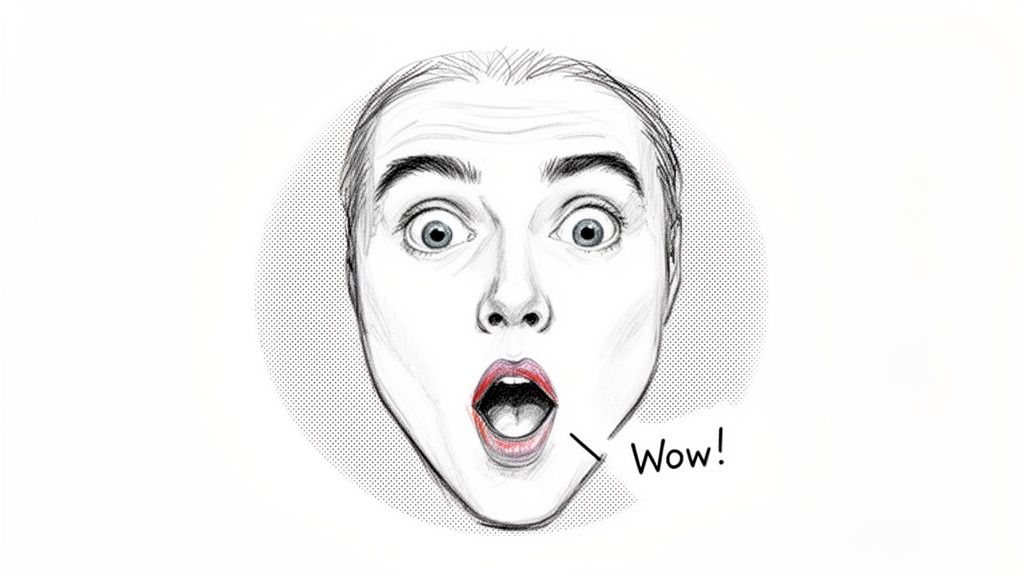
This strategy was popularized and perfected by creators like MrBeast, whose wide-eyed, open-mouthed expressions of shock have become iconic and are directly tied to his channel's explosive growth. The face acts as an emotional shortcut, telling the viewer what to feel before they even read the title. This method is exceptionally effective for reaction-based content, challenges, and storytelling videos.
How to Implement Emotional Faces
Successfully using faces in thumbnails goes beyond simply smiling for the camera. It requires deliberate posing and composition to maximize emotional impact and visibility, even on the smallest screens.
- Capture Variations: Don't rely on a single screenshot. During or after your video shoot, take 10-15 dedicated photos of different expressions. Try variations of surprise, joy, confusion, or concentration. This creates a "thumbnail bank" you can pull from, ensuring you always have a high-quality, emotionally charged option.
- Strategic Positioning: Place the face in the top-left or center-third of the thumbnail. Eye-tracking studies from institutions like the Poynter Institute show these are the areas viewers look at first. James Charles frequently uses this, often pointing toward a product or another element in the thumbnail to guide the viewer's eye.
- Consistent Lighting: Use consistent lighting, such as a ring light placed at a 45-degree angle, for your thumbnail photos. This ensures your face is well-lit and matches the visual quality across your videos, creating a cohesive brand identity.
- Emphasize the Emotion: Pair the expression with visual cues. Creators like Tana Mongeau often add arrows, circles, or other graphic elements that point directly to their face, leaving no doubt about the thumbnail's focal point.
A Nielsen study on ad effectiveness found that ads featuring emotionally expressive faces were significantly more memorable and engaging than those without. This principle applies directly to YouTube thumbnails, where grabbing attention is the primary goal.
Before settling on one style, test which expressions resonate most with your audience. Run a simple A/B test comparing a thumbnail with a smiling face to one with a shocked expression. Analyze the click-through rate (CTR) for each to get data-backed insights into what your specific viewers respond to. This direct feedback is a core part of refining your YouTube thumbnail best practices.
3. Strategic Use of Arrows, Circles, and Visual Elements
A key youtube thumbnail best practice involves using simple overlays like arrows, circles, and boxes to direct the viewer’s gaze. These visual guides are powerful subconscious cues that focus attention on the most critical part of your thumbnail, whether it's a person's reaction, a key number, or a specific product. By creating a clear focal point, you eliminate guesswork and help viewers understand the video's core value in an instant.
This method effectively creates a visual hierarchy, telling the viewer, "Look here first." It’s a technique used across many niches to boost clarity and curiosity. For instance, Graham Stephan frequently circles impressive financial figures, while Lex Fridman uses simple arrows to point toward his distinguished interview guests. These additions are not just decorative; they are functional elements that improve the thumbnail's communication efficiency and, consequently, its click-through rate.
How to Implement Visual Guides
Adding visual guides effectively requires precision and restraint. The goal is to highlight, not to create a cluttered mess that confuses the viewer.
- Choose the Right Guide: Use arrows to create motion and direction, pointing toward a face or an object. Circles and boxes are excellent for isolating specific data points, text, or small details. For example, HubSpot uses bright "star burst" shapes on its automation videos to draw attention to efficiency gains.
- Limit Your Elements: Stick to one or two guides per thumbnail. Adding too many arrows or circles can overwhelm the viewer and dilute the focus. The purpose is to create a single, clear point of interest.
- Guide the Eye Naturally: Whenever possible, position arrows to point downward or toward the right. This follows the natural reading and scanning patterns of most Western audiences (left-to-right, top-to-bottom), making the thumbnail feel more intuitive. Nate McCallister (EntreResource) often uses this tactic in his affiliate marketing tutorials to guide viewers through a process.
- Modernize the Appearance: Avoid flat, basic shapes. Instead, give your arrows or boxes a subtle 3D effect, a slight bevel, or a soft drop shadow. This helps them stand out from the background and gives the design a more polished, professional feel.
According to a study on visual neuroscience published in the Journal of Vision, the brain processes directed cues like arrows extremely quickly, allowing for pre-attentive guidance of a viewer's focus. This means your arrow tells the viewer where to look before they've even consciously decided to analyze the image.
Before committing to one style, test different guides. A/B test a thumbnail with a circle against one with an arrow to see what resonates more with your specific audience. The objective is always to make your video's main promise as clear and compelling as possible in the shortest amount of time.
4. Text Overlay Optimization and Hierarchy
More than just adding words to an image, text overlay optimization is about creating a clear information hierarchy that instantly communicates your video's core value. A well-designed text strategy guides the viewer's eye, making the thumbnail’s message instantly understandable. This is a crucial youtube thumbnail best practice because it ensures your primary benefit or hook is legible, even when the thumbnail is viewed at a small size on a mobile device.
This method works by assigning different visual weights to different pieces of information. The most important words, often a shocking result or a powerful benefit, are made the largest and boldest. This deliberate sizing and placement can dramatically increase click-through rates (CTR) by making the video's promise undeniable and easy to grasp in a split second.
How to Implement Text Hierarchy
Effective text hierarchy isn't about fitting as much text as possible; it’s about making the right text impossible to ignore. This requires careful consideration of what to say and how to display it.
- Prioritize a Single Message: Identify the most compelling part of your video. Is it a dollar amount, a time frame, or a solution to a problem? Make that the focal point. Finance creator Graham Stephan excels at this, prominently displaying specific dollar amounts and percentages as his primary text. Similarly, Pat Flynn often uses a direct problem statement ("Feeling Stuck?") to hook his audience.
- Use Power Words and Numbers: Incorporate words like 'NEW', 'EASY', 'HIDDEN', or 'FINALLY' to create urgency. Numbers are also highly effective, as seen in thumbnails for Nate McCallister's EntreResource channel, which often use figures like "3 Tips" or "$100K" to set clear expectations.
- Strategic Placement: Position your primary text in the top or bottom third of the thumbnail. This avoids clashing with the central area, which is often reserved for a face or key visual object. Adding a dark outline or drop shadow ensures the text remains visible over any background. For unique visual appeal, you can also experiment with text placement and design, such as learning to apply curved text effects in Canva for a more dynamic look.
According to a study on visual cognition, the brain processes images with a clear focal point 60,000 times faster than plain text. By making your key text a visual focal point, you are essentially "hacking" this process to get your message across instantly.
To apply this, start by writing down the three most compelling words or numbers related to your video. Choose the strongest one as your "hero" text. Then, use YouTube Studio's A/B testing feature to test 3-4 word variants of your thumbnail text to see which one delivers the highest CTR, confirming what resonates most with your audience.
5. Curiosity Gaps and Pattern Interrupts
One of the most powerful psychological tools in a creator's arsenal is the curiosity gap. This youtube thumbnail best practice involves creating a visual or textual hook that poses a question, shows an incomplete story, or contradicts expectations. This method triggers cognitive curiosity, a strong internal drive to find missing information, which compels viewers to click to resolve the tension you've created.

This technique interrupts the viewer's passive scrolling pattern by presenting a puzzle. Content strategists studying human psychology have shown that our brains are wired to seek closure. When a thumbnail presents an unresolved outcome, we feel an urge to click and get the answer. MrBeast has mastered this, frequently using blurred elements or question marks to hide the results of his extravagant challenges, leading to exceptionally high click-through rates.
How to Implement Curiosity Gaps
Successfully using curiosity requires a fine balance; you must intrigue viewers without misleading them or creating "clickbait" that leads to poor audience retention. The goal is to promise an answer that the video genuinely delivers.
- Obscure Key Information: Use visual elements like question marks, arrows pointing to a hidden area, or blurred sections to obscure a critical piece of information. For example, finance creator Graham Stephan often replaces a specific earnings number in his thumbnail with a large, bold '?' to make viewers wonder about the exact amount.
- Create Intriguing Comparisons: The "vs." format is a classic curiosity gap. Pitting two concepts or products against each other and visually hinting at a surprising winner encourages clicks. Ali Abdaal uses this by comparing productivity tools or life philosophies, prompting viewers to find out which one he recommends.
- Ask a Direct Question: Sometimes the simplest method is the most effective. Posing a direct, thought-provoking question in your thumbnail text can immediately engage a viewer's mind. For instance, a thumbnail with the text "Did I Waste $10,000?" is far more compelling than one that simply says "My New Office Setup."
According to a study in the journal Psychological Science, curiosity acts like a "mental itch" that the brain is highly motivated to scratch. By creating this itch with your thumbnail, you make the click an almost involuntary action for an interested viewer.
To apply this, identify the most surprising or valuable piece of information in your video. Then, design a thumbnail that teases this information without giving it away completely. It is crucial to monitor your analytics; track both CTR and Audience Retention. If viewers click but leave quickly, your curiosity gap may be misleading, which can harm your channel in the long run.
6. Consistent Branding and Template Systems
Beyond a single click, a strong thumbnail strategy builds a recognizable brand that encourages repeat viewership. One of the most effective youtube thumbnail best practices for long-term growth is establishing consistent branding and using template systems. This approach ensures your videos are instantly identifiable in a crowded feed, creating a "visual signature" that signals quality and familiarity to your audience.
This method goes beyond aesthetics; it's a tool for efficiency and audience conditioning. When viewers see your familiar style, they don't have to guess if the content is from a creator they trust. It’s an immediate mental shortcut that can significantly influence their click decision. This consistency signals a professional, well-managed channel, building subconscious trust.
How to Implement a Template System
Building a template system involves defining your visual identity and creating a repeatable workflow. This saves immense time in production and guarantees a cohesive look across your entire video library.
- Define Your Brand Kit: Establish a core set of brand elements. This includes specific hex codes for your primary and secondary colors, 2-3 consistent fonts for headlines and subtext, and rules for logo placement. For instance, Graham Stephan’s thumbnails are immediately recognizable due to his consistent green and dark blue color scheme. Similarly, Ali Abdaal often includes his signature blue circle logo.
- Create Template Variations: Design a handful of core templates in a tool like Canva or Photoshop. You might have one for interviews (like Andrew Huberman’s layout with guest photos), one for listicles, and another for tutorials. This provides flexibility while maintaining brand cohesion. To effectively manage these assets, exploring various social media content creation tools can be invaluable.
- Batch Your Production: Set aside time to create thumbnails in batches. Instead of making one thumbnail per video, dedicate a block of time each month to produce all your thumbnails for upcoming content. This improves both consistency and efficiency.
According to a VidIQ analysis, channels with highly consistent thumbnail designs often see higher subscriber loyalty and session watch times, as viewers are more likely to binge-watch content that is visually connected and easy to identify.
A great starting point is to analyze your niche and identify a unique visual style that differentiates you. Nate McCallister of EntreResource, for example, uses a business-focused style that stands out in the entrepreneurship space. You can learn more about building a strong visual identity by studying how other creators establish their branding.
7. Data-Driven A/B Testing and Analytics Review
Guesswork has no place in a serious growth strategy. One of the most critical youtube thumbnail best practices is to move beyond intuition and embrace data-driven A/B testing. This method involves systematically creating and testing different thumbnail variations to see which one performs best, using empirical evidence from your audience to guide design choices. This approach removes subjectivity and ensures your creative efforts directly contribute to a higher click-through rate (CTR).
This process is not about finding one "perfect" thumbnail but about creating a continuous feedback loop for improvement. YouTube growth consultants like Derral Eves have extensively documented CTR improvements achieved through methodical A/B testing. By basing decisions on hard data, creators can discover what colors, compositions, and text styles truly resonate with their specific audience, leading to sustained channel growth.
How to Implement A/B Testing and Analytics
Implementing a testing framework requires a structured approach to experimentation and data analysis. The goal is to isolate variables and measure their impact on viewer behavior.
- Isolate Variables: Test one significant change at a time. Instead of tweaking a font size slightly, test two completely different concepts, for example, a thumbnail with a human face versus one with a bold graphic. Graham Stephan often shares his results from testing wildly different thumbnail styles, demonstrating how major changes yield the clearest data.
- Analyze CTR in YouTube Studio: Navigate to the 'Reach' tab in YouTube Studio's analytics for any given video. This is where you will find the click-through rate. Monitor this metric closely after uploading a new thumbnail. Give a new thumbnail at least 24-48 hours to collect enough data before making a judgment.
- Track Trends Over Time: Export your video analytics data to a Google Sheet or another spreadsheet program monthly. By tracking CTR alongside thumbnail styles, you can identify long-term patterns. Successful creators often maintain spreadsheets to correlate thumbnail designs with performance, helping them build a "best practices" playbook specific to their channel.
- Use Third-Party Tools: While YouTube is building its own A/B testing feature, tools can help manage this process now. Platforms like TubeBuddy and VidIQ offer thumbnail testing functionalities that automate the process of swapping thumbnails and measuring the CTR impact. If you're deciding between them, it's worth reading a VidIQ vs. TubeBuddy comparison to see which fits your workflow.
According to a report by Tubular Labs, videos with thumbnails that have been A/B tested can see a lift in CTR of up to 30% compared to those that have not. This is because testing directly targets the preferences of a creator's unique audience segment.
To begin, choose a recent video with average performance. Create a new thumbnail that is distinctly different from the original. Upload the new thumbnail, note the date and time, and monitor its CTR over the next few days. This simple test is your first step toward building a data-informed feedback loop: test → analyze → implement → repeat.
8. Niche-Specific Design and Content Alignment
One of the most powerful youtube thumbnail best practices involves tailoring your design to meet the expectations of your target audience. A thumbnail that performs exceptionally well in the gaming niche might fall flat in the finance space. Aligning your design elements, colors, and typography with established niche conventions builds immediate trust and signals to viewers that your content is relevant to their interests, boosting click-through rates.
This approach works by speaking the visual language of a specific community. Viewers develop subconscious cues for what "good" content looks like in their preferred categories. When your thumbnail aligns with these cues, it lowers cognitive friction and makes the decision to click feel natural and safe. It reassures the viewer that the content will match the promise of the thumbnail, reducing immediate abandonment after clicking.
How to Implement Niche-Specific Design
Implementing this requires you to act like an anthropologist, studying the visual trends and unspoken rules of your content category. It's about recognizing patterns and adapting them to your unique brand.
- Finance & Tech: These niches often favor clean, professional aesthetics. Thumbnails typically feature clear data visualizations (graphs, charts), logos of well-known companies, and bold, sans-serif text. Creators like Andrei Jikh and Marques Brownlee (MKBHD) use this style to project authority and clarity. Their designs are information-dense yet uncluttered.
- Beauty & Lifestyle: This space is characterized by high-quality photography, bright and airy color palettes, and elegant script or serif fonts. Thumbnails frequently showcase a finished "after" look, a specific product, or an aspirational setting. NikkieTutorials often uses extreme close-ups of makeup artistry, which is a powerful convention in the beauty community.
- Gaming: Gaming thumbnails are typically dynamic and chaotic. They use saturated colors, dramatic character expressions, large text with heavy outlines, and visual elements like arrows or circles to highlight in-game action. This high-energy style, perfected by creators like PewDiePie, matches the fast-paced nature of the content itself.
In a Nielsen report on consumer trust, it was found that familiarity is a key driver of engagement. When a brand's visual identity aligns with genre expectations, it creates an "implicit sense of belonging and trustworthiness" for the consumer.
To apply this practice effectively, spend time analyzing the top-performing videos in your specific niche. Open a private browsing window and search for your core topics. Take screenshots of the thumbnails that appear on the first page and in the "Up Next" sidebar. Identify common themes in color, font, composition, and imagery, and use those insights to create a thumbnail that feels both authentic to your brand and familiar to your target audience.
9. Mobile Optimization and Safe Zone Practices
The vast majority of YouTube views now happen on mobile devices, making mobile optimization a non-negotiable part of your thumbnail strategy. A design that looks great on a 27-inch desktop monitor can become an unreadable mess on a 6-inch smartphone screen. Following mobile optimization and safe zone practices ensures your thumbnail's core message remains clear and impactful, regardless of how it's viewed. This is a critical component of youtube thumbnail best practices that directly affects click-through rates.
This approach involves designing with specific constraints in mind. You must account for how the YouTube app overlays elements like the video duration stamp on the bottom right and how small the thumbnail appears in various feeds. Ignoring these factors means key parts of your image or text could be obscured or rendered illegible, causing viewers to scroll right past your content.
How to Implement Mobile-First Design
Adopting a mobile-first mindset requires designing for the smallest screen first and then ensuring it scales up, not the other way around. This guarantees clarity and prevents last-minute redesigns.
- Respect the Safe Zones: Keep your most important elements, like the main subject and text, away from the corners and edges. A good rule of thumb is to maintain a buffer of at least 40 pixels from the top and bottom edges. The bottom-right corner is especially vulnerable, as YouTube places the video length timestamp there, which can cover up crucial text or imagery.
- Test at Actual Size: Before publishing, always shrink your thumbnail to its typical mobile display size, which is around 130 pixels wide by 73 pixels tall. View it on your own phone. Does the text remain readable? Is the main subject still clear? This simple test reveals design flaws that are invisible on a large screen.
- Center the Focal Point: While your background image can be full-bleed (extending to all edges), your primary focal point-be it a face, a product, or a key graphic-should be centered. This composition draws the eye inward and protects the subject from being cropped or covered by UI elements on different devices.
According to data from Statista, over 70% of YouTube watch time comes from mobile devices. This statistic alone underscores the importance of a mobile-first thumbnail design; failing to optimize for the majority of your audience is a missed opportunity.
To put this into practice, use a design template with safe zone guides built in. Many creators use tools like Canva or Photoshop and create visible overlays showing the "no-go" zones. By testing your design on both iPhone and Android devices, you can be confident your thumbnail is working as hard as possible to earn that click across the entire YouTube ecosystem.
10. Authenticity, Audience Trust, and Competitive Differentiation
While eye-catching design is critical, the ultimate goal of a thumbnail is not just a click, but a satisfied viewer. One of the most important long-term youtube thumbnail best practices is balancing impactful visuals with an honest representation of your content. This builds audience trust, which is the foundation of a loyal community, while systematic competitor analysis allows you to stand out in a crowded niche. Misleading clickbait might secure a click, but it often leads to a quick exit, damaging your video's average view duration and your channel's reputation.
This strategy requires you to make an authentic promise in your thumbnail and then deliver on it in your video. Viewers who feel respected and not deceived are more likely to watch longer, subscribe, and trust your future content. This approach turns a one-time viewer into a long-term fan, which is far more valuable for channel growth.
How to Implement Authenticity and Differentiation
Fusing honest marketing with a unique competitive edge involves both introspection and market research. It's about defining your promise and ensuring it's distinct from others in your space.
- Authentic Promises: Before publishing, ask yourself, "Does this thumbnail accurately set expectations for the video's content and tone?" Creators like Graham Stephan excel at this; his thumbnails on finance topics are bold and engaging but precisely match the data-driven, practical advice he provides. This alignment between promise and delivery is key to his high engagement rates.
- Competitive Analysis: Regularly analyze thumbnails from three types of competitors: a direct rival of similar size, an aspirational channel you look up to, and an underdog who is growing quickly. Document their color palettes, text styles, and image compositions. In a niche like personal finance, where many use conservative blues and greens, adding a high-quality, expressive human face can be a powerful differentiator.
- Monitor Audience Feedback: Pay close attention to your video's average view duration and audience retention graphs. A sharp drop-off in the first 30 seconds can signal a mismatch between the thumbnail's promise and the video's content. Also, read comments, as viewers will often directly state if they felt a thumbnail was misleading.
According to a study on consumer trust by Edelman, 81% of consumers stated that they need to be able to trust a brand to buy from them. On YouTube, a 'buy' is a viewer's time and attention; if your thumbnail breaks that trust, they are unlikely to 'buy' from you again.
To put this into practice, create a simple "Differentiation Document" before designing your next batch of thumbnails. Note your competitors' common tactics and brainstorm ways to be different-whether through color, composition, or the emotional promise you make. This strategic foresight prevents you from simply blending in and helps build a brand that is both trusted and distinct.
YouTube Thumbnail Best Practices — 10-Point Comparison
| Technique | Implementation Complexity 🔄 | Resource Requirements ⚡ | Expected Outcomes ⭐📊 | Ideal Use Cases | Key Advantages 💡 |
|---|---|---|---|---|---|
| High-Contrast Colors and Bold Text | Low — clear rules to follow | Low — fonts + color tools | ⭐ Improves CTR ~20–30% and legibility across devices 📊 | High-competition feeds, general content | 💡 Fast visibility gains; test at 130px for readability |
| Facial Expressions and Emotional Reactions | Medium — requires shooting and direction | Medium — camera, lighting, creator time | ⭐ High CTR uplift; stronger emotional engagement 📊 | Personal brands, reaction, lifestyle, vlogs | 💡 Film multiple expressions to build a thumbnail bank |
| Strategic Use of Arrows, Circles, and Visual Elements | Low–Medium — simple overlays but needs design sense | Low — Canva/Photoshop templates | ⭐ Moderate CTR lift; clearer visual hierarchy 📊 | Tutorials, comparisons, educational content | 💡 Limit to 1–2 elements to avoid clutter |
| Text Overlay Optimization and Hierarchy | Medium — typographic decisions matter | Low–Medium — fonts, templates, spacing tools | ⭐ Improves clarity and discoverability; numbers can +15% CTR 📊 | Finance, business, educational and ROI-focused videos | 💡 Use 3–5 words, outline text for legibility on images |
| Curiosity Gaps and Pattern Interrupts | Medium — conceptually sensitive to balance | Low — design tools + testing | ⭐ Very high CTR potential (15–40%) but risk of backlash 📊 | Click-driving content, competitive niches, teasers | 💡 Obscure info sparingly and always deliver in video |
| Consistent Branding and Template Systems | Medium–High — initial design investment | Medium–High — brand kits, templates, team tools | ⭐ Long-term recognition; speeds production by 60–70% 📊 | Channels with frequent uploads or teams | 💡 Build 5–10 templates for different content types |
| Data-Driven A/B Testing and Analytics Review | High — requires process and stats literacy | Medium — YouTube Studio, TubeBuddy, Sheets | ⭐ Empirical CTR improvements; compound gains over time 📊 | Growth-focused creators and entrepreneurs | 💡 Test one variable at a time; aim for 500+ impressions |
| Niche-Specific Design and Content Alignment | Medium — research-driven design | Low–Medium — competitor analysis tools | ⭐ Improved relevance, trust, and niche CTR 📊 | Finance, tech, e‑commerce, specialized niches | 💡 Reverse-engineer top 20 niche thumbnails for patterns |
| Mobile Optimization and Safe Zone Practices | Low — rule-based constraints | Low — mobile devices for testing | ⭐ Ensures legibility on small screens; fewer cropped elements 📊 | Mobile-heavy audiences, commuter viewers | 💡 Keep core content inside center 60% safe zone |
| Authenticity, Audience Trust, and Competitive Differentiation | Medium — requires analysis and alignment | Medium — competitor research + higher video quality | ⭐ Better long-term retention and sustainable growth 📊 | Entrepreneurs focused on lifetime value and courses | 💡 Prioritize truthful promises over short-term clickbait |
From Clicks to Community: Your Next Steps
You've now explored the ten fundamental pillars that separate a forgettable thumbnail from a click-worthy masterpiece. We've moved from the foundational principles of high-contrast colors and emotionally resonant facial expressions to the strategic nuances of A/B testing and maintaining brand consistency. Each practice we've detailed serves a singular, critical purpose: to earn the click amidst a sea of content. But the journey doesn't end when a viewer selects your video.
The true goal, as successful creators and marketers understand, is to convert that initial click into a long-term relationship. A thumbnail is a promise, and your video content is the delivery of that promise. As noted by YouTube's own Creator Academy, a high click-through rate (CTR) is only half the equation; it must be supported by strong audience retention to signal value to the algorithm. Mastering youtube thumbnail best practices is therefore not just about grabbing attention, but about setting the right expectations and building trust from the first glance.
Synthesizing the Core Principles
Let's distill the most crucial takeaways from our deep dive. Think of these as your immediate action plan for transforming your channel's visual strategy:
- Emotional Connection is Paramount: The power of a human face conveying a specific, relatable emotion cannot be overstated. Your audience connects with people.
- Clarity Trumps Clutter: In the split second you have to capture attention, a simple, high-contrast design with minimal, bold text will always outperform a busy, confusing image.
- Data Overrides Assumptions: Your gut feelings are a starting point, but your YouTube Analytics data is the ultimate source of truth. A/B testing is not an optional extra; it is the engine of sustainable growth.
These three points synthesize the essence of effective thumbnail design. A great thumbnail makes an emotional promise, communicates it clearly, and is validated by real-world performance data.
Your Actionable Roadmap to Thumbnail Mastery
Knowing the theory is one thing; putting it into practice is what drives results. For the entrepreneurs, marketers, and creators in our audience, here is a step-by-step process to implement what you've learned today:
- Establish Your Baseline: Before making any changes, document your channel's current average CTR for the last 30-90 days. This is your benchmark.
- Create Your Template System: Open a design tool like Canva or Figma and build 2-3 core thumbnail templates based on the principles of brand consistency, color theory, and text hierarchy discussed earlier.
- Initiate Controlled A/B Tests: For your next video, use a tool like TubeBuddy or simply change the thumbnail after 7 days and compare the CTR. Crucially, test only one variable at a time. Is it the facial expression? The text copy? The color scheme? Isolating variables is key to generating meaningful insights.
- Analyze and Iterate: After each test, review the data in YouTube Analytics. Look not just at CTR, but at the interplay between CTR and Audience Retention. Did a "clickbait" thumbnail increase clicks but kill your watch time? That's a losing formula. Adjust your templates based on what your specific audience responds to.
This iterative process of creating, testing, and refining is the core of all successful digital marketing. It's how you apply proven youtube thumbnail best practices directly to your niche and audience. Your goal is to build a flywheel where better thumbnails lead to more views, which provides more data, which in turn helps you create even better thumbnails. This is how you stop guessing and start building a predictable system for audience growth, turning passive viewers into a loyal community and, ultimately, into customers for your products and services.