
Amazon usually charges for physical pre-orders when the item ships, not when you place the order. You may still see a temporary authorization hold earlier, and that's where most of the confusion starts.
If you're an entrepreneur watching cash flow closely, that distinction matters more than it seems. A pending amount on your card can reduce available balance even though Amazon hasn't completed the charge yet. For anyone managing business purchases, launch inventory, author pre-orders, or customer support questions, understanding that difference saves a lot of unnecessary panic.
The Simple Answer to a Common Amazon Question
A buyer places a pre-order for a $300 item months before release, checks the card activity that night, and assumes Amazon already took the money. That misunderstanding causes a lot of support tickets, refund requests, and cash flow confusion.
For products sold and shipped by Amazon, the practical answer is straightforward. Amazon typically captures payment when the order is preparing to ship, not when the customer first places the pre-order, which aligns with Amazon's own order help documentation on when Amazon charges for items.
What shows up on the card before that can still create problems.
A bank may show a pending amount soon after checkout because the card is being verified. That early activity can reduce available balance on a debit card or a tight business credit line, even though the transaction has not fully settled. For a seller, agency owner, or small business operator, that distinction matters because customers often read any card activity as a completed charge.
Practical rule: Treat the order date as a reservation date and the ship date as the actual billing date, unless the listing or seller terms say something different.
This matters on the operations side as much as the consumer side. If you sell around launches, manage preorder campaigns, or answer buyer emails, you need to explain billing in a way that matches what customers see in their banking app, not just what Amazon does on the backend.
Why business owners should care
For entrepreneurs, this affects day-to-day decisions.
- Cash flow planning: A temporary hold can shrink available spending room before the posted charge appears.
- Customer service: Buyers may report a duplicate charge when one line is pending and the other is the final settled payment.
- Release management: Pre-order revenue timing follows fulfillment timing, which can complicate forecasting for launches and coordinated promotions.
- Marketplace variation: Orders fulfilled by third-party sellers do not always follow Amazon retail's timing, so billing expectations can shift based on who sold the item.
That operational view is what separates a simple consumer answer from a useful business answer.
Understanding Authorization Holds vs Final Charges
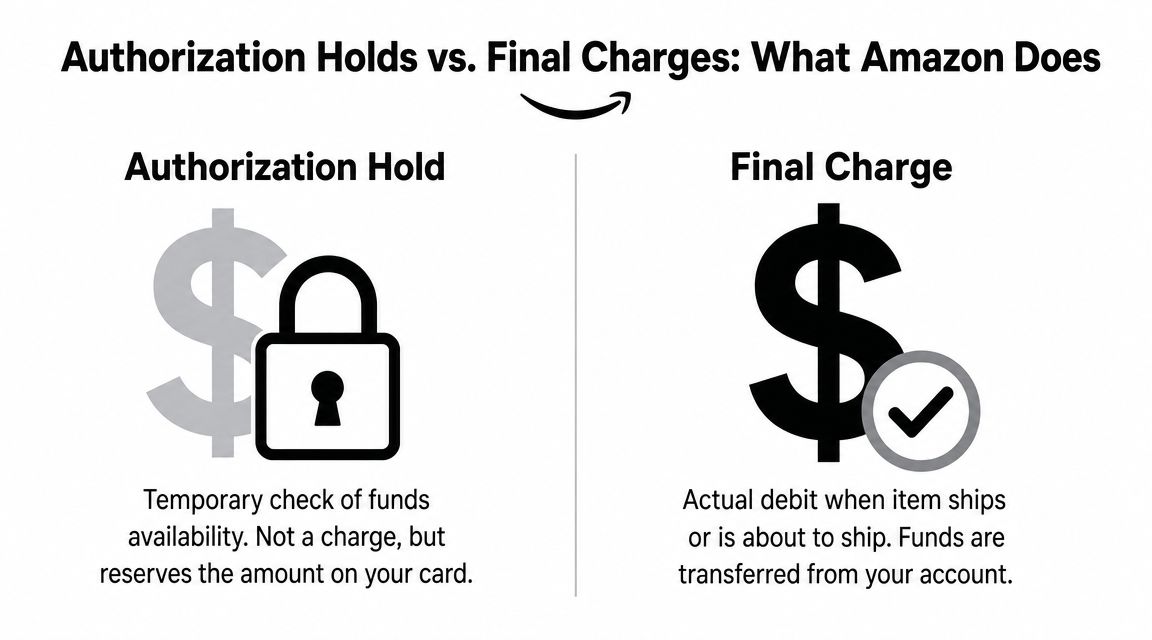
The easiest way to understand Amazon pre-order billing is to think of a hotel check-in. The hotel may place a hold on your card before you settle the bill. Amazon can work in a similar two-step pattern with pre-orders.
An authorization hold is a temporary funds check. A final charge is the completed transaction that posts when Amazon captures the payment.
What the pending charge usually means
If you see a pending line on your credit card or debit card after placing a pre-order, don't assume Amazon has fully collected the money.
Consumer payment guidance discussed in this summary of Amazon charges before shipping and card authorization behavior notes that card authorizations can appear before final settlement and then drop off, which is a major source of “I was charged twice” support questions. That's exactly why so many buyers get confused with pre-orders.
What the final charge means
The final charge is the one that matters for accounting. That's the transaction that settles.
For a seller or business operator, the practical difference is straightforward:
- Authorization hold: money is earmarked
- Posted charge: money is collected
- Reversed or dropped hold: the earlier pending line disappears
- Final shipment charge: the final transaction remains on the statement
A pending line can scare a buyer. A posted line is what should drive reconciliation.
What works and what doesn't
What works is checking whether the transaction says pending or posted in your bank app before escalating it.
What doesn't work is filing a dispute the moment you see an authorization. That usually creates extra work for the buyer, the bank, and support teams because the issue may resolve on its own once the hold drops and the shipment charge posts later.
For debit cards, this matters even more because available funds can look lower even though the payment hasn't finalized. For digital wallets, the wording can vary, but the same logic applies. Look for transaction status first, then compare it to the Amazon order status.
Decoding Amazon's Pre-Order Billing Timeline
A common seller-side problem starts like this. A founder pre-orders inventory research books, a game release, or a piece of hardware for the office, sees no posted charge for weeks, then assumes the order did not go through. Amazon's timeline often creates that confusion because the payment event is tied more closely to fulfillment than to the day the order was placed.
Independent coverage from Business Insider's explanation of how Amazon pre-orders work says Amazon usually charges shortly before release, often when the item is preparing to ship. For planning purposes, treat the pre-order as a reservation first and a settled purchase later.
The timeline in real life
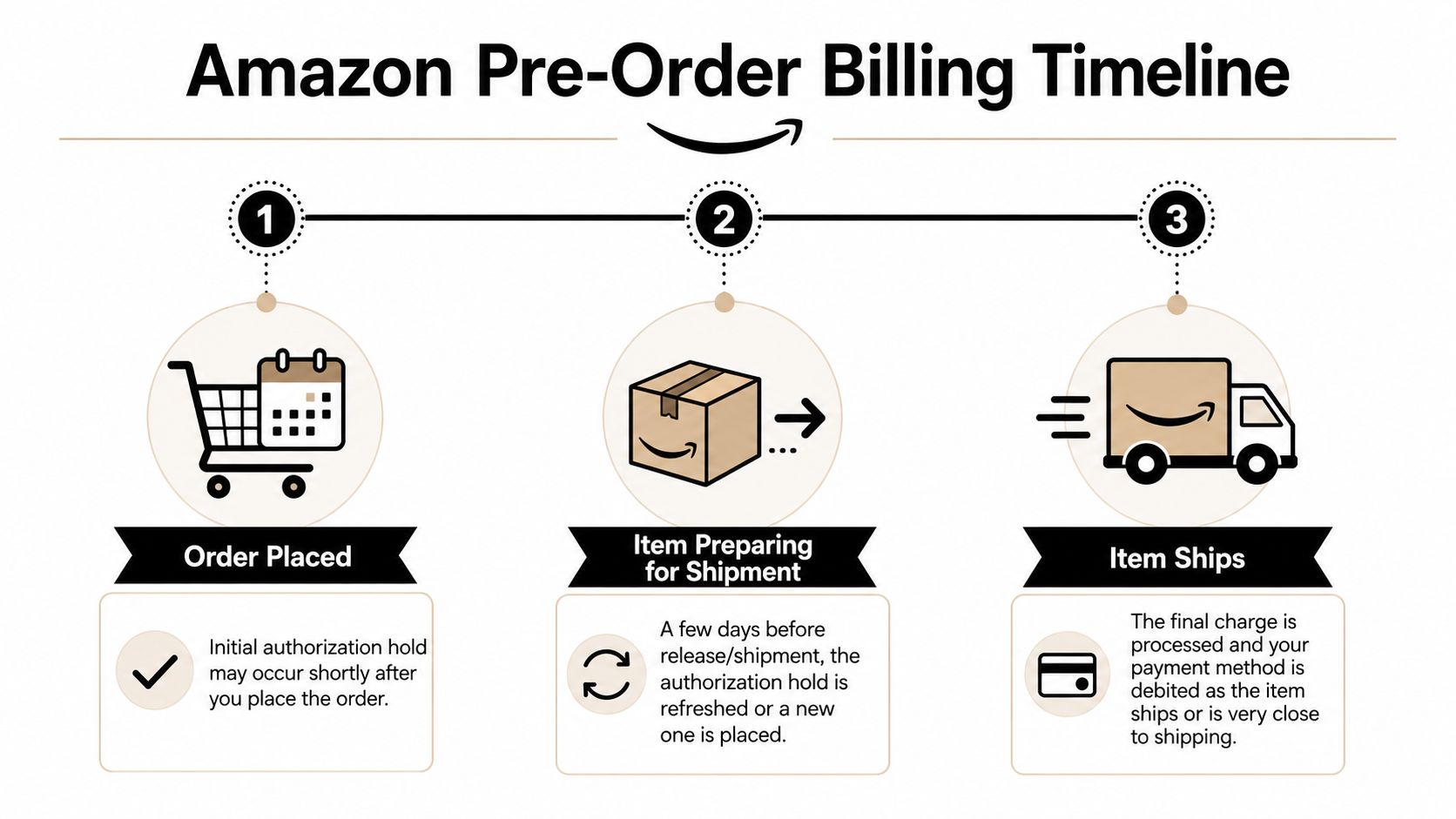
In practice, the sequence is usually simple:
Order placed
Amazon records the pre-order and stores the payment method.Release date gets closer
Amazon may re-check the card or update the order for fulfillment readiness.Shipment approaches
The final charge is typically captured around shipment, not at the original checkout date.
That timing matters for cash flow. If you manage expenses weekly, a pre-order placed this month can become a real charge next month or even later. For small businesses, that gap can create avoidable card declines, especially if the original payment method is replaced, maxed out, or locked by the bank before release day.
The amount can change before release
The billing date is not the only moving part. The final amount can shift too.
Amazon's Pre-order Price Guarantee can lower the billed amount between the day you place the order and the day it ships. Amazon explains the policy in its Pre-order Price Guarantee help page. If the item qualifies, Amazon charges the lowest Amazon-offered price during that window.
That is good for buyers, but it creates a small accounting wrinkle for operators. The amount approved internally at checkout may not match the amount that finally posts, so finance teams should reconcile against the shipment confirmation, not the original cart total.
If you are trying to line up the expected charge date with release-week delivery patterns, this guide on when Amazon stops delivering gives useful context on the shipping side.
Key Exceptions Digital Goods and Third-Party Sellers
A common support problem starts like this. A customer places a pre-order, sees no charge, then buys a second item from a marketplace seller and gets billed on a different timeline. If your team answers both cases with the same script, you create refund requests, card-update tickets, and avoidable confusion.
Seller type changes the billing expectation.
Third-party sellers are the biggest exception
The shipment-based pattern is most predictable on items sold and shipped by Amazon. Marketplace sellers can follow different payment timing based on how their listing and fulfillment setup works, so the charge may not line up neatly with Amazon retail behavior.
For operators, this is less about trivia and more about process. If you run procurement, online arbitrage, or customer support, check the seller line before you estimate when money will leave the card. “Sold by Amazon” and “Shipped by Amazon” usually gives you the clearest expectation. Once a third-party seller is involved, you need to verify the order details before you promise a charge date to a customer or log it in a cash flow plan.
That one check saves time.
It also reduces a common service issue. A buyer sees a pending charge, it falls off, then a later charge appears closer to fulfillment. If the order also has a payment problem, your team may need to walk them through an Amazon payment revision needed fix instead of treating it like a standard Amazon-retail pre-order.
Digital items follow a different logic
Digital pre-orders work on access, not physical shipment. There is no box leaving a warehouse, so the billing trigger is usually tied to release, download availability, or account access.
That matters for planning. If you are tracking expected card charges across a launch week, digital orders belong in a different bucket from physical inventory. The customer experience is different too. Support questions are more likely to center on release time, failed access, or platform availability than on carrier movement.
Amazon Pre-Order Charging Timelines at a Glance
| Item Type | Typical Charge Time | Governed By |
|---|---|---|
| Physical item sold and shipped by Amazon | When the item enters shipping or shortly before release/shipment | Amazon retail fulfillment timing |
| Physical item from a third-party marketplace seller | Can vary by seller and fulfillment method | Seller-specific marketplace billing practices |
| Digital pre-order | Usually near release, download, or access | Digital delivery and release timing |
What this changes for operators
The practical rule is simple. Classify the order before you answer the billing question.
Use this approach:
- Check whether the item is sold by Amazon or a marketplace seller.
- Separate digital pre-orders from physical goods in your billing expectations.
- Avoid quoting one universal charge rule across all Amazon listings.
- Train support staff to confirm seller type before discussing charge timing or card issues.
This protects both cash flow and credibility. If you budget pre-order charges based on Amazon-retail timing, then apply that same assumption to marketplace or digital orders, your forecast gets messy fast. The customer feels the same friction when your first answer is too broad and the actual billing behavior does not match it.
How to Check Your Pre-Order Payment Status
When you need clarity, skip guesswork and inspect the order directly inside Amazon.
Where to look in your account
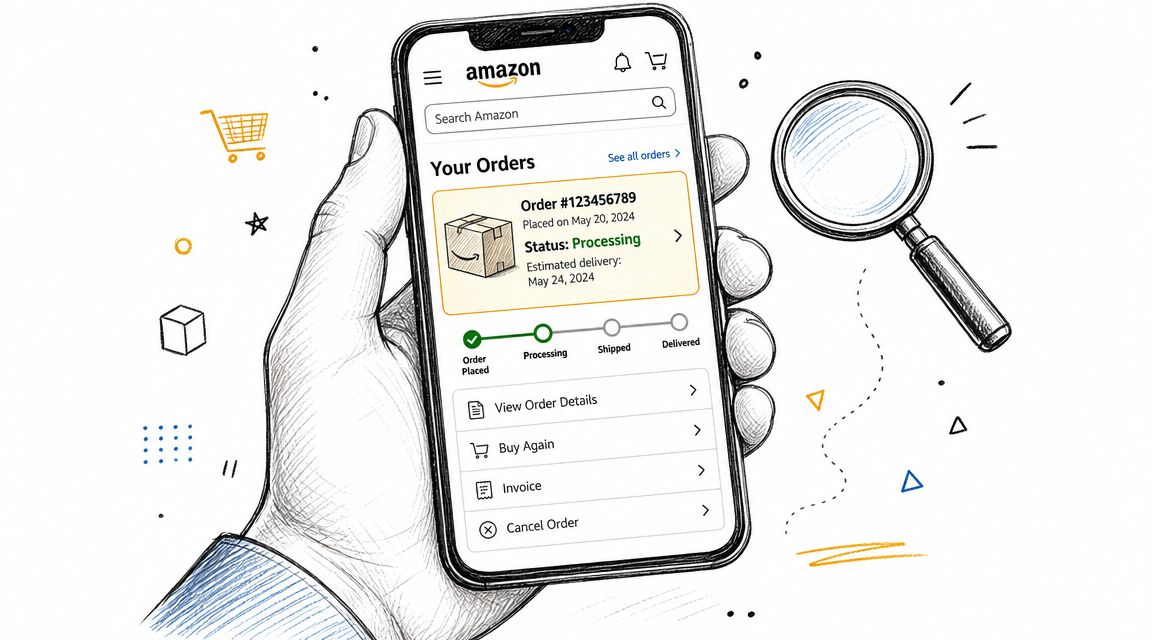
Open Amazon, go to Your Orders, and find the pre-order item. Then click or tap View order details.
You're looking for two separate signals:
- the order status
- the payment status shown by your bank or card issuer
On the Amazon side, wording such as Not yet shipped, Preparing for Shipment, or Shipped helps you understand where the order is in the fulfillment cycle. On the payment side, your bank usually marks the transaction as pending or posted.
A practical check sequence
Use this order:
- Confirm the seller
Check whether the item is sold by Amazon or a marketplace seller. - Read the shipping status
“Preparing for Shipment” is usually more meaningful than the original order confirmation. - Inspect your bank app
See whether the card activity is pending or posted. - Review payment method details
Make sure the card on file is still valid.
If Amazon flags a card issue, this walkthrough on fixing the Amazon payment revision needed error is useful for clearing the problem before the order stalls.
A short visual can help if you're checking this on mobile:
What to record if you manage multiple orders
If you handle pre-orders for a business account, don't just glance at the order once. Save the essentials:
- Order number
- Seller name
- Current order status
- Card used
- Whether the bank shows pending or posted
That gives you a clean trail when finance, procurement, or customer support asks what happened.
Proactively Managing Your Pre-Order Payments
A pre-order can wait for weeks, then fail at the worst possible moment. Release week arrives, the card on file has expired, finance switched the company card, or a forgotten subscription has eaten into the available balance. For sellers and business buyers, that is not just a payment issue. It turns into delayed fulfillment, extra support contacts, and avoidable cash flow noise.

Long-dated pre-orders need a simple maintenance routine. Treat them like invoices with a future due date, not like ordinary purchases you can forget after checkout.
Habits that reduce failed charges and support headaches
The goal is straightforward. Keep the order eligible to process the day Amazon or the marketplace seller is ready to ship.
- Check card expiry dates early: If the card will expire before release, update it now instead of waiting for Amazon to request a revision.
- Leave room on the card: The charge usually happens later, so the primary risk is available credit at shipment time, not order time.
- Clean up small recurring charges: A few subscriptions can tie up more balance than expected. If you manage purchases on iPhone, this guide on how to cancel iPhone apps can help reduce unnecessary spending.
- Use one owner for the order: In a business account, assign someone to monitor open pre-orders so payment changes do not get lost between teams.
- Review older orders monthly: That habit catches expired cards, address changes, and release-date shifts before they become customer service problems.
Price changes matter too. As noted earlier, qualifying Amazon pre-orders can settle at a lower eligible price by the time the item ships. That helps the buyer, but it does not remove the need to keep the payment method valid and funded.
I tell sellers to plan for the support impact, not just the charge itself. If a customer pre-order fails on release day, they often blame the seller first, even when the issue sits with the card issuer or Amazon account settings. A clean order pipeline reduces those contacts.
A simple operating routine for entrepreneurs
Use a stable payment method for open pre-orders. Review aging orders on a set schedule. Update billing details before the order moves close to shipment. If you need to reduce clutter while tracking older purchases, this guide on archiving Amazon orders when you want a cleaner history explains what Amazon does and does not allow.
This is boring work. That is the point.
Pre-orders run best when nothing surprises you on release week.
Frequently Asked Questions About Amazon Pre-Orders
Does Amazon charge right away for a pre-order?
Usually not for physical items sold by Amazon. The final charge is generally tied to shipment timing rather than the day you place the order. If you saw activity right after checkout, it may be a pending authorization rather than a completed charge.
Can I cancel a pre-order before it ships?
In many cases, yes. Pre-orders are commonly cancellable before shipment, but the exact options depend on the item, seller, and order status inside your account.
Can I change the payment method on an open pre-order?
Often, yes, as long as the order hasn't progressed too far into fulfillment. Check Your Orders and open the order details to see what Amazon still lets you edit.
Why does my bank show two charges?
The most common explanation is one pending authorization and one final posted transaction. That's why checking transaction status matters before calling it a duplicate charge.
Can I change the shipping address before release?
Usually, Amazon lets you edit certain order details before the order locks for shipment. Once the order moves deeper into fulfillment, those options can narrow.
Can I hide old pre-orders from my order history?
If you're trying to clean up your account view, this guide on how to archive Amazon orders explains an important limitation and what you can do instead.
What if my pre-order payment fails?
Amazon may ask you to revise the payment method. If that happens, act quickly. Failed payment issues are much easier to fix before the order is canceled or delayed.
If you build or sell online, EntreResource publishes practical guides for Amazon sellers, marketers, and digital entrepreneurs who want fewer operational surprises and better systems.