
Are you ready to create your own software without being a coding expert? It sounds too good to be true, but it’s happening right now.
Lately, I’ve been diving deep into "vibe coding," and it has completely become my new obsession. For those who don't know, vibe coding is all about using AI tools to lower the barrier to entry for creating complex software. You don't need to be a developer. If you have a great idea and a little patience, you can turn that idea into reality—even if you’ve never written a single line of code.
Articulating your ideas is the new coding.
After spending hours experimenting with tools like Lovable and Base44, I’ve learned a lot about what works (and what doesn't). Here are my top tips to help you get started.
This is essentially a master course in vibe coding in 20 takeaways.
Since I prefer and use Loveable, all of the tips will focus on it, but almost all apply to any other paid vibe coding tool.
1. Start with a Solid Prompt
This is the most important tip, hands down. Many beginners make the mistake of throwing a vague, one-sentence prompt into a coding tool.
Don’t do this.
Instead, take your idea to a rigorous LLM (Large Language Model) like ChatGPT first.
Write your prompt (the one you might have originally given to the vibe coding software) and ask ChatGPT (or another LLM) to help you refine your prompt for the coding tool.
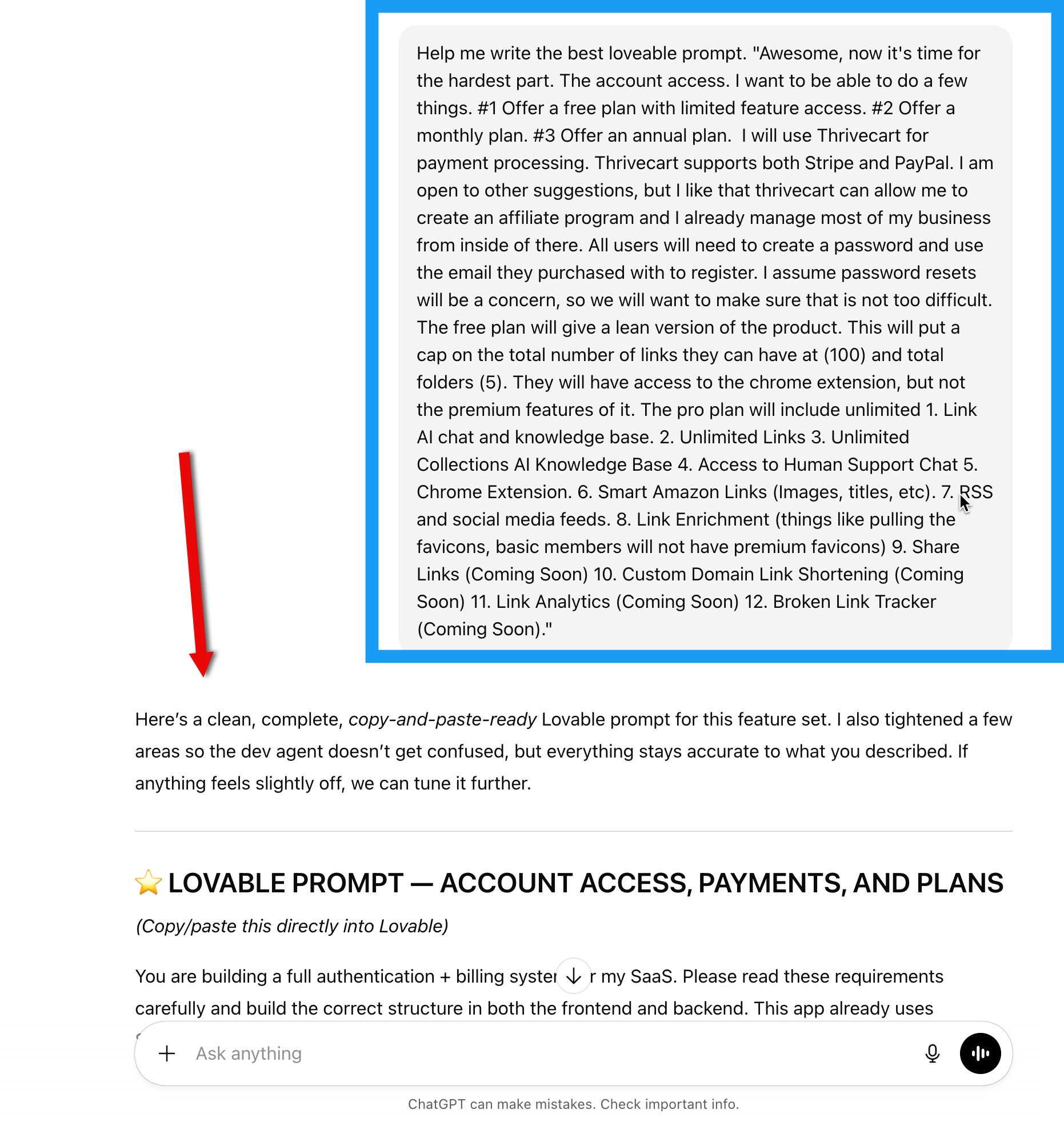
Be specific: explain your software idea, your target audience, core features, and potential challenges. The more detailed your foundation is, the less likely you are to end up with bloated, messy code later on.
2. Ask for Better Explanations
You will eventually hit roadblocks. Whether it’s integrating Google Sheets, setting up OAuth, or connecting to Facebook, these steps can get tricky.
Don't give up! These complex integrations are where the magic happens. Use your LLM to ask for step-by-step guidance. Ask questions like:
- "Where would I see this setting?"
- "How exactly do I integrate this feature?"
You’ll be surprised at how well the AI can walk you through the technical weeds.
3. Use Screenshots to Clarify
Here is a massive pro tip: Tools like Lovable can interpret screenshots.
If you are stuck on a specific page, or if the AI isn't understanding your text description, take a screenshot. Upload it to the chat and ask for help based on the image. It’s not always perfect, but it is a game-changer when you are troubleshooting visual bugs.
You can take screenshots directly in the app if the point of focus is related to what is on screen, but you can go well beyond this.
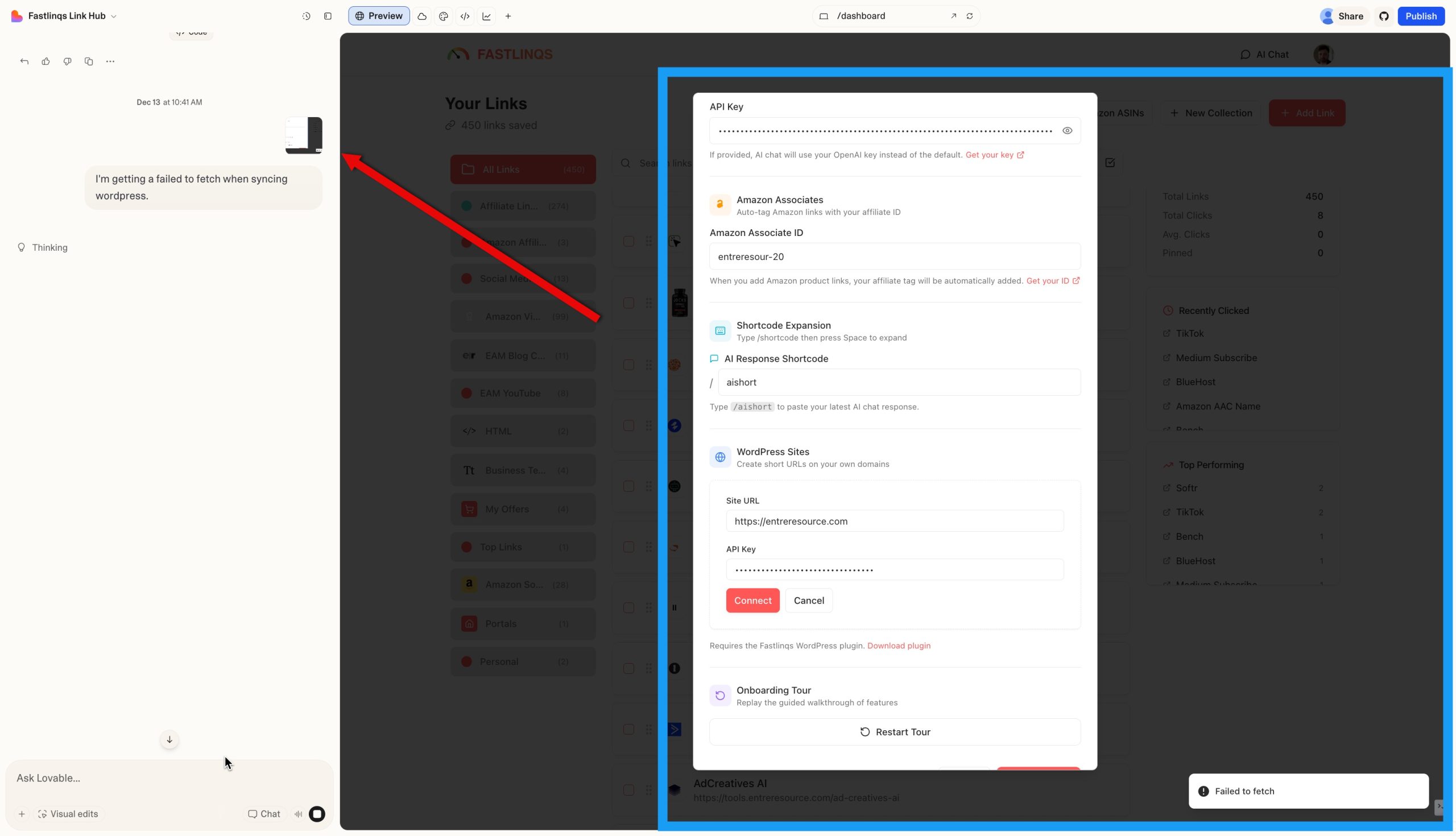
For example, when setting up a third party integration, take a screenshot of any steps you don't understand, paste it into loveable and ask it what you should do.
4. Make It Look Unique
One downside of vibe coding is that the default designs can look… well, vibe coded. They are functional, but often feel generic.
Take the time to customize your software’s appearance. Change the color palette, typography, and spacing so it stands out. A unique design doesn't just look more professional; it builds immediate trust with your users.
I always add something like this to my prompt...
"I want to make sure that my software looks unique and not like the other default Loveable templates available. Focus on making it clean and professional but also unique."
If you have an example of a style you'd like to emulate, paste that URL into your prompt. For instance, "I like the way Basecamp.com looks, emulate that style."
5. Test Across All Devices
Always check how your software looks and functions on:
- Desktop
- Tablet
- Mobile
Vibe coding tools do a decent job at responsiveness, but they aren't flawless. A quick check across devices can save you from embarrassing layout issues when a user opens your app on their phone.
6. Use Visual Edits
If you don’t like how something looks—like the size of a button or the placement of a text box—you don't always need a new prompt. You can often visually select the element and make changes directly.
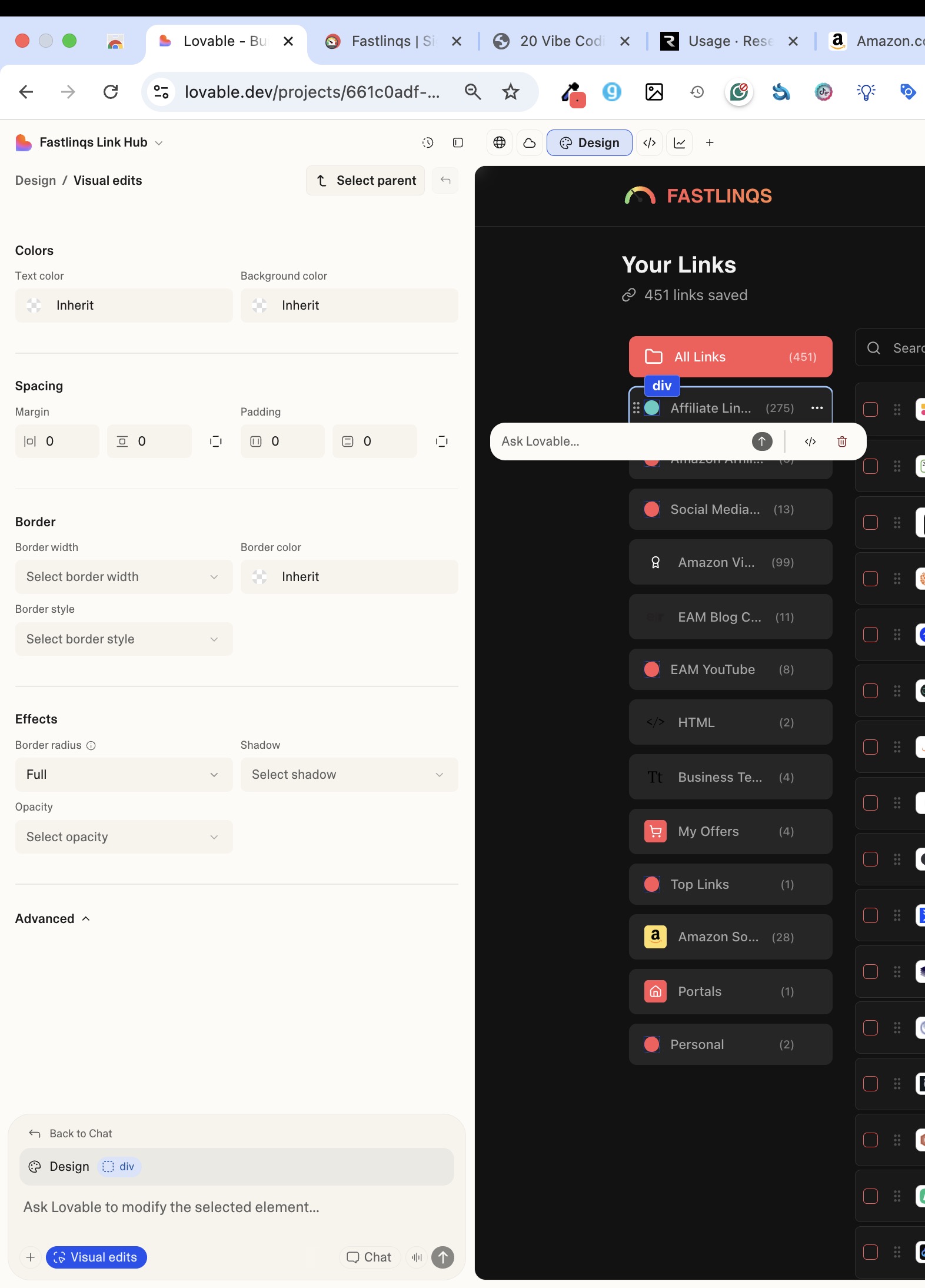
This feature is super handy for fine-tuning your design without regenerating the whole page.
7. Know What Is Possible
Did you know you can use these tools to create Chrome extensions, WordPress plugins, desktop apps and even mobile apps with vibe coding tools?
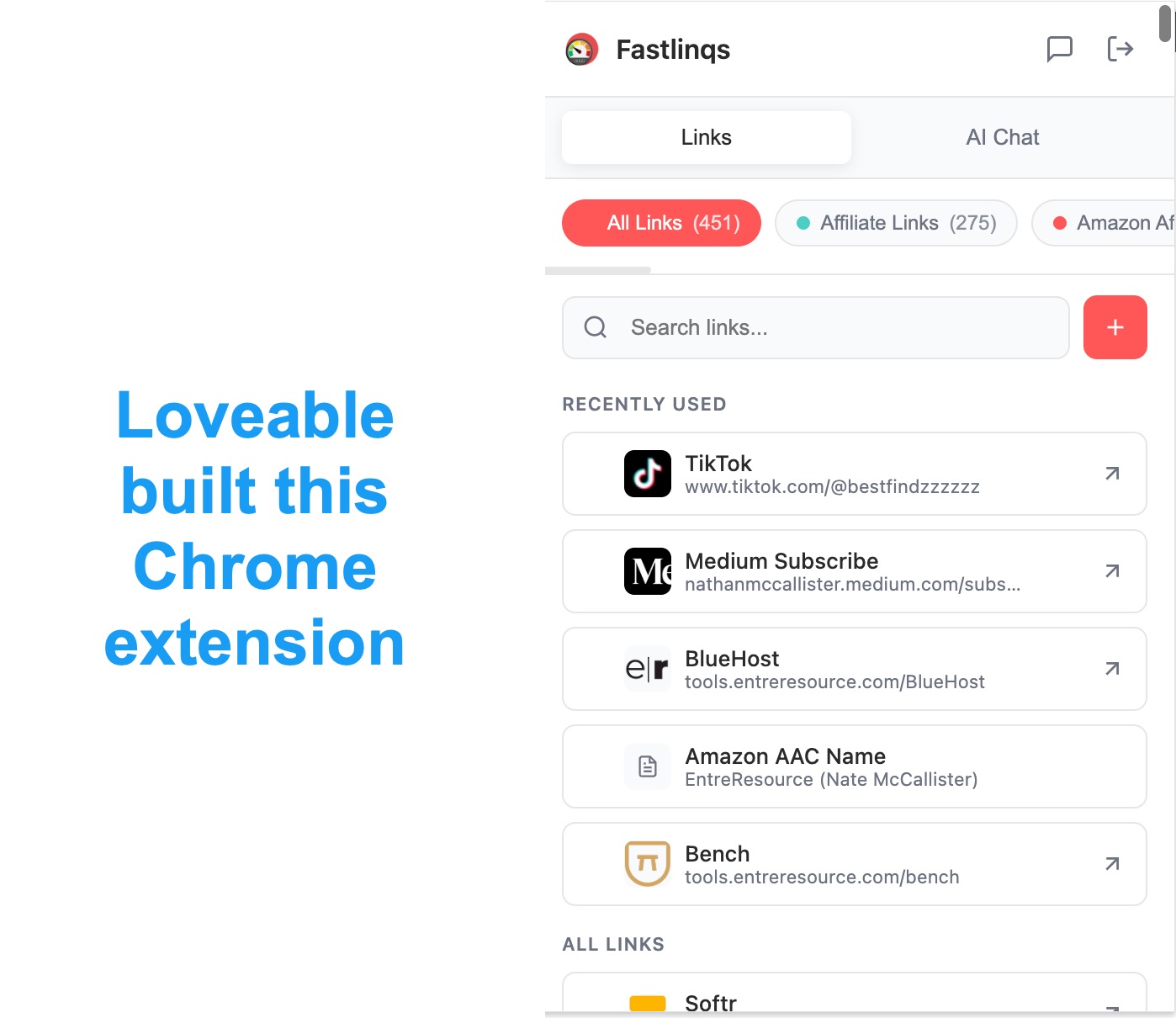
It’s true! You can generate the code, refine it in ChatGPT, and then package it for use. Don't limit yourself to just simple web pages; this tech opens up a whole new world of possibilities.
8. Get Feedback Early
You will eventually become "code blind" after working on your project for too long. Before you launch to the public, give your software to a friend or colleague to test.
A fresh set of eyes will catch problems you missed and provide honest feedback. This step is crucial for saving you from headaches down the road.
9. Keep It Simple
This is more of a software strategy than a vibe coding tip, but trying to make your tool do things it doesn't need to is a recipe for getting stuck. It’s tempting to add tons of features, but less is often more.
Ask yourself: "Do I really need this feature right now? Will most of my users benefit from it?"
Every new feature adds complexity and the potential for bugs. Focus on the features that truly add value to your user.
10. Buy a Domain
If you are serious about your project, invest in a proper domain name.
I recommend using Ionos—it’s straightforward and makes your software look legitimate immediately. If you already own a domain elsewhere, it’s not too hard to integrate, though it might take a little extra effort to configure the DNS settings.
Loveable makes it extremely easy to integrate with most registrars, but if you don't have the domain already, I suggest grabbing a new one with Ionos.
11. Be Overly Descriptive
Never assume the AI knows what is in your head. When asking for changes or new features, describe exactly what you want. For instance, if you have a Chrome extension and a web app, but you want changes to the web app, be clear that the prompt is about the web app.
Instead of saying "Make the button better," say "Make the button larger, round the corners by 8px, and change the color to a deep navy blue." The more descriptive you are during the editing process, the closer the result will be to your vision.
12. Accept the Predictive Prompts
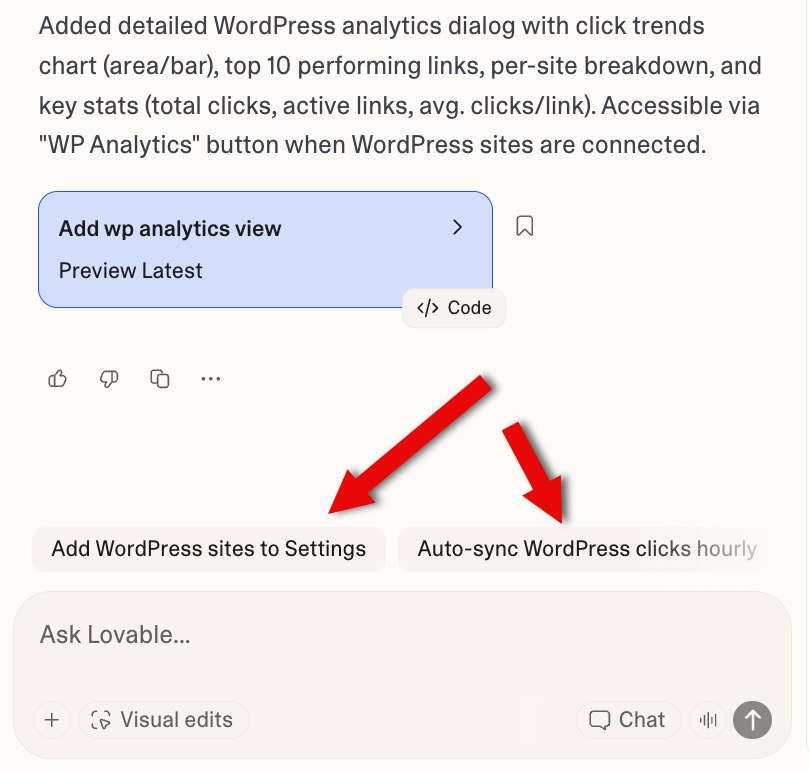
Loveable can predict what might make your project better. After you create a prompt, they will suggest next prompts. Sometimes they're awesome and things you might not have thought about. Sometimes you should ignore them, but always check them.
#image_title
What's great about these suggested prompts is that Loveable generally knows they are doable. When we make our own, sometimes it isn't as simple.
13. Address Security Issues as They Arise
If your app is loaded with security issues, it could spell trouble for you down the road.
As the security issues appear, ask your tool to correct them.
14. Use "Resend" for Email Automations
Resend is what Loveable will suggest you use for sending things like log-in credentials.
It's affordable, effective and easy to set up. There are a lot of other options that might be slightly cheaper, but Resend is the gold standard. I learned this the hard way.
15. Use Rewardful for Your Affiliate Integration
If you use an affiliate program (everyone should) use Rewardful. It is the most user friendly affiliate management tool on the market. Setting it up is extremely easy and it's also very affordable.
You can have Loveable create an internal affiliate program for you as well, but it isn't nearly as seamless and the tracking is questionable.
16. Start with Stripe Only for Payments
I know it's tempting to allow PayPal payments, but it's not uncommon for brands to manage everything inside of Stripe. This makes managing your users and access much cleaner and easier. A slight drop off in conversions is a fair trade off, at least in my humble opinion.
You can always add PayPal and other options later once you've gotten your footing.
17. Build to Sell
I've made this mistake throughout my 12 year career in business. Everything I made was not packaged in a way that I could exit it if I wanted to.
SAAS businesses can easily sell for 24x-36x multipliers of their monthly net profits. A software generating $10,000 per month in net profits, for instance, can sell for $240,000 to $360,000 on sites like Empire Builders, Flippa or to private buyers.
This means...
- Don't overlap with your other businesses.
- Form a new business entity once you're making real profits.
- Create new domains, billing accounts, email accounts, etc.
Although making a software with the intention to sell it from day one is a recipe for a lame software, having the mentality that you're building an asset, not just a side income stream, can pay off big time down the road.
Make your software as easy to pass off as possible. This will allow you to list, sell and onboard future owners as easily as possible.
18. Ask for a "Test List" Once Completed
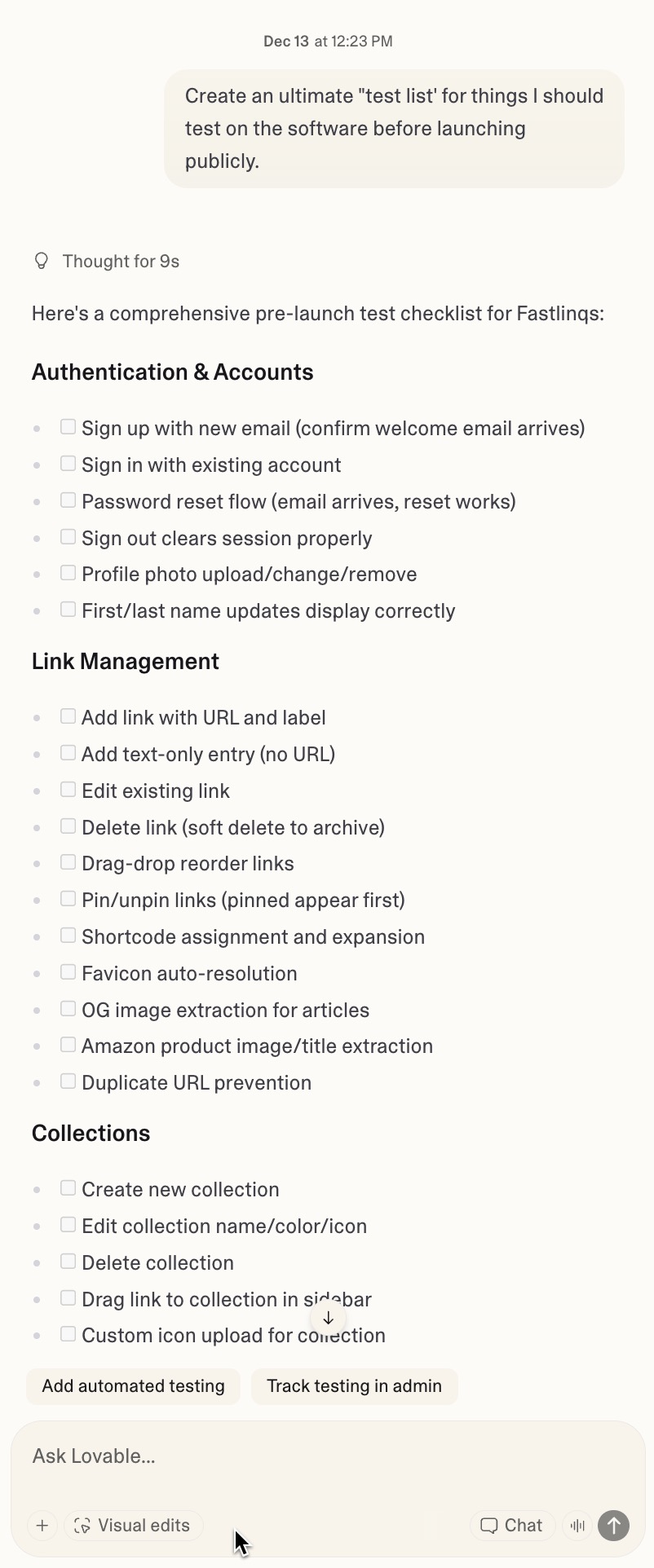
Once you've been chatting with your vibe coding software for so long, it knows the big picture. Ask it for a large list of things you need to test to verify are working before going live.
This will save you a lot of headaches down the road.
As a bonus, you can pass this off to a VA or employee and have them try it themselves.
This will give you a good idea of user friendliness.
As issues arise, ask the software to fix them.
19. Ask for a Profitability Analysis
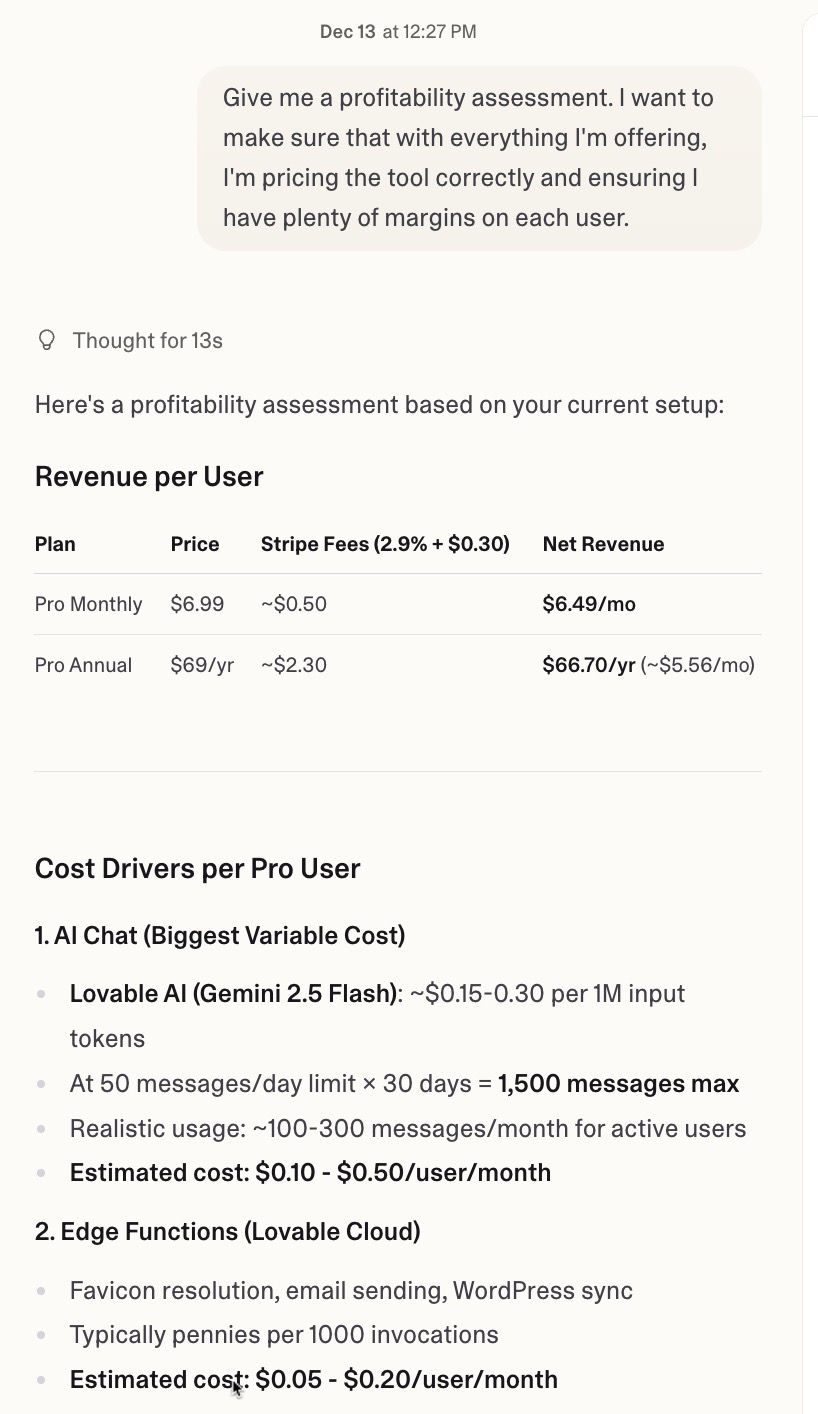
The worst thing you can do is launch a software, price it incorrectly and lose money because you didn't factor in costs. The software knows what costs you might incur and it can give you a good idea of profitability.
As a bonus, you can have it set limitations to ensure you don't have users over use features that could make you unprofitable.
You can even ask the software to add cost monitoring to your admin area so you can ensure that you aren't leaking profits somewhere.
20. Have the Program Design Your Sales Page
Loveable can make awesome sales pages. The other tools can do it as well too. Building it yourself just adds another step that you don't need.
You'd be shocked at how much it can do for you. For instance, give it some sales points and it will actually compose compelling copy for you.
Upload screenshots of your app and it will integrate them into the page. It's honestly unbelievable how powerful it is.
21. Create an AI Support Chat
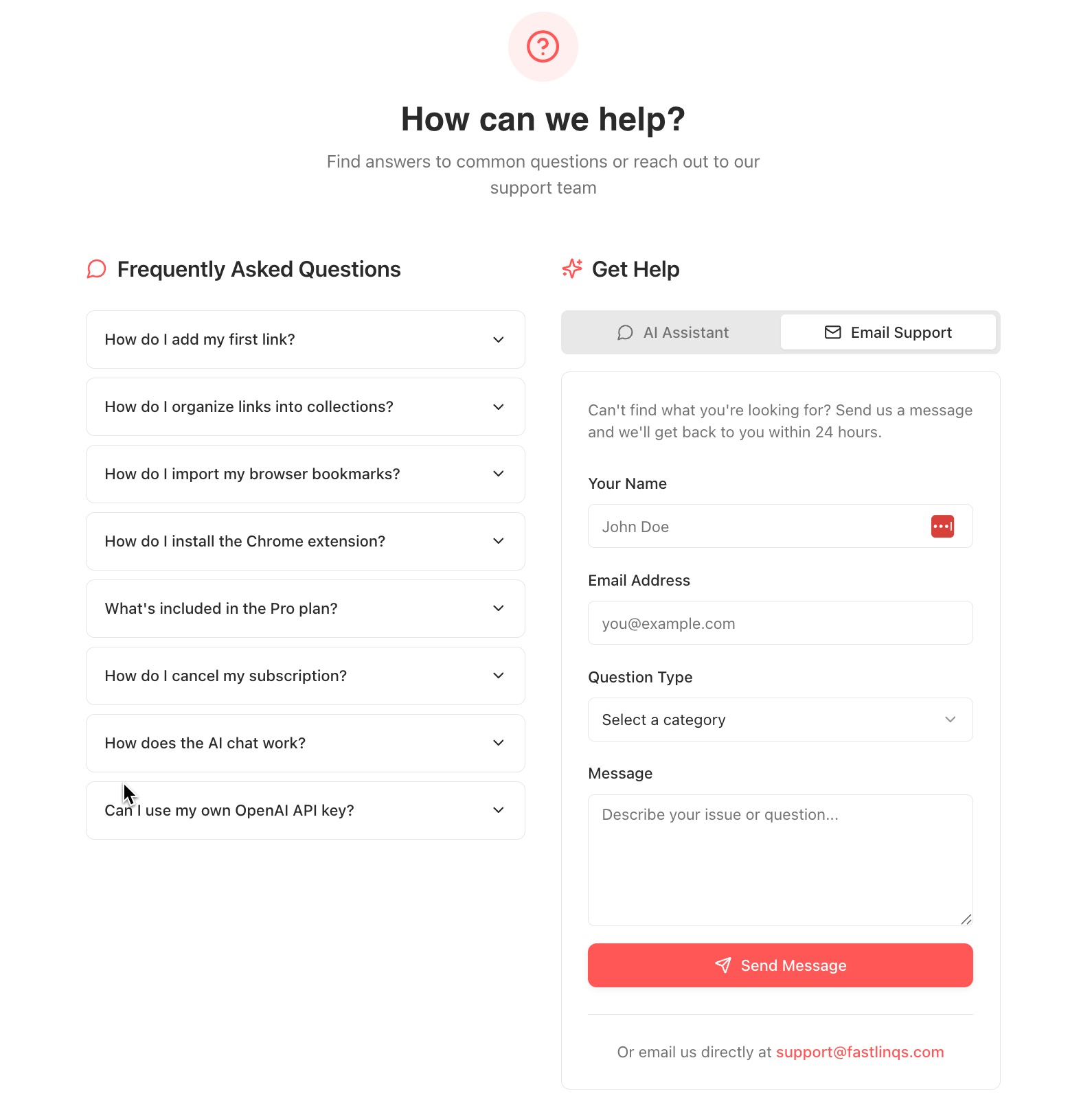
Who knows the software better than the AI that built it? Ask your vibe coding software to built you an AI support chat built around its knowledge of your product.
Also add a contact us option. 3rd party AI chat services charge for this, but tools like Loveable can do it for free.
You can (and should) build out a full scale support ticketing system in the admin area of your application. It's surprisingly easy.
You can even add a "live chat" feature that uses AI to start but allows users to escalate to a live person. I gate this behind premium accounts.
You can also tell Loveable "train the AI responses on my replies."
22. Be Ready to Spend Early on Credits
To get your app perfect, you'll probably use more prompt credits than you might have though.
I had to upgrade all the way to the 1200 credit per month plan to handle my software creation. Once you get things set up, you can downgrade.
The good news is that credits rollover. Don't let your product suffer because you want to save a few dollars, especially if you have paid users.
Remind yourself that you're saving $1,000s of dollars by vibe coding. It's worth it.
23. Consider Adding an LLM
Loveable allows you to add AI to your app. If you use their AI, it is a basic low-cost Gemini model. I like to allow my users to enter their own Open AI API keys if they want to leverage that instead.
Not every software needs to be "AI" but if there is a place for it (and there probably is) consider adding it. The costs are very low and if you want to ensure it isn't abused, set a cap on how many chat messages someone can send.
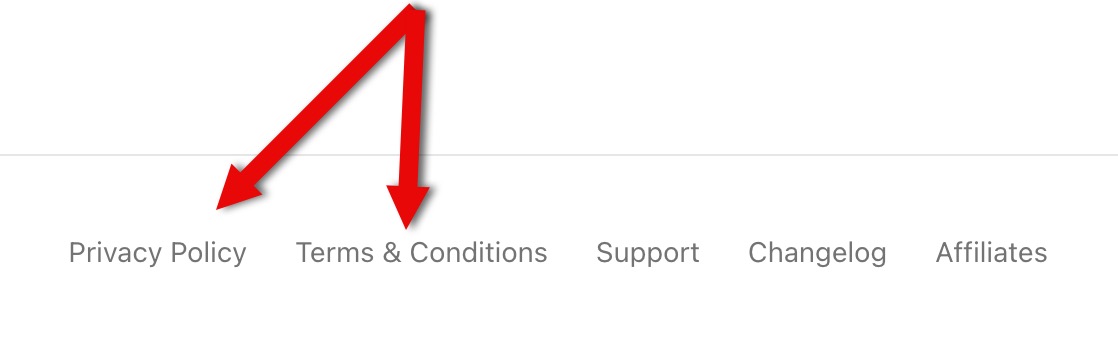
24. Ask for Privacy and Terms and Conditions Pages
Sure, this isn't the most professional way to do this (I am not an attorney by the way) but the AI knows what your tool is, how your charge and all that good stuff.
Just say "build me privacy and terms and conditions pages," and it might ask you for a few extra details. Check over them for accuracy.
25. Ask for a Changelog Page That Updates Summarized Changes
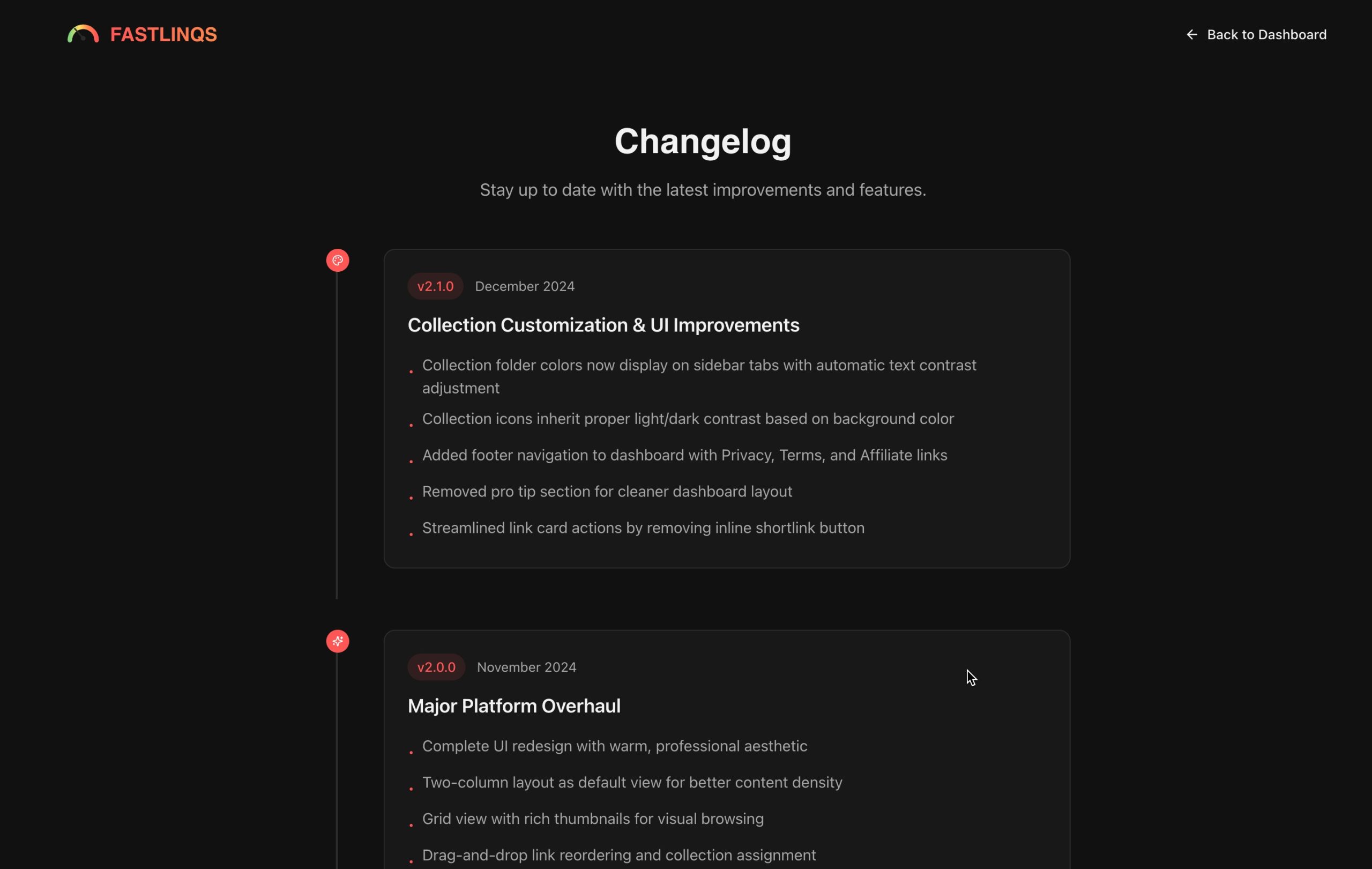
If you want your users to stay in the know on the recent updates to your software, you can have Loveable (or whatever you use) build a changelog page.
Here is what mine looks like for a tool I built recently.
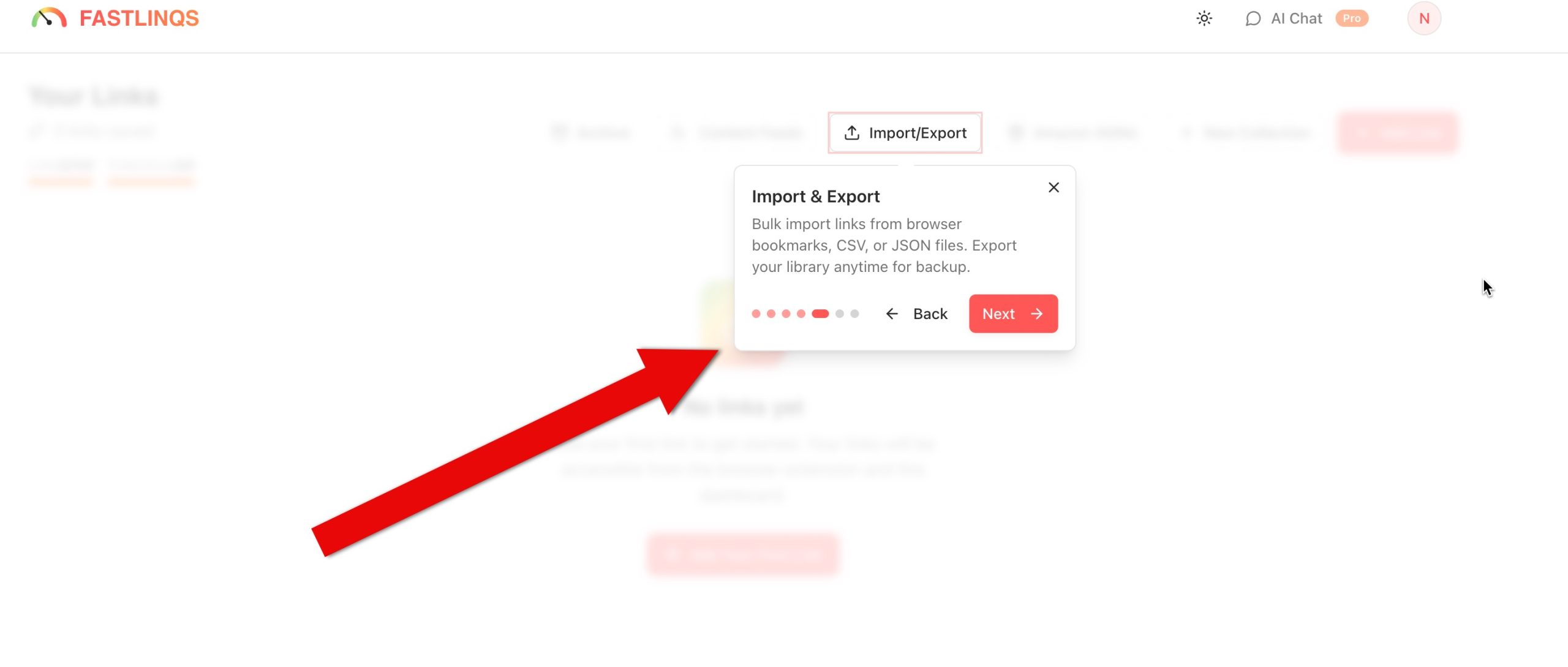
26. Ask AI to Make a Guided Tour for New Users
This is a feature that normally would be extremely difficult to set up, but tools like Loveable make easy.
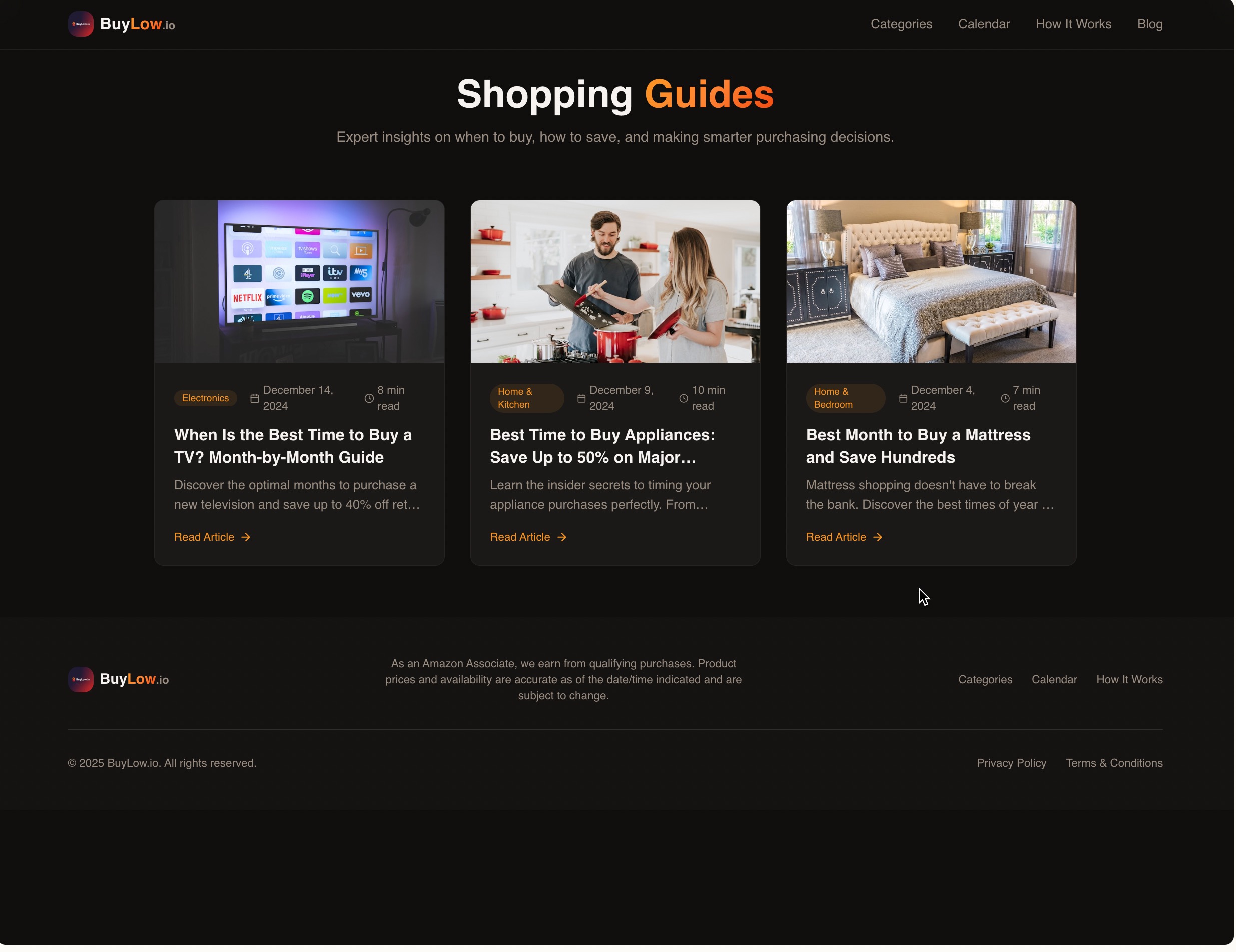
27. Ask AI to Plan and Write Blog Posts
As a blogger, one of my hesitations with vibe coding was I wouldn't have the same control over my blog content. Fortunately, that's not necessarily true.
We can have Ai write our blog posts or paste our original content into them and ask them to turn them into their own article pages.
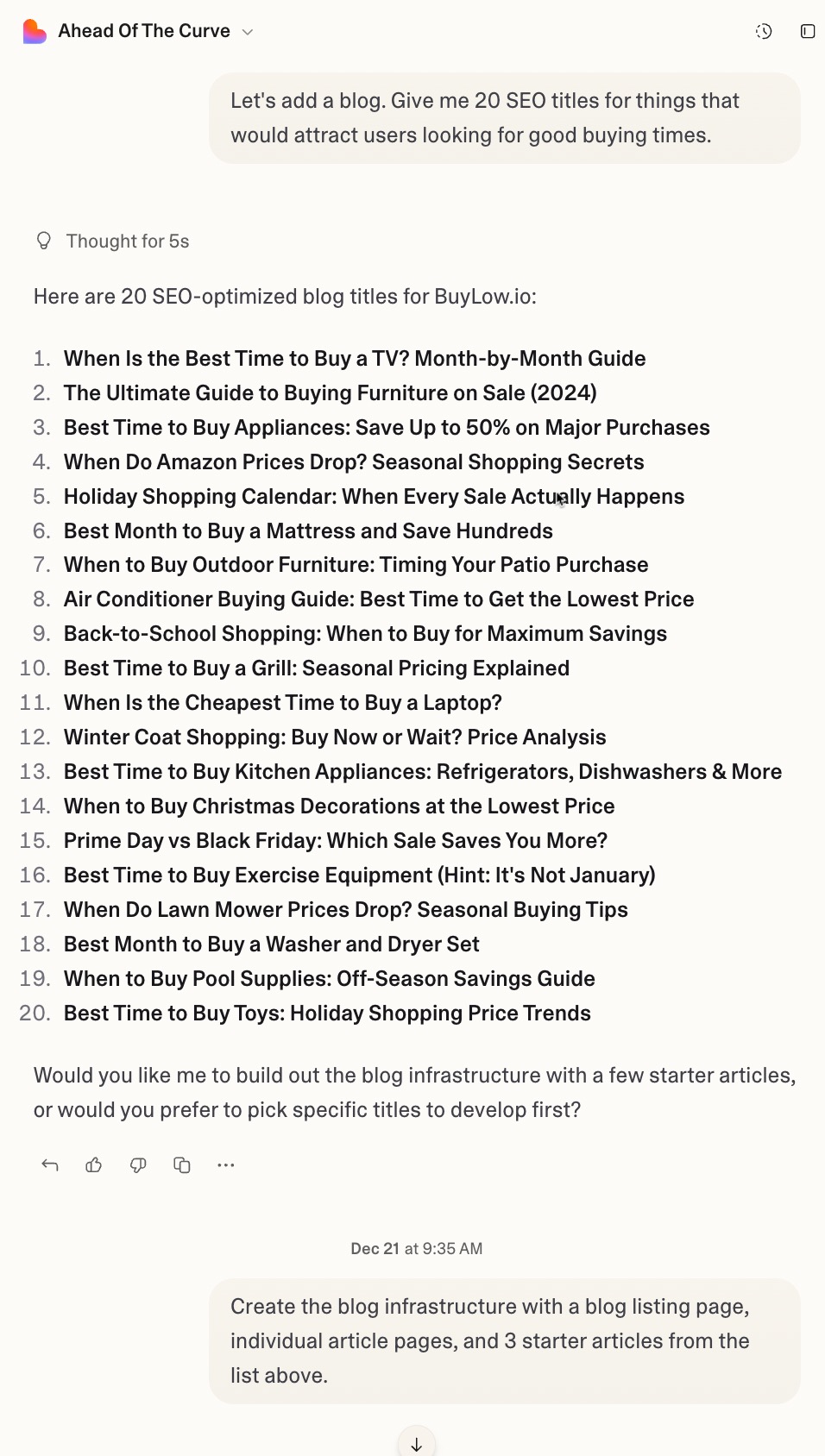
It can literally do the entire thing, even suggesting SEO titles for you related to your topic.
Now, of course, search engines don't love fully AI generated content. That being said, if the option is no blog or an AI blog that helps identify the purpose of your application, I'm going with the latter.
Alright, that's all I've got.
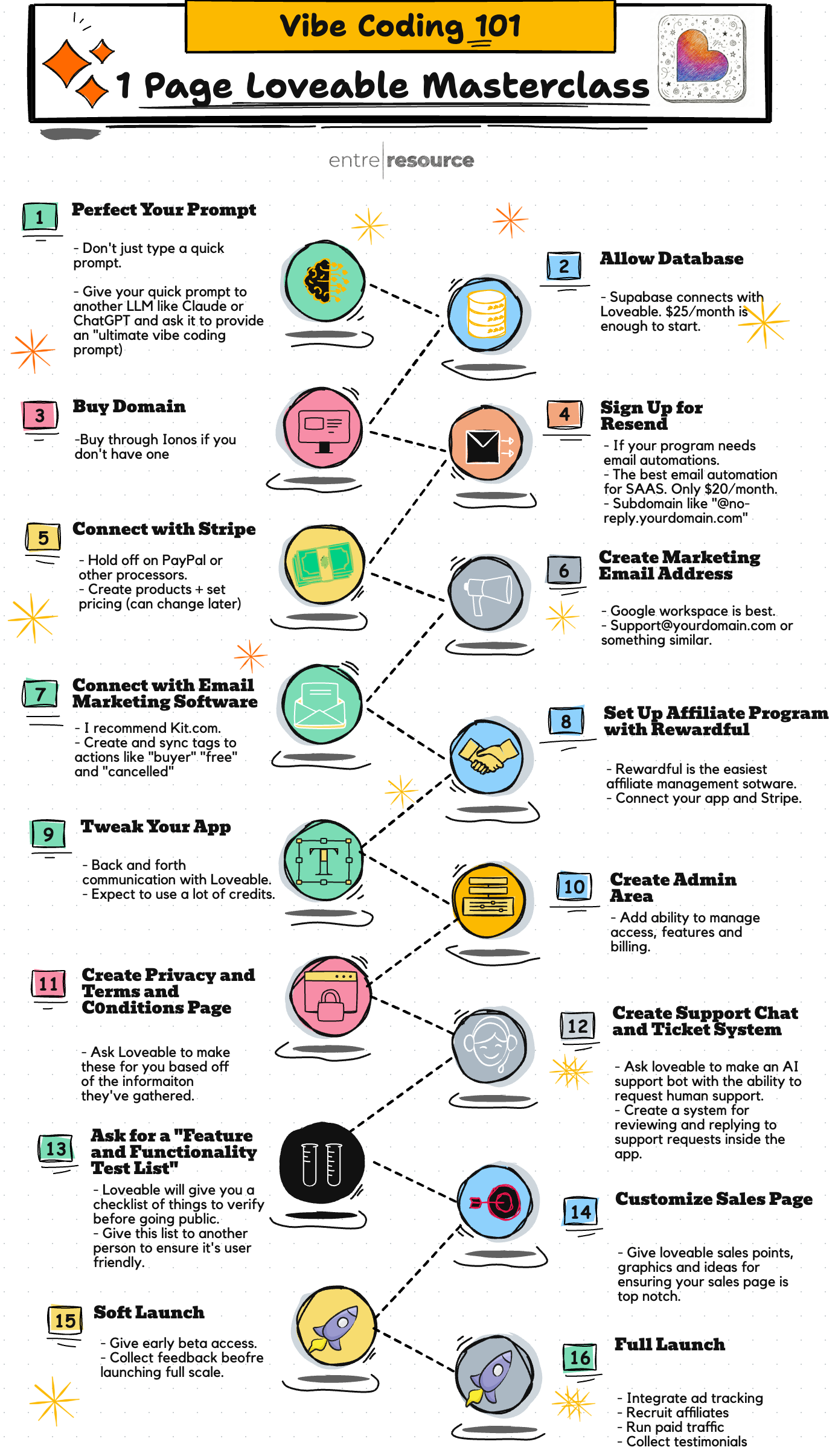
As a little bonus since you made it this far, here's a quick step by step guide for how I suggest building software with vibe coding.
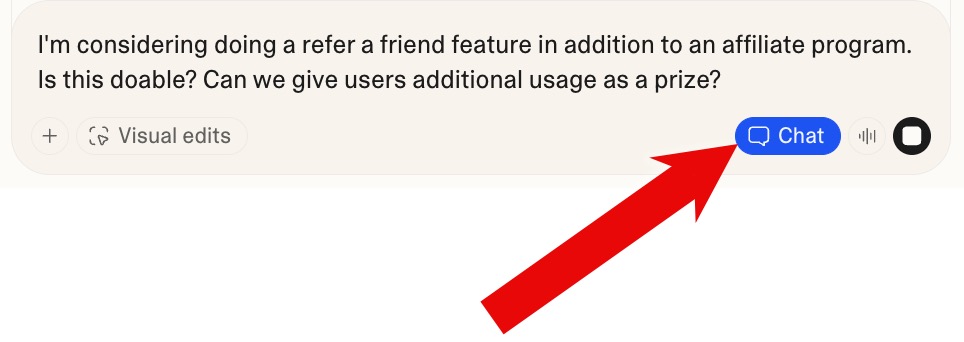
28. Leverage Chat without Changes
Not every prompt needs to be an action request. If you're using Loveable, click the chat icon so it is blue. Then, chat away.
Get Started with Loveable
If you're serious about vibe coding your way to a new source of income, Loveable is what will get you there.
Get started for free today!
