
You have likely already lost a few hours the wrong way.
One tab says Shopify. Another says Amazon FBA. Another says Etsy. Then Alibaba, a print-on-demand app, and a video from someone promising a store by the weekend. By that point, the actual problem is not information. It is that bad advice flattens very different businesses into one generic idea called “an online store.”
That shortcut is expensive.
A handmade seller, a dropshipper testing offers with low cash, and a founder building a private-label brand should not make the same decisions. Their margins are different. Their inventory risk is different. Their customer expectations are different. Their tolerance for refunds, support volume, and shipping problems is different too.
The market is proven. Buyer behavior is established. The open question is whether you choose a model that fits your budget, risk tolerance, and time.
That is the angle for this guide. It treats ecommerce as a series of decisions with consequences, not a pile of tactics. I am going to focus on the trade-offs that shape outcomes: what you sell, how you fulfill it, where you sell it, what it costs to acquire a customer, and how much operational drag the business creates once orders start coming in.
The hidden work is what trips up beginners. Supplier delays, thin margins, damaged shipments, marketplace fees, returns, chargebacks, app sprawl, and customer service do not show up in the “start a store” fantasy. They show up in week three, right after the first sales.
That is where stores either turn into businesses or into abandoned tabs.
If I were starting again today, I would build from the inside out. Pick the business model first. Stress-test the product before obsessing over branding. Set up the systems that protect margin and reduce friction. Then launch with a clear acquisition plan instead of hoping a theme and a logo will do the selling for you.
Your E-commerce Journey Starts Now
You open your laptop on a Tuesday night, buy a domain, install a theme, and start sketching a logo. Two weeks later, the store still is not live. The primary blockers were never the logo. They were the decisions underneath the store: what you are selling, how it gets delivered, what kind of margin is left after fees, and how much operational mess you are signing up for.
That is the right place to start.
“Online store” is only the wrapper. The business model does the heavy lifting. A dropshipping store, an Amazon FBA business, and a private-label brand can all look similar from the customer side while operating like three completely different companies behind the scenes. If you want a clear comparison of Amazon FBA vs dropshipping, study the operational differences before you pick a path.
There is still room to build in ecommerce, but room in the market does not protect a weak setup. Stores fail for ordinary reasons. Bad unit economics. Slow suppliers. Return-prone products. Support volume that the owner underestimated. Too many apps held together with manual work.
What new sellers usually misjudge
New sellers often spend their early energy on the parts that feel creative and visible. Name. colors. homepage design. packaging ideas.
The pressure usually shows up elsewhere.
- Shipping durability: Fragile products, poor packaging, and sizing confusion create refunds and support tickets fast.
- Supplier reliability: A product that sells well but cannot be restocked on time creates a bigger problem than a product that never took off.
- Offer clarity: If a visitor cannot understand the product, price, and reason to buy within seconds, conversion drops.
- Operational load: Manual order routing, inventory updates, and customer emails seem manageable at five orders a day. They become a drain at twenty.
I have seen founders pick a product for margin and ignore breakage rates. I have seen others choose a supplier based on price and spend the next three months apologizing for delays. Those are not edge cases. They are normal beginner mistakes.
Good early decisions come from using a simple filter. What does this choice do to margin, control, speed, and workload? If you cannot answer those four points, you are still shopping, not building.
The mindset that helps
Treat the first version of your store like a commercial test with real constraints. It needs to be trustworthy, functional, and easy to buy from. It does not need to look like a funded brand on day one.
That approach avoids two expensive errors:
| Trap | What it looks like | Better move |
|---|---|---|
| Overbuilding | Weeks spent polishing design before demand exists | Launch a clean store that proves people will buy |
| Underbuilding | Cheap tools and manual hacks that fail once orders increase | Set up only the systems that protect fulfillment, cash flow, and customer experience |
If you are still deciding where you fit, review the types of ecommerce business models with a founder’s question in mind: which model fits my cash, patience, and tolerance for operational friction?
That is how I would start today. Pick the model that matches your actual constraints. Then build the store around that reality instead of chasing the version of ecommerce that looks easiest from the outside.
Foundation First Choosing Your Business Model and Product
Your first big decision is not platform. It’s business model. Most future problems stem from this.
If you choose a model that doesn’t fit your cash position, patience, or skill set, the store becomes a burden. You’ll feel that in customer support, margins, fulfillment headaches, and burnout. If you choose a model that fits your actual constraints, the work is still hard, but it becomes manageable.
My decision framework
I’d make the choice using four filters:
- How much capital can you risk without stress
- How much control do you need over product quality
- How fast do you need customer feedback
- How much manual work are you willing to tolerate
Those four questions matter more than the business model labels themselves.
What each model is really buying you
Here’s the practical version.
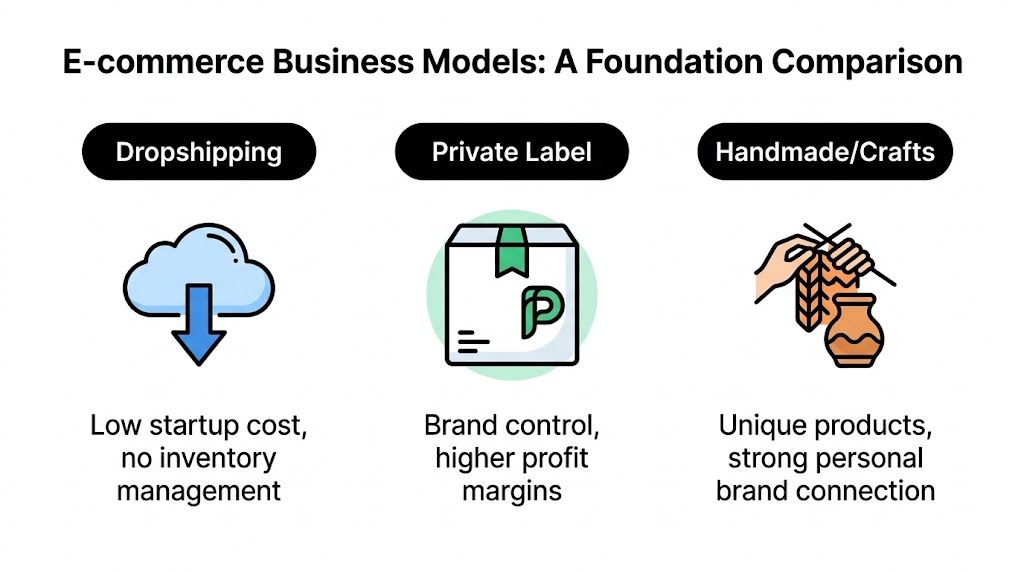
| Model | Best for | Strength | Pain point |
|---|---|---|---|
| Dropshipping | Fast testing and low upfront commitment | You can validate offers without buying bulk inventory | Low control over shipping speed and consistency |
| Private label | Founders building a brand asset | Better control over packaging, positioning, and margin | More capital at risk and more operational complexity |
| Handmade or crafts | Creators with differentiated products | Strong story and hard-to-copy product uniqueness | Production capacity often becomes the bottleneck |
| Amazon FBA | Sellers who want marketplace demand and logistics support | Access to existing buyer intent | Less control over customer relationship |
| Marketplace-first selling | New sellers needing early visibility | Faster validation from built-in traffic | Weak brand ownership and less control |
If you want a broader taxonomy before choosing, this guide to types of ecommerce business models is useful because it frames the options in commercial terms instead of hype.
What I’d do based on founder type
Bootstrapped side-hustler
Start narrower than you want to.
I’d choose a product set that is easy to explain, easy to ship, and easy to support. That usually means avoiding broad catalogs early. A focused offer beats a mini department store every time. If I needed to test demand without inventory risk, I’d lean dropshipping or print-on-demand first, then graduate only after I saw consistent buyer interest.
Operator with some capital
I’d look hard at private label or small-batch inventory. The key advantage is control. Better packaging, better bundles, more defensible positioning, better post-purchase experience. You can improve the customer experience instead of inheriting someone else’s.
Marketplace-native seller
If your instinct is Amazon first, be honest about why. If it’s because you want demand and logistics, that can work. If it’s because you don’t want to learn brand building yet, that’s a different issue. For a closer comparison of the trade-offs, this breakdown of Amazon FBA vs dropshipping is worth reading before you commit.
Practical rule: Pick the model that lets you survive your first mistakes. Not the one that looks best in a Twitter thread.
The zero-money myth
A lot of beginners search for how to start an online store with no money because they’re trying to reduce risk. Fair enough. The problem is that “free” usually means you pay in labor, delay, and operational drag.
Stripe’s guidance makes the key point clearly. Many zero-budget guides ignore the hidden time cost, and manual work becomes a serious bottleneck around the $5K to $15K monthly revenue range, as noted in Stripe’s guide to starting an online store with no money. That’s the part often not fully considered. They celebrate low upfront spend, then get trapped doing everything by hand.
How to validate a product before you commit hard
Product validation doesn’t need to be fancy. It needs to be honest.
Look for buyer language, not your own
Read reviews on competing products and write down recurring complaints, desired outcomes, and buyer objections. If customers keep asking the same questions, your page must answer them. If they keep praising one feature, that feature belongs high on your page.
Test whether the offer is easy to explain
If you can’t explain the product value in one sentence, the store will struggle. Complex offers can sell, but they need stronger education. New stores rarely have the trust cushion for that.
Pressure-test fulfillment before branding everything
Order samples. Check packaging. Review shipping time. See whether sizing, materials, instructions, or quality vary. Most supplier relationships look good in messages and much worse in actual delivery.
The product filter I trust most
Before I’d build anything, I’d ask:
- Does this solve a clear problem or satisfy a clear desire
- Can I source it consistently
- Can I explain the value quickly
- Can I fulfill without daily chaos
- Can I imagine repeat purchases, bundles, or upsells
If too many answers are weak, I’d kill the idea early.
That’s not pessimism. It’s how you avoid building a nice-looking store for a product nobody was waiting to buy.
Building Your Digital HQ Sourcing and Platform Setup
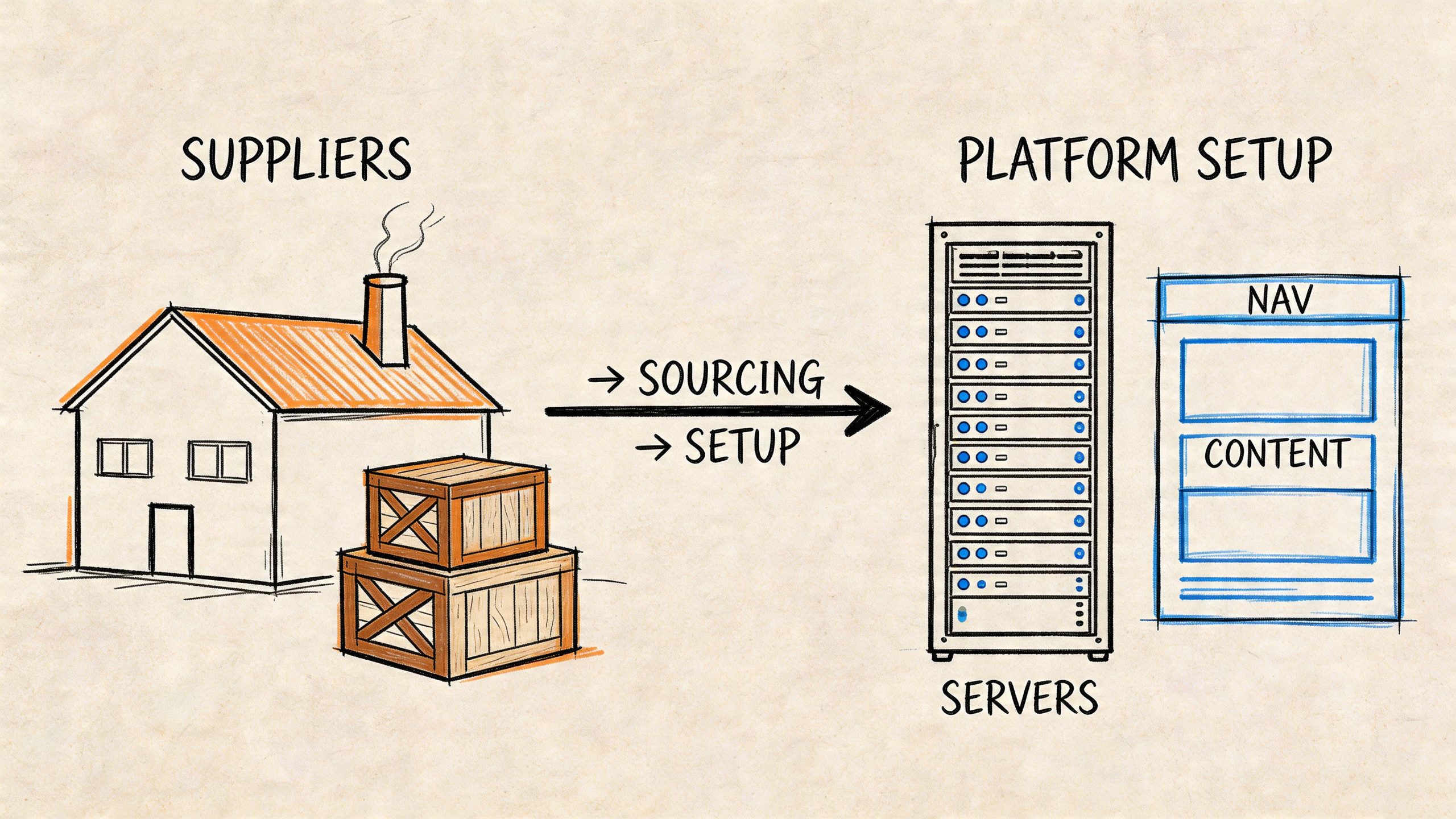
Once the model is set, you need two things working together. A supplier you can trust and a storefront you can control.
Most first-time sellers invert this. They spend days on themes and fonts before they know whether the supplier can deliver the same item twice without surprises. That’s backwards.
How to source without walking into obvious problems
You do not need a giant vendor list. You need a short list of suppliers who answer clearly, ship predictably, and handle problems like adults.
When I vet suppliers, I care less about polished sales language and more about operational behavior.
Questions worth asking early
- What happens when inventory runs low: You want clarity on replenishment and communication, not vague reassurance.
- How do they handle defects or damaged units: Their answer tells you whether you’ll be eating replacement costs alone.
- Can they provide samples consistently: One good sample doesn’t prove repeatable quality.
- Who handles packaging details: This matters fast if you want inserts, branded packaging, or lower damage rates.
- How quickly do they respond when something changes: Silence during problems is more expensive than a slightly higher unit cost.
Red flags I don't ignore
A supplier who dodges specifics on lead times, quality checks, or replacement procedures will create downstream pain. So will a print-on-demand partner with inconsistent print placement or packaging. And if a supplier’s communication gets worse right after they “win” your business, assume that trend continues.
Choosing your platform based on the business you want
Platform debates get weird because people argue features instead of fit. My view is simple.
If you want speed, clean setup, and fewer technical distractions, Shopify is hard to beat. If you want deeper control, content flexibility, and you’re comfortable maintaining your stack, WooCommerce is strong. If you want marketplace traffic first and can accept less customer ownership, Amazon is a channel with a storefront attached, not a true brand HQ.
Here’s the practical comparison.
| Platform path | Best fit | Main advantage | Main trade-off |
|---|---|---|---|
| Shopify | Most new brands | Fast launch and reliable commerce infrastructure | Ongoing app dependence can add complexity |
| WooCommerce | Operators who want control | Flexible site ownership and content depth | More setup and maintenance responsibility |
| Amazon-first | Validation inside a marketplace | Existing buyer traffic | Limited brand control |
If you’re leaning self-hosted and want the case for that path, these reasons to choose WooCommerce cover why some operators prefer flexibility over convenience.
A platform should reduce your decision load. If it creates daily technical anxiety, it’s the wrong fit for your current stage.
The setup pieces that actually matter
Most store settings are not equally important. A few matter a lot.
Get these right first
Store structure
Keep navigation simple. Clear categories. Search that works. No cute menu labels that force interpretation.Product page basics
Use original copy, clean images, clear shipping expectations, and visible return information. Buyers shouldn't hunt for reassurance.Policy pages
Returns, shipping, privacy, and contact details are trust assets. Thin or missing policy pages make a store feel temporary.Email flows
Order confirmation, shipping updates, and customer replies need to feel reliable. Silence after purchase creates anxiety.
A walkthrough can help if you want to see a build process in motion.
Avoiding technical debt early
Technical debt in ecommerce usually starts small. Too many apps. Theme edits nobody documented. A shipping workaround that breaks when you add more SKUs. A supplier sync process that depends on one spreadsheet and your memory.
Start lean. Add tools only when a recurring problem justifies them. The cleanest stores usually aren’t the ones with the most features. They’re the ones where every feature has a job.
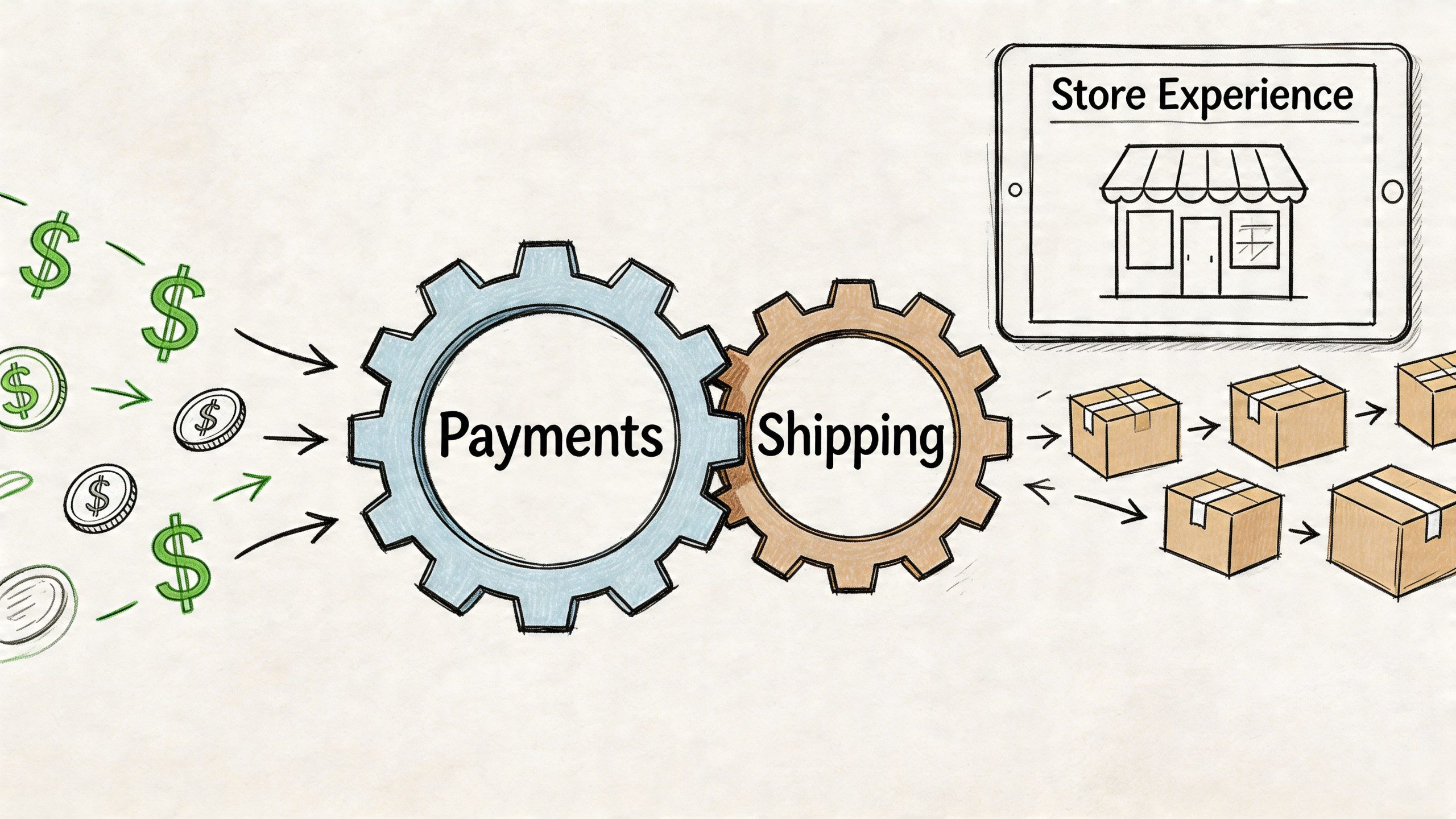
The Engine Room Payments Shipping and Store Experience
A store isn’t real when the homepage looks good. It’s real when payments process cleanly, orders route correctly, shipping expectations are clear, and checkout doesn’t make buyers hesitate.
This is the part many founders treat like admin. That’s a mistake. Operations and conversion are tied together. Customers don’t separate them. If your payment stack feels sketchy, if shipping costs appear too late, or if checkout drags, they leave.
Payment setup is a trust decision
At minimum, most new stores should offer the options buyers already expect, including major cards, PayPal, and accelerated wallet options where available. A buyer who wants Apple Pay and doesn’t see it may not switch to your preferred method. They may just leave.
The true goal is fewer moments of doubt.
What buyers need to see
- Recognizable payment methods
- Clear totals before commitment
- A checkout flow that feels short
- Visible contact and policy links
- Order confirmation immediately after purchase
If you’re setting up Stripe and PayPal, think beyond activation. Test failed payments, refund handling, and notification emails. The setup is not done when the switch is on. It’s done when edge cases work.
Shipping can quietly destroy margins
Shipping is where founders accidentally lie to themselves. They underprice it, hide it too long, or build policies around what they wish were true instead of what carriers do.
Your shipping strategy has to match your product reality.
If you ship from home
Keep packaging standardized where possible. Odd-shaped product mixes create packing errors and slower dispatch. You also need to know your likely delivery promise and communicate it conservatively.
If you use a 3PL
Choose for reliability, accuracy, and support responsiveness. A 3PL that looks cheap on paper can become expensive if they mis-pick, respond slowly, or create inventory confusion across channels.
If shipping costs are complicated
Show costs earlier, not later. Hidden surprises at the end of checkout are conversion killers. If you’re comparing carrier options while building your policy, this guide on the cheapest way to ship something across UPS, FedEx, and USPS is useful for framing trade-offs.
Your shipping policy is part of your offer. Customers read it as a promise, not a footnote.
Mobile checkout is not optional
Here’s the hard data. Mobile shopping accounted for 71% of online sales during peak periods, and the average cart abandonment rate was nearing 70%, which is why a fast, transparent mobile checkout in 3 to 4 steps is foundational, according to Rebuy Engine’s analysis of why online shops fail.
That should change how you design the store.
This is not a responsive-theme issue. It’s a buying-friction issue.
What a strong checkout looks like
Keep it short
A buyer on mobile should move through checkout without hunting, pinching, or backtracking. Single-page or tightly structured flows help.
Offer guest checkout
Do not force account creation before purchase. Returning-customer convenience matters, but first-sale friction matters more.
Surface costs early
Unexpected shipping, taxes, or fees late in the process trigger abandonment. If your pricing model requires explanation, explain it before the buyer is emotionally done.
Use fast payment methods
Apple Pay, Google Pay, and similar methods remove typing. On mobile, every avoided form field helps.
The store experience that converts
A lot of founders overdesign the storefront and underdesign the path to purchase. Clean conversion design is usually boring in the best way. It feels obvious.
| Store element | What works | What fails |
|---|---|---|
| Homepage | Quickly states what you sell and why it matters | Generic lifestyle banner with no clear offer |
| Product page | Answers objections before they arise | Thin descriptions and supplier copy |
| Cart | Transparent totals and editability | Surprise costs and confusing upsells |
| Checkout | Short, trusted, mobile-first | Multi-step friction and forced account creation |
If you remember one thing from this section, remember this: buyers don’t reward effort. They reward clarity and convenience.
Go-Live Your Launch Checklist and Early Acquisition Plan
Launching a store is not the moment traffic magically appears. It’s the moment your assumptions meet reality.
That’s why I push founders to stop thinking in terms of “launch day” and start thinking in terms of “first controlled acquisition cycle.” Your goal is not applause. Your goal is to see whether strangers can discover the store, understand the offer, buy cleanly, and receive what they expected.
The pre-launch check I’d run every time
Before sending a single visitor, I’d manually test the store like a skeptical customer.
Storefront checks
- Homepage clarity
A new visitor should know what you sell within seconds. - Product page completeness
Images, shipping expectations, returns, and core benefits must all be present. - Navigation sanity
Menus should use buyer language, not internal jargon.
Checkout checks
- Payments process correctly
- Shipping rates display when expected
- Order confirmation emails arrive
- Mobile checkout feels clean on an actual phone
Post-purchase checks
- Thank-you page sets expectations
- Support contact path is obvious
- Order status communication feels trustworthy
Launch after testing the buying experience end to end. Not after admiring the theme editor.
Don’t try to be everywhere
New sellers often get terrible advice here. Start Instagram, TikTok, SEO, Google Ads, Meta Ads, Pinterest, Amazon, Etsy, and email all at once. That sounds ambitious. In practice, it creates dilution.
The better move is sequencing.
As Concentrate Media’s small business ecommerce guidance points out, new sellers face a real choice between marketplace foot traffic and an owned domain, and the right first channel depends on product type, target audience, and initial customer acquisition cost data.
My channel decision tree
Start with a marketplace first if
You need demand signals quickly.
Your product fits established buyer behavior on platforms like Amazon or Etsy.
You can live with less brand control while validating the offer.
Start on your own store first if
Your product story matters.
Bundles, upsells, or content play a big role in conversion.
You want to own the customer relationship from day one.
Add a second channel only after the first one behaves
I don’t like multi-channel expansion until one route to sale is operationally stable. If one channel is already creating support issues, inventory confusion, or fulfillment strain, a second one compounds the mess.
The early acquisition plan I trust most
For most new stores, the first acquisition channel should match the product’s natural buying behavior.
| Product type | Better first move | Why |
|---|---|---|
| Search-driven need | SEO or search ads | Buyers already know what they want |
| Visual impulse product | Social content or creator seeding | Discovery matters more than intent |
| Marketplace-friendly item | Amazon or Etsy validation | Existing traffic reduces discovery burden |
| Story-rich niche brand | Owned site plus email capture | Brand context helps conversion |
Getting the first customers without burning out
You do not need a giant campaign. You need signal.
- Reach warm circles carefully
Early buyers from your network can expose page confusion and fulfillment problems fast. - Use direct outreach where it fits
Niche products often benefit from targeted outreach to communities, not mass posting. - Collect emails from the start
Even a small list matters because it gives you a second chance with interested visitors. - Watch behavior, not compliments
Praise doesn’t pay. Purchases, abandoned carts, customer questions, and repeat visits tell the truth.
The biggest launch mistake isn’t under-marketing. It’s misreading weak signals as validation and scaling noise.
Scaling Smart Your First 180 Days of Growth
The first phase after launch is where operators separate from dabblers. Once the store is live, your job changes. You’re no longer building a store. You’re managing a system.
That system needs a few metrics, a short feedback loop, and the discipline to ignore vanity.
The numbers I care about first
Traffic alone doesn’t tell you much. I care more about whether the store turns visits into orders and whether each order is worth enough to support acquisition and operations.
One benchmark matters here. The average Shopify store has an average order value of $85, while the top 20% reach $192 and the top 10% hit $311, according to SellersCommerce’s ecommerce statistics roundup. That tells you something important. AOV is not fixed. It can be designed upward.
The core dashboard
Conversion quality
Are visitors buying, or just browsing and bouncing?
Average order value
Are buyers taking a single item, or is the offer structured to increase basket size?
Customer questions
Support volume reveals friction faster than many dashboards do.
Fulfillment stability
Late shipments, wrong items, and damaged orders can erase growth.
If growth creates more confusion than profit, you don't have scale yet. You have pressure.
Days 1 through 30 stabilise the machine
The first month is for operational truth. You’re looking for leaks.
What I’d focus on
- Fix product page objections
If buyers keep asking the same pre-sale questions, the page is under-explaining. - Tighten checkout friction
Watch where people abandon and simplify what you can. - Clean up fulfillment errors
Small mistakes early become review problems later. - Review traffic quality
Some channels bring curiosity. Others bring buyers. Know the difference.
AOV work starts immediately
You do not need dozens of apps or fancy funnels. Start with obvious commercial logic.
| AOV lever | Good use case | Why it works |
|---|---|---|
| Bundles | Complementary products | Reduces decision effort |
| Quantity breaks | Consumables or repeat-use items | Encourages larger first orders |
| Cart add-ons | Small accessories | Raises basket value without major friction |
| Premium version | Clear feature upgrade | Gives buyers a better-best option |
If your current average order feels low, don’t jump straight to more traffic. Fix the economics first.
Days 31 through 90 scale the winner
By this point, one of two things is usually true. Either a channel is showing promise, or the store still has unresolved offer problems.
If a channel is working, push deeper there before branching out.
What scaling looks like at this stage
It means improving the same acquisition path, not opening five new ones. Better creative. Better landing pages. Stronger follow-up emails. Clearer offers. Cleaner merchandising.
What I’d add in this phase
- Email capture with a real reason to subscribe
- Basic abandoned-cart follow-up
- Post-purchase cross-sell or reorder logic
- Merchandising based on buyer behavior
This is also where catalog discipline matters. New sellers often add too many products too fast. That usually weakens store clarity. Expand only when the additions support the original buying intent.
Days 91 through 180 expand without breaking operations
Expansion should be earned.
If fulfillment is stable, support is under control, and one acquisition path is predictable, then I’d consider adding a second channel, broader content, or more serious retention work. If not, I’d keep optimizing the core.
Smart expansion options
Add adjacent products
Not random catalog growth. Products that increase AOV, repeat purchases, or perceived specialization.
Improve retention
Repeat buyers are easier to sell to than strangers. Better post-purchase education, replenishment reminders, and product pairing can matter more than constant cold acquisition.
Layer in new commerce behavior carefully
If you want to understand how AI-assisted purchasing may shape future buying journeys, this overview of Agentic Commerce is worth reading. Not because you need to chase every new trend, but because buyer interfaces are changing and operators should pay attention early.
The growth roadmap I’d actually follow
First 30 days
- Confirm the offer converts
- Fix operational mistakes immediately
- Simplify pages based on real questions
- Watch AOV and margin behavior carefully
First 90 days
- Scale the best acquisition source
- Introduce bundles and upsells
- Strengthen email capture and follow-up
- Prune weak products or confusing variants
First 180 days
- Add a second channel only if the first is stable
- Expand catalog only where it strengthens positioning
- Invest in systems that reduce manual load
- Build for repeatability, not adrenaline
What works and what usually doesn't
Here’s the blunt version.
What works:
- Clear product-market fit signals
- Tight operations
- Better merchandising
- Channel focus
- Relentless simplification
What usually doesn’t:
- Launching broad
- Copying big brands too early
- Adding apps to solve strategy problems
- Expanding channels before inventory and support are stable
- Believing more traffic fixes a weak offer
The stores that last usually aren’t the flashiest. They’re the ones with disciplined decisions, strong unit economics, and fewer hidden leaks.
Starting an online store is still one of the best ways to build an internet business you control. But the stores that survive aren’t built from checklists alone. They’re built from good choices made in the right order.
If you want more practical breakdowns on ecommerce models, traffic strategy, Amazon FBA, and the tools worth using, explore more guides at EntreResource.