

If you're trying to close the books, submit an expense report, or figure out where your margin keeps leaking, Amazon order history stops being a convenience feature and starts acting like infrastructure. For many, it serves to reorder printer toner or find a replacement cable. Entrepreneurs should treat it differently.
My rule is simple. If I bought it on Amazon and it touched the business in any way, I want it recoverable, searchable, and exportable. That includes office supplies, test buys, software-adjacent hardware, shipping materials, replacement parts, gifts for clients, and random one-off purchases that would otherwise vanish into a credit card statement line item.
That's why previous purchases amazon matters more than most guides admit. A 2024 open dataset of Amazon purchase histories contained 1,850,717 purchases from 5,027 U.S. consumers across 2018 through 2022, which tells you these histories are rich enough to study consumer behavior at scale. For a business owner, the takeaway is straightforward. Your Amazon history is not just a list. It's structured purchase data with real operational value.
Why Your Amazon Purchase History Is a Business Goldmine
A messy month usually shows up in one place first. You buy packing tape twice, miss a reimbursement for a client gift, and waste 20 minutes trying to remember which webcam you ordered for the team. Amazon order history fixes that if you treat it like an operating record instead of a convenience page.
Here's the standard I use. If the purchase touched the business, I want a clean trail back to the order. That means item name, order date, seller, price, delivery timing, and a way to pull it into bookkeeping later.
Treat orders like business records
Memory breaks down fast once purchases spread across office supplies, test orders, replacement parts, and last-minute fixes. Credit card statements help, but they usually compress everything into one merchant line. That is not enough when you need to justify an expense, trace repeat purchases, or figure out who bought the same item twice.
Amazon history gives you a better source record because the details sit at the order level. I use it to:
- Recover missing purchase details when the email receipt is gone
- Catch duplicate buying across team members or departments
- Review repeat spend on supplies that should be budgeted monthly
- Compare vendors and brands based on what the business reordered
- Flag purchases worth archiving elsewhere if they matter for tax or reimbursement records, especially since Amazon order archiving has real limits
One rule saves a lot of cleanup later. Pull expense details from the order record while the purchase is still fresh.
Why operators should care
Researchers have already shown that Amazon purchase histories are detailed enough to study behavior over time at scale. The business takeaway is simple. Your own history can reveal patterns you will not catch from memory or bank feeds alone.
I look for four things.
| Business use | What the order history shows |
|---|---|
| Expense tracking | Exact items purchased, order dates, and order-level context |
| Budget control | Categories that keep recurring and one-off spending that keeps creeping up |
| Purchasing discipline | Duplicate orders, rushed buys, and items that should move to a standard reorder list |
| Market research | Brands tested, products replaced, and buying patterns that hint at demand or quality issues |
The entrepreneurial angle matters. A casual shopper uses order history to find an old charger. An operator uses it to clean up books, defend deductions, build reorder systems, and notice what the business keeps buying before spend drifts out of control.
Amazon history should not replace your accounting system. It should feed it. That trade-off matters. Amazon gives you the raw record, but you still need categories, notes, and exports in your own workflow if you want clean reporting at month end or tax time.
Accessing Your Complete Amazon Order History
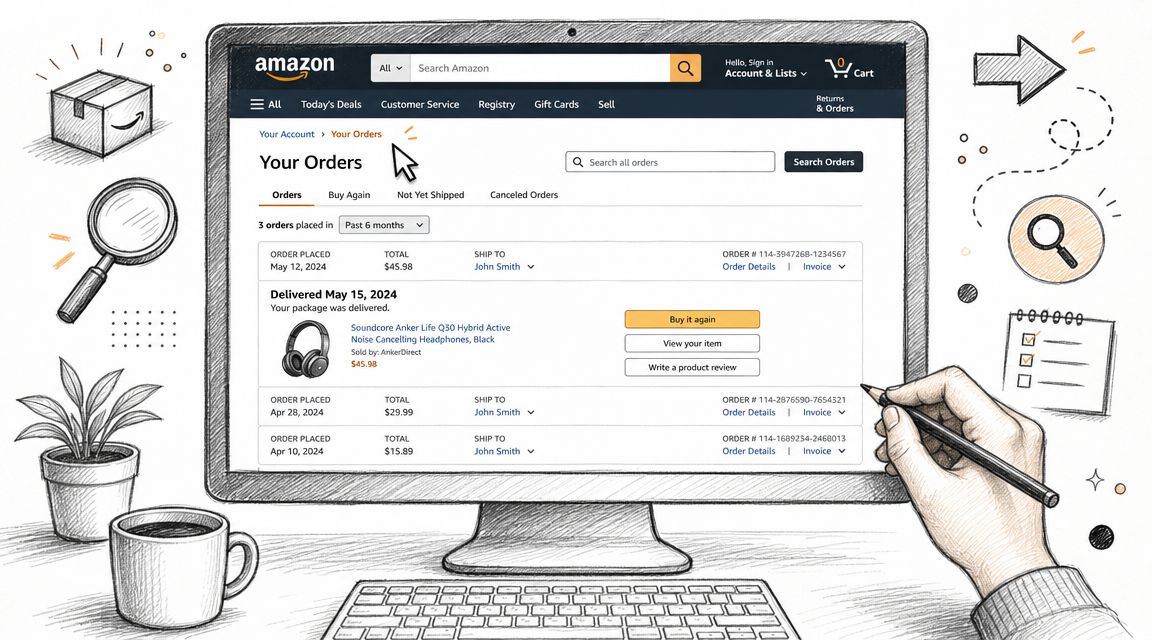
Many users never get past the default view. They click Returns & Orders, scan a handful of recent purchases, and assume that's the whole record. It isn't.
On desktop
On the website, go to Returns & Orders from the top navigation. That page usually defaults to a recent time window. Use the date dropdown to move by year, then use the search bar inside orders when you remember only part of the item name, brand, or order context.
For business use, I search by practical anchors instead of perfect product titles. Try the brand name, a use case like “thermal labels,” or a broad keyword like “tripod” if you don't remember the exact listing.
A clean workflow looks like this:
- Open Returns & Orders and switch the year range first.
- Search by remembered keyword instead of trying to recall the full listing title.
- Open the order details page when you need shipment splits, payment method clues, or reorder context.
- Save or note the order immediately if it's tied to reimbursement or bookkeeping.
On mobile
The app is good for fast retrieval but weaker for deeper record management. Use it when you need to confirm whether you bought something, when it arrived, or whether it was returned. Use desktop when you need to work through many orders.
On mobile, the best use cases are:
- Checking field purchases while you're out sourcing or comparing vendors
- Confirming item specs before reordering
- Verifying whether a team member already bought something
If you're trying to reduce clutter in the visible order list, this guide on whether you can archive Amazon orders is worth reading because many users confuse hiding, archiving, and deleting.
Search first by the problem the item solved. You'll usually find the order faster than by trying to remember the full product name.
What works and what slows you down
A few habits make order retrieval much easier:
- Use broad search terms first. “Canon ink” usually beats pasting a partial model number.
- Check order details, not just thumbnails. One order can include several business-relevant items.
- Use desktop for year-by-year digging. Mobile is fine for lookup, not for cleanup sessions.
What slows people down is browsing chronologically and hoping the item appears. That's fine for a recent return. It's terrible for bookkeeping.
Advanced Techniques for Managing Your Orders
Once you can find orders, the next problem is keeping the account usable. A busy Amazon account gets noisy fast. Personal buys, test orders, household items, gifts, and business supplies all pile into one stream.
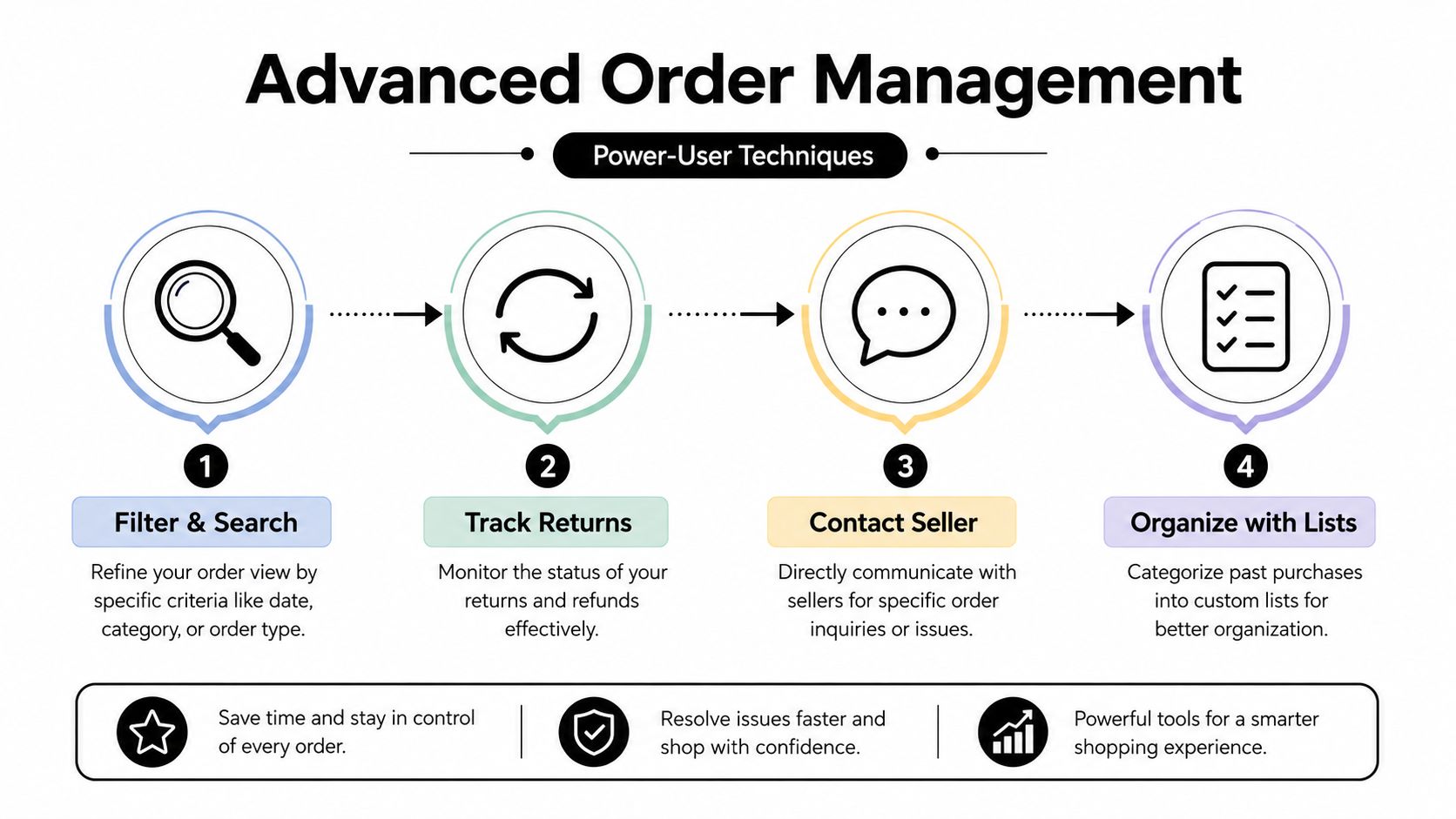
Archive for visual cleanup
Archiving helps if you want a cleaner day-to-day view. I use it to reduce visual clutter after I've already captured what I need for records. It doesn't replace proper bookkeeping, and it doesn't delete anything, but it can make the main order view less distracting.
Use archiving selectively:
- Archive completed personal orders that don't matter to the business
- Leave active operational purchases visible until delivery, inspection, and any reimbursement notes are done
- Don't archive before documentation if accounting still needs the record
If you regularly handle returns, this walkthrough on how Amazon checks returns adds useful context on why return tracking matters after the original purchase is made.
Fix the missing-history problem first
A surprisingly common problem has nothing to do with filters. It's the wrong marketplace. According to guidance discussed in Amazon's own forum, order history is marketplace-specific, so purchases on Amazon.com won't appear on Amazon.ca unless you switch to the correct site.
That's the first troubleshooting step I'd check before anything else.
| Symptom | Likely cause | What to do |
|---|---|---|
| Old orders seem gone | Wrong marketplace | Switch to the site where you originally bought |
| Some orders appear, some don't | Multiple regional accounts or sites | Check country-specific logins |
| Reorder fails to surface item | Listing changed or search term is weak | Search by brand or order context |
Before you assume Amazon lost your history, verify the marketplace. Cross-border shoppers get tripped up by this all the time.
Small habits that save time later
Power users distinguish themselves from casual buyers by:
- Track returns to completion. A return in transit is not the same as a settled refund.
- Use seller messaging when needed. Some order issues are easier to resolve from the original order page than from general support.
- Create your own outside system. A simple spreadsheet tab for “Amazon business purchases pending review” beats trying to remember everything from the account dashboard.
What doesn't work is using Amazon's interface as your only organizational method. It's fine for retrieval. It's not enough for management.
How to Export Your Amazon Order History Report
If you only use the order screen, you're still doing this manually. The most significant benefit is gained by exporting the data and working with it outside Amazon.

Use Order History Reports, not screenshots
Amazon has long offered Order History Reports as a built-in export feature. A 2017 tutorial on exporting Amazon order history described going to the Order History Reports page, selecting a date range, and requesting either an items or orders report. That same tutorial noted that one personal items report covering 2006 through 2016 was only 128 KB, which shows how efficient the export can be for long time periods.
That same walkthrough also noted that Amazon stores prior exports in a Your Reports area for later download. That matters if you run recurring reviews and don't want to rebuild the process each time.
The export process I'd actually use
On desktop, look for the Order History Reports area in your account. Once there:
- Choose the date range based on your accounting cycle, reimbursement period, or annual review.
- Pick the report type. For most operators, items is more useful than orders because bookkeeping usually happens at the item level.
- Request the report and wait for Amazon to generate it.
- Download from Your Reports once it's ready.
- Store the file in a repeatable folder structure by year and month or by tax year.
Here's how I think about report choice:
| Report type | Better for | Limitation |
|---|---|---|
| Items | Expense categorization and item-level analysis | One order may create multiple rows |
| Orders | High-level payment and order tracking | Less granular for bookkeeping |
For a quick visual walkthrough, this embed is useful:
What to do after the CSV lands
Don't leave the file untouched in Downloads. That's where useful exports go to die.
My post-download routine is simple:
- Rename the file immediately with the date range
- Duplicate the raw file before editing anything
- Add a category column for tax or management reporting
- Flag mixed-use purchases that contain both personal and business items
- Match unclear lines back to the original Amazon order page
Raw exports are reference files. Work from a copy and keep the original untouched.
What doesn't work is pulling a report only when an accountant asks for it. By then, you're in reactive mode. A recurring export rhythm is easier, cleaner, and much less error-prone.
Using Your Amazon Data for Business Growth
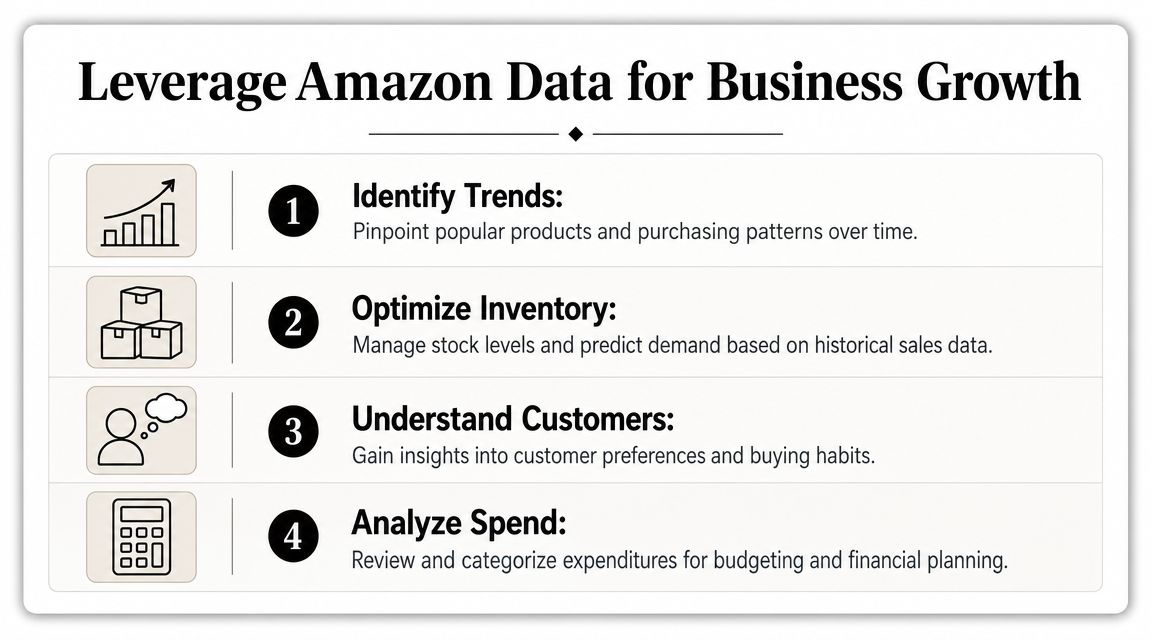
A founder buys packaging, adapters, printer labels, sample inventory, and one-off tools on Amazon for six months. Then tax season arrives, margins feel tighter than expected, and nobody can explain where the spend drift started. That is why I treat Amazon order history as an operating record, not just a receipt archive.
Start with spend control
My first use of Amazon data is simple. I review what the business is buying, then compare that to what we say the business needs. Those two lists are often different.
Once the export is sorted in a spreadsheet, patterns show up fast:
- Frequent small purchases that should be bundled into fewer orders
- Reorders nobody questioned after the original need changed
- Team convenience buys that slowly turn into a real expense category
- Test purchases that never got tied back to a product decision
Amazon makes buying easy, and easy buying hides weak controls. I like to add owner notes beside questionable lines. “Client project.” “Office use.” “Product sample.” “Personal mixed in.” That extra column turns a raw transaction file into something finance can use.
If you sell on Amazon, this overview of Amazon FBA seller data is a useful companion because it focuses on the broader operating data behind an Amazon business.
Use buying history as lightweight market research
I also review purchase history for research. Not formal market analysis. Early signal spotting.
Your own orders can show where buying behavior is routine, brand loyalty is weak, or convenience decides the sale. If you keep reordering in the same category but switch brands without much thought, that is worth examining. It can point to commodity-style demand, weak differentiation, or listings that win because they are available and clear.
Here is the way I frame it:
| Pattern in your order history | Possible business takeaway |
|---|---|
| You buy the same type of product repeatedly | Demand may be recurring |
| You change brands often | Brand attachment may be low |
| You choose based on speed, price, or listing clarity | Merchandising may matter more than loyalty |
That is not proof of a market opportunity. It is a prompt to investigate further with seller data, reviews, pricing history, and search demand.
Connect purchase history to operating decisions
The useful part is what happens after the review.
If the business keeps buying the same shipping materials in fragmented orders, I consolidate vendors or set a reorder rule. If content gear purchases keep appearing without a campaign owner, I tighten approval. If sample orders cluster around one product niche, I look at whether that niche deserves a real sourcing or listing test.
Amazon history becomes more than bookkeeping. It supports budget control, purchasing discipline, and product research from one record set.
For sellers, repeat buying patterns also matter. The practical lesson is to evaluate them with enough history to avoid bad conclusions. Short windows can make normal buying cycles look stronger or weaker than they really are. If you want help turning that operational data into actions that grow my sales on Amazon, pair your order review with SKU performance, retention trends, and storefront metrics instead of looking at any one report in isolation.
Common Questions About Amazon Purchase History
A lot of problems start the same way. Someone needs a receipt for taxes, a team member wants reimbursement for a supply order from six months ago, or two people are arguing over which account placed the order. Amazon keeps the record, but the workflow around that record is where businesses usually get messy.
Can you permanently delete Amazon order history
For practical purposes, treat Amazon order history as a record you can hide, not erase. Archiving reduces visibility inside the account, but it does not give you a clean-slate bookkeeping system.
I do not use Amazon's archive feature as a records policy. I use it, if at all, for inbox cleanup. For business purchases, the safer habit is to keep a separate exported record, store the invoice or receipt, and tag the expense in your own system.
Is Amazon order history permanent
The safe assumption is yes. Amazon generally keeps order history tied to the account, and older transactions can often be pulled through its reporting tools even when they are inconvenient to find from the standard order screen.
If an order seems to be missing, check the obvious failure points first. Wrong marketplace, wrong login, business account versus personal account, or a shared household account usually explains the issue faster than assuming the record disappeared.
Is an order page enough for accounting
Sometimes, but I would not build a finance process around the order page alone.
The order page is useful for verifying the item, date, seller, and amount charged. That helps during a quick review. For bookkeeping, reimbursements, or tax support, I want more than a screenshot of a past order. I pair the Amazon record with the invoice if available, then add my own category label such as office supplies, packaging, software accessory, or product sample. That extra classification is what turns a purchase log into an expense record.
Is history account-specific
Yes. The purchase trail belongs to the account that placed the order, and account sprawl creates avoidable confusion.
This is the setup I recommend because it holds up under real business use:
- Use one account for business buying whenever possible
- Keep personal purchases on a separate account
- Export order data on a fixed schedule
- Add categories and notes outside Amazon
- Limit shared logins unless someone owns the reconciliation process
That last point matters more than people expect. Shared access saves time in the moment, but it creates extra work later when finance needs to match orders to owners, projects, or clients.
If you treat previous purchases amazon as an operating record instead of a shopping memory, the questions get easier to answer. The account history shows what happened. Your export, labels, and documentation are what make it usable for the business.