

Keyword clustering is the practice of grouping search terms that share the same intent, so one page targets the whole group instead of a dozen thin pages each chasing one phrase. To do it, collect your keywords, sort them by intent, group them by SERP overlap or by meaning, then assign each group to a single page. This guide walks through each step, compares the methods and tool types, and shows where clustering goes wrong.
TL;DR
- Keyword clustering groups queries that mean the same thing to searchers, so one page can rank for the group.
- SERP-based grouping is more precise. Semantic grouping is faster and cheaper. A hybrid of the two works for most sites.
- A cluster is a keyword-level decision. A topic cluster is a site-architecture decision. You need both.
- AI chatbots and content optimization tools can speed up the work, but you still check every group against the live search results.
- Start small: cluster one topic, publish, and watch Search Console before scaling.
Table of Contents
- What keyword clustering actually is
- Keyword clusters vs. topic clusters vs. content clusters
- Why clustering helps SEO
- How to cluster keywords, step by step
- One page or several? Deciding where clusters split
- Choosing tools: what to look for
- Can you use an AI chatbot for keyword clustering?
- Common clustering mistakes
- A worked example
- Our perspective
- Want the full playbook?
- FAQ
- Sources
What keyword clustering actually is
Think of a keyword cluster as a shopping list for one page. “Keyword clustering,” “how to cluster keywords” and “keyword grouping” are different strings, but the person typing them wants roughly the same answer. One strong page can serve all three.
Without clustering, bloggers tend to make one of two mistakes. They write a separate post for every variation and end up with overlapping pages that compete with each other. Or they stuff a page with variations and never satisfy the search behind them.
Clustering fixes both by letting search intent, not word choice, decide what belongs together. It also gives you a content plan: each cluster becomes one page, and the size of the cluster tells you how much opportunity that page carries.
Keyword clusters vs. topic clusters vs. content clusters
These terms get mixed up, so here is how we use them.
| Term | What it groups | Decision it drives |
|---|---|---|
| Keyword cluster | Queries with the same intent | What one page should cover |
| Topic cluster (or content cluster) | Pages around one subject | How your site is organized and linked |
A topic cluster is a pillar page plus supporting pages. Each supporting page is built from its own keyword cluster. In other words, keyword clustering is the input and the topic cluster is the architecture you build from it. If you want the architecture side in detail, we cover it in our guide to using SEO topic clusters to rank higher on Google.
In a topic cluster, internal links usually run both ways: the pillar links to each supporting page, and each supporting page links back. HubSpot’s clustering guide lays out the same pillar-based structure when it describes mapping each group to a page.
Why clustering helps SEO
Three practical reasons keep us doing it.
- Less cannibalization. When each intent has one home, your own pages stop splitting clicks and links.
- Deeper pages. A page built for ten related queries usually has to answer more sub-questions than a page built for one, which tends to produce better content.
- A clearer plan. You can see which clusters are worth a full page, which belong as a section, and which you should skip.
It is not a magic ranking lever. Google says its systems are designed to prioritize helpful, reliable, people-first content, and clustering only helps if the resulting page genuinely serves the person searching. Think of it as a way to organize your research, not a shortcut around quality.
How to cluster keywords, step by step
The workflow below matches the process most SEO teams follow: gather, segment, cluster, map. HubSpot describes the same sequence, starting from Google Search Console and other sources.
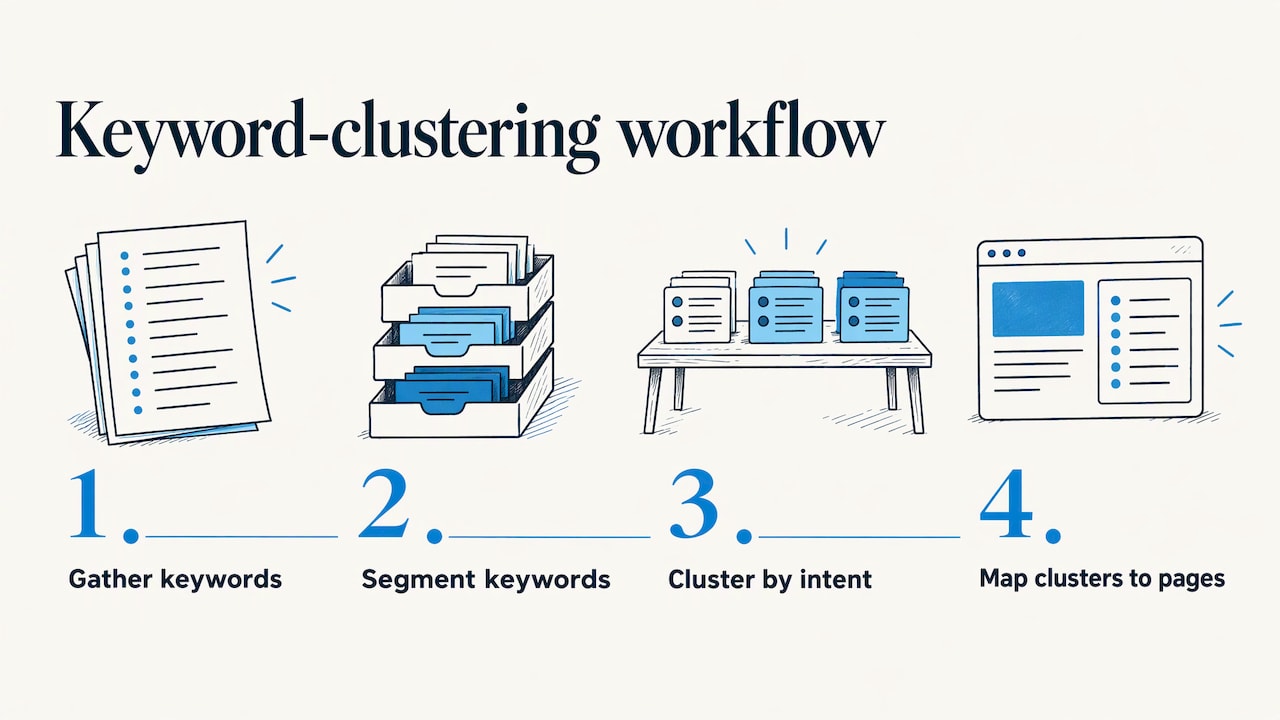
Step 1: Build the keyword list
Start with what you already have. Export queries from Google Search Console, then add ideas from a keyword research tool, competitor pages, autocomplete and the People Also Ask box. A dedicated research tool such as KWFinder gives you volume and difficulty numbers to sort by. For a walkthrough of building a list for blog posts, see our guide to finding blog post keywords.
Aim for a few hundred terms for one topic, not thousands for the whole site. Smaller batches are easier to check by hand.
Step 2: Clean and tag by intent
Remove duplicates, misspellings and off-topic terms. Then tag each keyword with its likely intent:
- Informational: “what is keyword clustering”
- Commercial: “best keyword clustering tool”
- Transactional: “keyword clustering tool free trial”
- Navigational: a brand or login search
Tagging first prevents the most common clustering error: putting a “what is” query and a “best tools” query on one page because they share words.
Step 3: Choose a clustering method
There are three options.
SERP-based clustering compares the live search results for each keyword. If two keywords return many of the same URLs, Google treats them as one need, and they go in one cluster. HubSpot calls this approach more precise because it reflects real search behavior, though it notes the cost and resources it takes at scale.
Semantic clustering groups keywords by linguistic similarity, using word overlap or language models. It is fast and cheap and handles huge lists. It can also group words that look alike but satisfy different searches.
Hybrid clustering runs a semantic pass to create rough groups, then uses SERP checks on the borderline ones. For most small sites, this is the practical choice.
| Method | Accuracy for intent | Speed | Cost at scale |
|---|---|---|---|
| SERP-based | Higher | Slower | Higher |
| Semantic | Lower | Fast | Low |
| Hybrid | Good | Medium | Moderate |
Step 4: Do the manual check
Open the search results for the main keyword in each cluster. Ask three questions:
- Are the top results the same page type (guide, list, product page, tool)?
- Do the other keywords in the group show the same page type?
- Would one page genuinely answer all of them without bloating?
If the answer to any is no, split the cluster. This takes ten minutes per cluster and saves months of publishing the wrong page.
Step 5: Map each cluster to one page
Pick the keyword with the best mix of volume and fit as the primary. Use the rest as secondary terms, headings and FAQ questions. Record the result in a spreadsheet with columns for cluster name, primary keyword, secondary keywords, intent, target URL and status. If a page already exists for the cluster, update it instead of writing a new one.
Step 6: Link and track
Link supporting pages to the pillar and to each other where it helps the reader. A WordPress tool like LinkWhisper can suggest internal links as you publish. Then track rankings by cluster rather than by single keyword, so you can see whether the page is winning the whole group.
One page or several? Deciding where clusters split
This is where clustering stops being mechanical. Two keywords can look similar and still need different pages.
Use these tests:
- Different page type wins. If one query shows comparison lists and the other shows tutorials, build two pages.
- Different stage of the journey. Someone learning what a term means is not ready to pick a vendor. Separate pages let each one do its job.
- Different depth. If covering a keyword properly would double the length of the page, it probably deserves its own URL.
The point that matters most: planning clusters around what the audience is trying to do beats planning around topical similarity or whatever a tool suggests. If you want a second pair of eyes on mapping content to the buyer journey for a local or service business, an agency such as Las Vegas local SEO and search marketing specialists can help turn a keyword spreadsheet into a page plan.
Choosing tools: what to look for
You do not need one tool that does everything. Most workflows combine three jobs: research, clustering and content optimization.
Research tools supply the keywords and their metrics. Look for accurate volume ranges, difficulty scores and the ability to export.
Clustering tools group them. Check whether the tool uses live SERP data or only language similarity, how many keywords it handles per run, and whether you can adjust how strict the grouping is. Free options exist and work for small lists. Paid options earn their fee once you are grouping thousands of terms.
Content optimization tools analyze the pages that already rank and suggest terms, headings and length for your draft. When people search for alternatives to a popular optimizer or ask how two of the leading ones compare, the real questions are usually these:
- Does it work inside your writing environment (Google Docs, WordPress)?
- Does it base its suggestions on current top results for your target country?
- Does it include clustering or topic planning, or only on-page scoring?
- How is it priced: per document, per month, or by usage tier?
- Can a solo blogger afford it, or is it built for agencies?
Prices and feature sets change often, so check each vendor’s own pricing page before you decide. We keep side-by-side breakdowns in our comparison of 10 AI SEO tools and our list of the best SEO tools for content writing.
A simple rule: pick the tool that matches your biggest bottleneck. If you cannot find keywords, buy research. If you have a list you cannot organize, buy clustering. If your drafts are thin, buy optimization.
Can you use an AI chatbot for keyword clustering?
Yes, with limits. A chatbot is good at semantic grouping on a small list: paste in 100 to 200 keywords and ask it to group them by search intent and name each group. It is also useful for suggesting subtopics and for spotting the intent behind odd queries.
What it cannot do is see live search results. It does not know which URLs currently rank, so it cannot do SERP-based clustering on its own. It may also invent search volumes if you ask for them.
Verify these things by hand:
- Volume and difficulty. Take numbers only from a research tool.
- SERP match. Search the main keyword in each group and confirm the top results fit.
- List completeness. Long lists can come back with keywords dropped or duplicated, so count the input and output.
- Group names. Make sure each cluster name describes one page, not a vague theme.
Used this way, a chatbot gets you a decent first draft of clusters in minutes, and your manual check turns it into a reliable one.
Common clustering mistakes
- Clustering by words, not intent. “Email marketing software” and “email marketing tips” share words and little else.
- Giant clusters. If a cluster has 80 keywords, it is probably three clusters.
- Ignoring existing pages. Clustering should reveal which old posts to merge or update, not just what to publish next.
- Skipping the search results check. A tool score is not a substitute for looking.
- Over-optimizing. Repeating every variation in the copy reads badly. Cover the topic naturally and let secondary terms appear where they fit.
- Clustering a site with no authority yet. HubSpot lists reduced value for sites without established topical authority as a limit. If your site is new, cluster one topic well first and expand from there.
A worked example
Say you run a blog about affiliate marketing and your keyword list includes these:
- how to start affiliate marketing
- affiliate marketing for beginners
- beginner affiliate marketing guide
- best affiliate programs
- top affiliate programs to join
- affiliate marketing without a website
A quick intent tag gives you two groups right away. The first three are informational beginner queries, so they become one page: a beginner’s guide. The next two are commercial list queries, so they become a second page. The last one looks like a beginner query, but a SERP check may show results focused on social platforms and YouTube. If so, it deserves its own page, or at least a dedicated section on the beginner guide. That one check changed the plan, and no tool would have caught it from the words alone.
Our perspective
We have been running content sites for years, and the lesson that keeps repeating is this: traffic follows pages that clearly answer one need. Clustering is how we decide what that need is before we write a word.
When we plan a new topic, we start from the questions real readers ask, group them by intent, and check the results by hand. Tools help with speed, but the decision to merge or split a page is always a judgment call, and it is the one that pays off.
That same practical, tested approach runs through our guides, reviews and courses. If you want the full systems we use for building and monetizing online businesses, we have packaged them so you can learn at your own pace and apply them to your own site.
Nathaniel
Want the full playbook?
Clustering is one piece of a bigger system: research, publish, link, monetize. If you want the complete set of our training in one place, Instant Course Access for Life gives you lifetime access for a one-off $97.

You can see what is included on the Instant Course Access for Life page, or browse our courses first.
FAQ
What is the best keyword clustering tool?
It depends on your list size and budget. For a few hundred keywords, a free grouping tool or a careful chatbot prompt plus a manual check is enough. For thousands of keywords, a paid tool that groups by live search results saves hours. Choose by the method it uses and whether it exports cleanly to your spreadsheet.
How many keywords should be in one cluster?
There is no fixed number. A cluster is as big as the intent behind it, which can be three keywords or thirty. If you cannot describe the cluster in one short sentence, or the search results show mixed page types, split it.
Is keyword clustering the same as topic clustering?
No. Keyword clustering groups queries so you know what one page should cover. Topic clustering organizes several pages around a pillar and links them together. You build the first to feed the second.
Can I cluster keywords without paid software?
Yes. Export your queries from Search Console, tag them by intent in a spreadsheet, then check the search results for the main keyword in each group. It takes longer than an automated tool, but it works well for blogs and small sites.
Sources
- Keyword clustering: How to create a strategy for topic clusters (HubSpot)
- Creating helpful, reliable, people-first content (Google Search Central)