
You wrote the post. You hit publish. Then nothing happens.
No rankings. No clicks. Maybe a few impressions in Search Console, then a flat line. That’s the point where most founders tell themselves a comforting lie: “I just need to write better content.”
Usually, that’s not the problem.
The core problem is that most blog posts are treated like creative projects when they should be treated like assets. An asset has a workflow, a quality standard, and a maintenance cycle. If you want to learn how to optimize blog posts for seo, you need a repeatable operating system, not a pile of disconnected tips.
That matters even more if you’re building with limited time and limited budget. Solo operators can’t afford to publish five posts that miss intent, target the wrong format, or never get updated. Every article needs a job. It should pull in qualified traffic, strengthen topical authority, and support the next piece of content you publish.
I don’t think of blog SEO as a writing exercise. I think of it as content operations. The same discipline that improves email funnels, landing pages, and conversion paths applies here too. If you're dialing in broader effective digital marketing strategies, this is one of the cleanest channels to build a long-term advantage because a strong post keeps working after the day you publish it.
Beyond 'Just Write Great Content' An SEO Playbook That Works
“Write great content” is lazy advice.
It sounds smart, but it doesn’t tell you what to do when your post is stuck on page three, when your keyword has mixed intent, or when the articles ranking above you all use a completely different format. Good writing helps. It doesn’t replace strategy.
A post ranks when several things line up at the same time:
- The topic is worth targeting
- The search intent is obvious
- The format matches the SERP
- The structure is easy to crawl and easy to scan
- The page earns trust fast
- The post keeps improving after publish
Miss one of those and the whole thing underperforms.
Practical rule: SEO content should be built like a product. Research first, structure second, writing third, iteration forever.
That shift changes the way you work. Instead of asking, “What should I write this week?” ask, “What post can become a durable traffic asset if I execute it properly?” That question forces you to think in terms of ROI.
This playbook is built for entrepreneurs who want efficiency. It’s not about publishing more for the sake of output. It’s about making each post do more work. Done right, one article can rank for far more than the headline keyword, support related posts, and strengthen the rest of your site over time.
The process isn’t glamorous. It’s operational. That’s why it works.
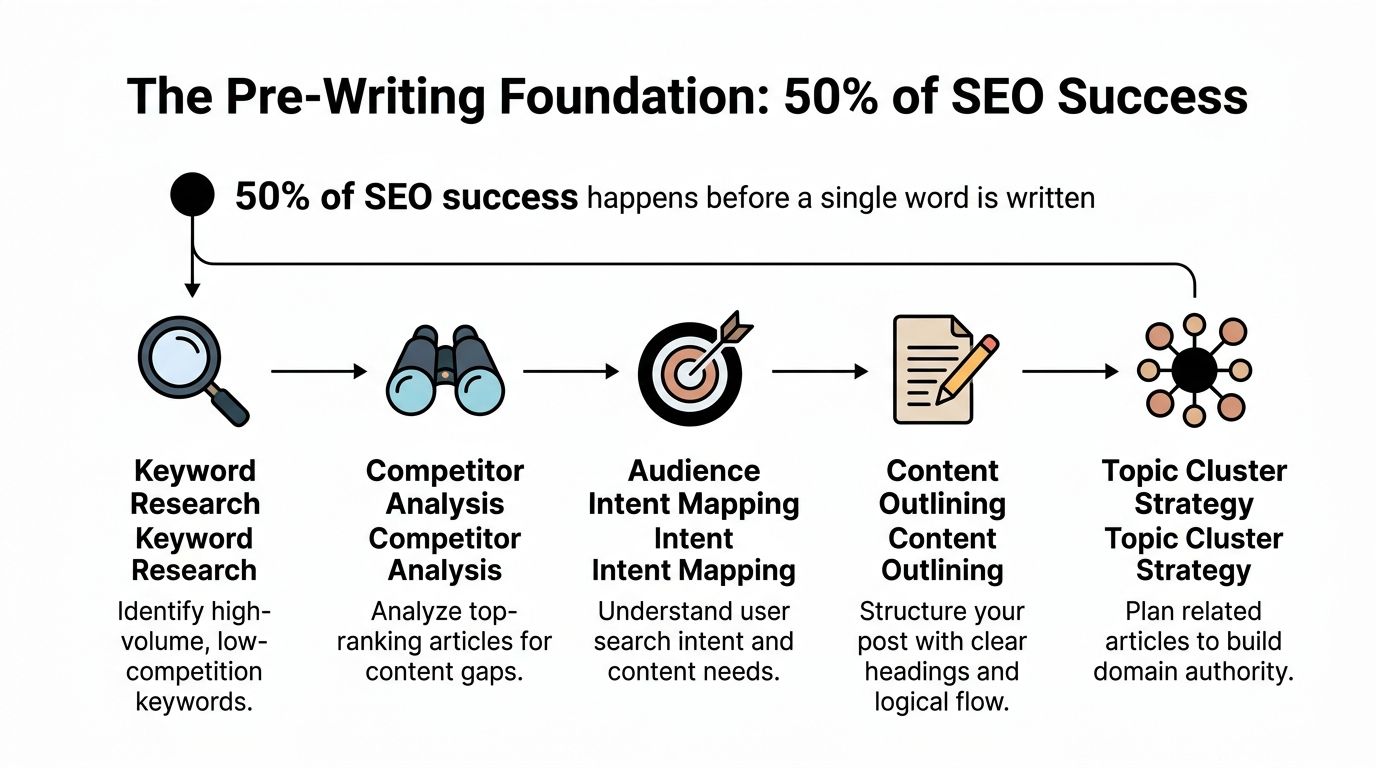
The Pre-Writing Foundation for SEO Success
Most posts fail before the first sentence gets written.
The failure starts with weak topic selection, vague keyword research, or a complete misunderstanding of what Google is rewarding for that query. If you want a post to rank, the heavy lifting happens before drafting.
Start with one core query, not ten
Pick a primary keyword that represents the central problem the reader wants solved. Don’t start by stuffing a spreadsheet with every variation you can find. That approach usually creates bloated outlines and unfocused posts.
A better workflow looks like this:
- Choose the core term that best describes the topic.
- Pull related questions and variations in Ahrefs, Semrush, or Keywords Everywhere.
- Group the terms by intent, not by tiny wording differences.
- Decide whether one post can satisfy the cluster or whether you need a pillar plus supporting posts.
A common time-waster involves seeing dozens of keyword variants and assuming each deserves its own article. Usually, that creates content cannibalization or a thin archive.
According to research from Ahrefs, the top-ranking page on Google tends to also rank in the top 10 search results for nearly 1,000 other relevant keywords, which shows why thorough topic coverage beats shallow single-keyword posts in many cases (usdatacorporation.com).
That’s the practical takeaway. Don’t build around a phrase. Build around a search problem.
Pull the SERP apart before you outline
Before writing anything, search the target keyword manually.
Open the top results and document what Google is already rewarding. This step sounds basic, but it saves a huge amount of wasted work. If the top results are beginner guides, don’t write an advanced opinion piece. If they’re product comparisons, don’t publish a generic tutorial and expect it to outrank them.
Use a simple review sheet:
Content type
Is Google showing guides, lists, tools, comparisons, category pages, or homepages?Angle
Are the articles written for beginners, agencies, e-commerce teams, or creators?Depth
Are the posts broad and introductory, or narrow and technical?Recurring subtopics
What questions appear in multiple top-ranking pages?Weaknesses
Where are the current winners thin, outdated, hard to scan, or missing practical detail?
For a deeper walkthrough on identifying keyword opportunities before you write, this breakdown on finding blog keywords is worth reviewing as part of your research routine.
If you skip SERP analysis, you’re not doing SEO. You’re guessing.
Match intent before you chase optimization
One of the fastest ways to waste a full writing day is to create the wrong type of page.
Modern SEO requires matching your content format to what’s already ranking. The fastest validation method is analyzing the top 10 search results to see whether Google is serving guides, lists, or product pages. Creating a how-to post for a keyword where Google prefers comparison guides significantly reduces ranking potential (aioseo.com).
That means “how to optimize blog posts for seo” should not be approached the same way as “best SEO plugins” or “Ahrefs vs Semrush.” Similar topic family. Different intent. Different page.
Build the outline from entities and questions
Once the SERP tells you what kind of page needs to exist, outline around the questions and subtopics users expect to see answered.
I use three inputs for this:
- Top-ranking competitor headings
- Question-based keyword reports
- Entity relationships from optimization tools
SurferSEO can help surface recurring terms and concept coverage. Google’s NLP-oriented tools can help you understand related entities. Neither tool should dictate your writing, but both can keep you from missing obvious subtopics.
The point is not to hit some magic optimization score. The point is to build a post that feels complete.
Decide whether the topic belongs in a cluster
Some keywords deserve a single article. Others belong inside a broader content system.
Google’s algorithm increasingly ranks in-depth, semantically connected content higher. Rather than optimizing posts in silos, structuring them around topic clusters with strategic internal linking signals that your site thoroughly addresses the user’s needs, improving ranking potential across the cluster rather than just one page (vazoola.com).
When I’m planning content, I ask two questions:
- Can this topic stand alone and satisfy the searcher fully?
- Or does it naturally point to a pillar and several supporting posts?
If the answer is the second one, I won’t force everything into one monster article. I’ll create a hierarchy. One pillar. Several support pages. Clean internal linking. Clear topic ownership.
That’s how you stop blogging randomly and start gaining a strong position in search.
Crafting and Structuring Your SEO-Driven Post
A strong draft doesn’t start with prose. It starts with structure.
If the pre-writing work is solid, writing gets easier because most of the important decisions are already made. You know the intent, the format, the subtopics, and the reader’s likely questions. At that point, your job is to turn research into a page that people want to read and search engines can interpret cleanly.
Write the title for clicks and clarity
A weak title kills good content. It either sounds generic, hides the benefit, or buries the keyword in awkward phrasing.
A good SEO title does three things:
- It makes the topic obvious
- It tells the reader what outcome to expect
- It matches the language people search
Don’t get cute. Cute titles underperform in search because they obscure the topic.
Here are practical templates that work.
| Template Type | Formula | Example |
|---|---|---|
| Direct how-to | How to + desired outcome + qualifier | How to Optimize Blog Posts for SEO Without Publishing More Content |
| Problem-solution | Main problem + practical solution | Blog Posts Not Ranking? Fix the SEO Issues That Matter |
| Process-driven | Complete guide to + task + audience/context | Complete Guide to SEO Blog Post Optimization for Small Business Sites |
| Outcome-focused | Action + result + timeframe/context | Optimize Old Blog Posts to Win More Search Traffic |
| Mistake-based | Number/common mistakes + topic | SEO Blog Post Mistakes That Keep Good Content Buried |
Meta descriptions should support the click, not repeat the title badly.
Use a meta description that sells the visit
Meta descriptions aren’t where you cram keywords. They’re where you earn curiosity and set expectations.
A reliable formula is:
Problem + promise + specificity
Examples:
- Your blog posts don’t need more fluff. Learn a repeatable workflow for keyword research, on-page SEO, structure, internal links, and post-publish updates.
- Learn how to optimize blog posts for seo with a practical process that improves rankings, readability, internal linking, and long-term traffic value.
Keep the copy natural. If it sounds like it was generated to satisfy a machine, readers will skip it.
Use heading hierarchy like an operator, not a student
Good structure makes content easier to scan and easier to understand. It also keeps the page from becoming a wall of text, which tanks usability fast.
The hierarchy should be simple:
- One H1 for the main topic
- H2s for major sections
- H3s for distinct subtopics inside each section
- Lists and tables where scanning matters more than prose
What doesn’t work is fake structure. That’s when writers add lots of headings but each section says almost nothing. Google doesn’t reward empty organization. It rewards clear, useful coverage.
If you want a practical reference on layout decisions, this guide to the best blog post format is useful because it focuses on readability and structure instead of gimmicks.
Write introductions that answer the search fast
The first few paragraphs matter more than most writers realize.
Don’t spend them on background history, throat-clearing, or broad definitions everyone already knows. Answer the search early. Then expand.
Here’s the difference.
Before
Blog SEO is an important part of digital marketing. Over the years, many experts have talked about the importance of search engine optimization for businesses of all sizes. In this article, we will discuss some methods you can use.
After
If your blog post isn’t ranking, start with three checks: search intent, structure, and internal links. Most posts fail because they target the wrong format, bury the answer, or sit disconnected from the rest of the site.
The second version earns the reader’s attention because it gets to work immediately.
The best-performing intros don’t warm up. They solve tension.
Place keywords where they help comprehension
Yes, your main keyword should appear in important places. No, you don’t need to force it every few lines.
Use the primary keyword in:
- The title
- The opening paragraph
- One or more subheadings where natural
- The URL slug
- Image alt text when relevant
- The conclusion or CTA if it fits
Then cover the topic with natural variants, subtopics, and related entities. That’s how you optimize without sounding robotic.
A practical benchmark is this: if a sentence reads worse after inserting the keyword, rewrite the sentence. Don’t keep the bad version just because a plugin turned green.
Build trust into the body copy
E-E-A-T isn’t a paragraph you tack on at the end. It shows up in how you write.
Use specifics. Name the tool. Explain the trade-off. Show what not to do. Distinguish between beginner advice and what works on a competitive SERP.
That’s also why generic filler hurts rankings indirectly. Readers can feel when a post was assembled from recycled talking points. Useful content has texture. It reflects judgment.
For a solid example of post structure that balances readability and usefulness, review this resource on the perfect blog post and notice how each section handles one clear job.
Make the page easy to skim
Readers often don’t read linearly. They scan first. Your structure needs to respect that behavior.
Use these formatting choices intentionally:
- Short paragraphs because dense blocks suppress engagement
- Bolded terms for key concepts and takeaways
- Tables when comparing formats, tools, or options
- Bullets when the sequence matters less than the scan
- Blockquotes when a point deserves visual emphasis
Scannability isn’t cosmetic. It’s part of performance.
Essential Technical Health and Media Optimization
A strong article can still underperform if the page around it is sloppy.
Technical health affects how fast the post loads, how easy it is to crawl, and how usable it feels on real devices. None of that is glamorous, but it matters. A page with poor image handling, weak internal links, and bad accessibility sends the wrong signals fast.
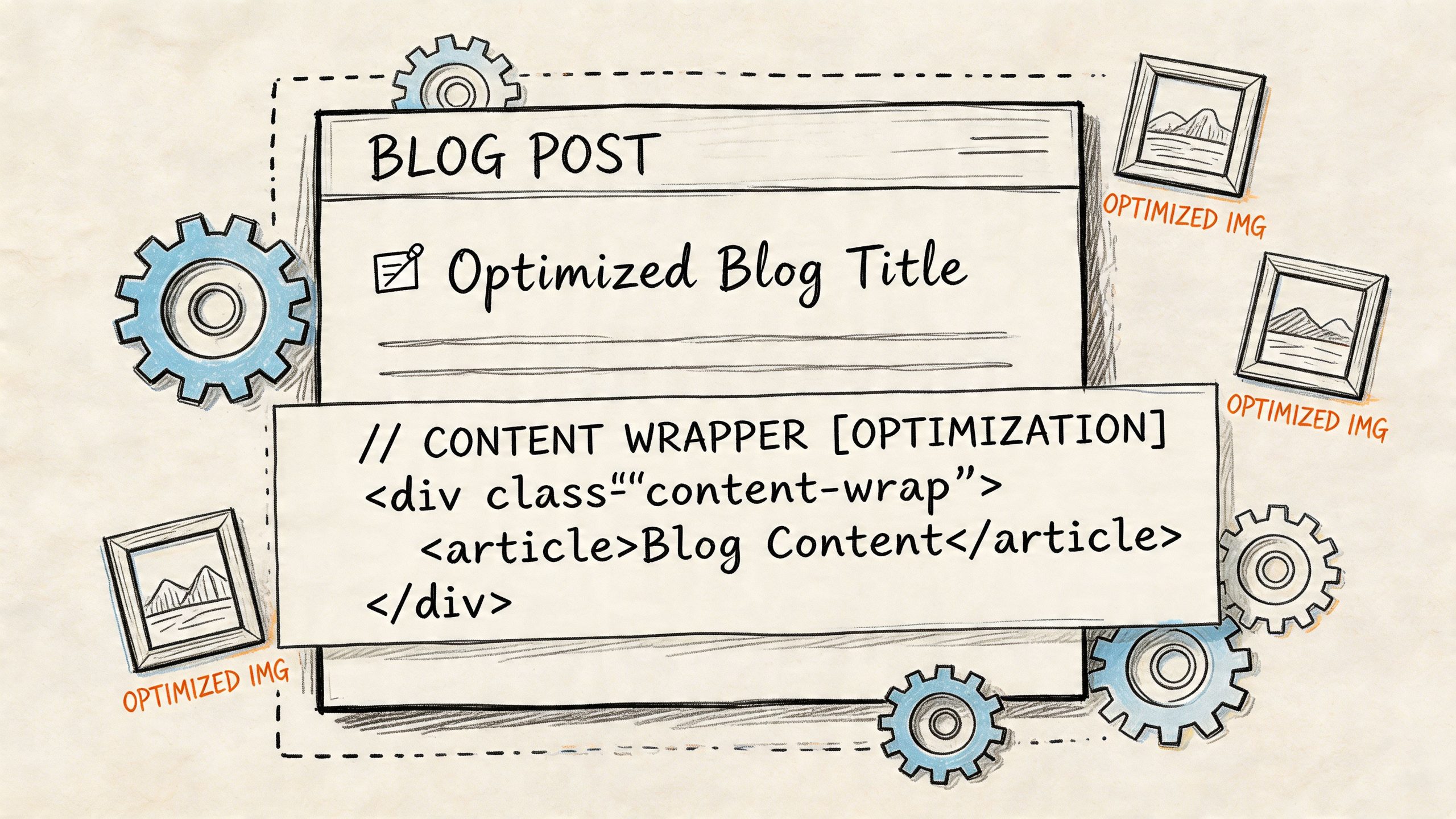
Treat images like part of the page, not decoration
Most blog images are heavier than they need to be and less useful than they should be.
The basics still matter:
- Rename files clearly before upload
- Compress images so they don’t bloat the page
- Use alt text that describes the image accurately
- Choose images that support the content, not random stock filler
If the article explains a process, use a diagram, a screenshot, or a simple visual that helps the reader move faster. If the image doesn’t improve understanding, don’t use it just to break up text.
Alt text deserves more care than it usually gets. The goal isn’t to sneak keywords into the field. The goal is to describe the image so screen reader users and search engines can understand what’s there.
Internal and external links should have a job
Links are one of the cleanest ways to shape how a post fits into your site.
Internal links do three things well when used correctly:
- They help search engines understand relationships between pages.
- They move readers toward deeper content.
- They reinforce topic ownership across related posts.
External links matter too, but only when they improve the page. Link to relevant, trustworthy resources when they support the claim, clarify a concept, or add needed context. Don’t spray links everywhere to look authoritative.
Bad anchor text also hurts more than people think. “Click here” tells no one anything. Descriptive anchors help both users and crawlers understand what sits on the other side.
Accessibility is an SEO advantage, not a compliance chore
This is the most overlooked part of blog optimization.
Accessibility is usually reduced to “add alt text” and then ignored. That’s incomplete. Real accessibility work includes readable contrast, keyboard navigation, usable structure, and markup that helps users across devices and assistive technologies.
Accessibility is an underserved SEO angle. Posts with full accessibility compliance, such as WCAG 4.5:1 contrast ratios, can rank up to 15% higher in mobile SERPs, yet fewer than 10% of top blogs are fully compliant, according to the source cited here (lzcmarketing.com).
That’s a practical edge because most sites still ignore it.
Field note: If your post is hard to read, hard to navigate, or frustrating on mobile, “better keywords” won’t rescue it.
A few checks go a long way:
Contrast and legibility
Make sure text is readable against backgrounds, especially on mobile.Keyboard support
Test whether someone can move through key page elements without a mouse.Logical heading order
Headings should reflect real structure, not visual styling alone.Schema where useful
FAQ and How-To schema can help clarify page meaning and improve how content is interpreted.
Here’s a useful explainer on technical SEO elements that affect blog pages in practice.
Media should improve retention, not slow the page
Video, diagrams, screenshots, and comparison tables can strengthen a post. They can also drag it down if they’re heavy, irrelevant, or stacked in a way that interrupts the reading flow.
Use media when it does one of these:
- Explains a process faster than text
- Reduces ambiguity
- Keeps readers engaged in a long article
- Supports a conversion step
What doesn’t work is decorative overload. Five stock images won’t make a weak post stronger. One clear visual usually does more than a gallery of filler.
The Post-Publish Loop for Continuous Growth
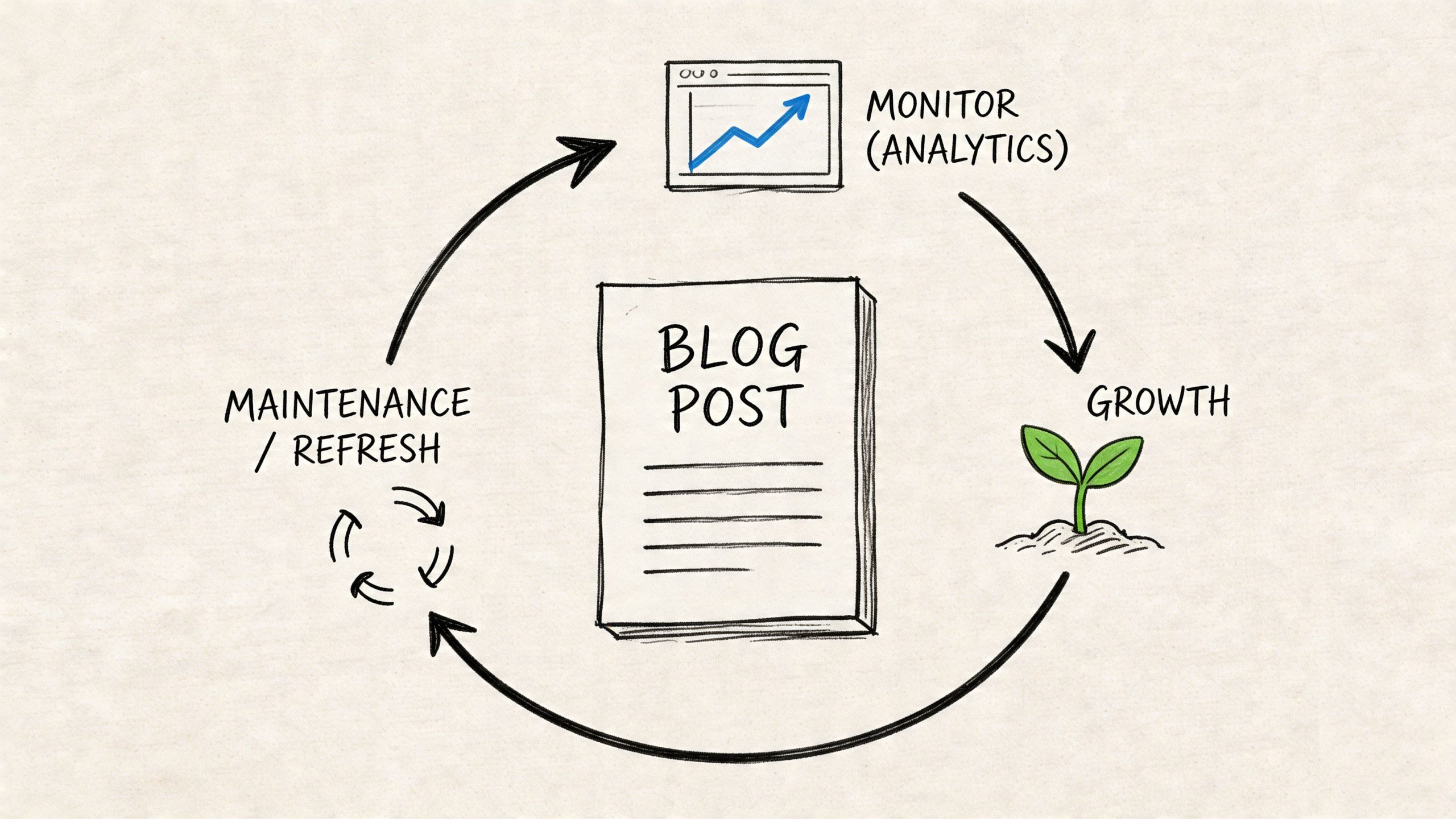
Publishing is the midpoint, not the finish line.
Many bloggers often lose the compounding value of their work. They publish the article, share it once, and move on to the next topic. That’s a content treadmill. It creates activity, not assets.
If a post matters, it needs a review cycle.
Run a tight pre-publish check
Before the article goes live, confirm the basics:
Intent match
The post still aligns with what the SERP is rewarding.On-page clarity
Title, meta description, headings, and intro all support the topic cleanly.Link coverage
Internal links connect the post to relevant pages. External links add context where needed.Media and accessibility
Images are compressed, alt text is useful, and the page is readable across devices.
This doesn’t need to become bureaucracy. A short checklist prevents avoidable mistakes.
Watch search behavior, not just rankings
After publishing, open Google Search Console and pay attention to what the page starts earning impressions for.
You’re looking for signals like:
- Queries you expected
- Queries you didn’t expect
- Pages with impressions but weak clicks
- Sections that may need clearer answers or better formatting
A post can start attracting adjacent queries you didn’t build the article around. That’s valuable. It tells you how Google is interpreting the page, and where you may want to expand.
If you need a grounded reminder that organic traffic takes iteration, not wishful thinking, this piece on the truth about organic traffic is worth reading.
Update posts like a portfolio manager
Not every post deserves the same maintenance effort.
I split updates into three buckets:
Quick wins
Tighten the title, improve the intro, add internal links, clarify subheadings.Expansion updates
Add missing subtopics, FAQs, examples, or visuals based on real query data.Structural upgrades
Reposition the article inside a broader topic cluster and create supporting posts around it.
Topic clusters begin to yield results. Google’s algorithm increasingly ranks thorough, semantically connected content higher. Structuring content around clusters with strategic internal linking signals that your site addresses a user’s needs across the topic, improving ranking potential beyond a single post (vazoola.com).
That matters because one improving page can lift the relevance of the pages around it when the architecture is coherent.
Don’t ask whether a post “worked” right after publish. Ask whether it’s giving you enough signal to improve it intelligently.
Build around winners, cut the rest
Some posts will show traction. Double down on those.
If a post starts earning impressions across related questions, create support content that deepens the cluster. If a post never gets traction and the SERP clearly favors another format, rework it or merge it into something stronger.
That’s the mindset shift. Good content teams don’t just publish. They reallocate effort toward pages that can become durable traffic drivers.
Frequently Asked SEO Optimization Questions
How long does it take for an optimized blog post to rank
It depends on the site, the topic, and the SERP competition.
Some posts get impressions quickly and take longer to move into meaningful positions. Others sit quiet for a while, then improve after internal links, updates, or cluster support are added. The mistake is expecting a finished result from the first draft. A better approach is to watch Search Console early, look for query alignment, and improve based on what the page is already attracting.
Should every blog post target one keyword
Every post should have one primary search intent. That’s more useful than obsessing over one exact keyword.
A strong post usually ranks for many related queries when it covers the topic thoroughly. The problem starts when a post tries to serve multiple different intents at once. That creates muddy structure and weak relevance. One core problem per page is the cleaner rule.
Is long-form content always better for SEO
No.
Longer content only helps when the topic requires depth. If the searcher wants a concise answer, adding fluff hurts the page. Good SEO content is complete, not bloated. Use the SERP as the benchmark. If top results are concise and tightly focused, don’t force a giant guide.
How often should I update old blog posts
Update based on signals, not a random calendar.
Refresh a post when rankings stall, impressions rise but clicks stay weak, the SERP changes format, or the content becomes outdated. Some pages need frequent tuning. Others stay stable for a long time. The decision should come from performance and relevance, not guilt.
What’s the biggest mistake people make when learning how to optimize blog posts for seo
They optimize too late.
They write the whole article first, then try to “SEO it” at the end with title tweaks, extra keywords, and plugin suggestions. By then, the core decisions are already wrong if intent or format was off. SEO starts before drafting. It’s part of topic selection, SERP review, structure, and page design.
Which tools are actually worth using
For most entrepreneurs, a practical stack is enough:
- Ahrefs or Semrush for keyword research and SERP analysis
- Google Search Console for post-publish query data
- SurferSEO for coverage checks and outline support
- A solid CMS SEO plugin for title tags, meta descriptions, and schema basics
You don’t need a giant software stack. You need tools that help you make better decisions.
Should I optimize old posts or write new ones
Do both, but not equally.
If an old post already has impressions or partial traction, optimizing it is often the higher-ROI move. If a site has major topic gaps, new content may matter more. I usually prioritize pages that already show signs of relevance because they’re closer to payoff.
How important are internal links really
Very important.
Internal links help search engines understand how your pages relate and help users discover the next relevant article. They also support topic clusters, which makes your site feel more complete around a subject. Random internal links don’t help much. Strategic ones do.
Does accessibility really affect SEO
Yes, both directly and indirectly.
Accessibility improves usability, mobile experience, readability, and clarity of structure. Those improvements help users stay engaged and make the page easier to interpret. It’s also an area many sites neglect, which makes it a practical advantage for operators who take it seriously.
What should I do after publishing a post today
Do this in order:
- Check the page live on desktop and mobile.
- Confirm indexing readiness in your normal SEO workflow.
- Add internal links from older relevant pages.
- Watch Search Console for early query and impression data.
- Schedule a review so the post doesn’t get abandoned.
That simple loop beats publish-and-forget every time.
If you want more practical breakdowns like this, along with hands-on growth strategies for blogging, SEO, affiliate sites, and online business, check out EntreResource at https://entreresource.com.