
Amazon product bundling means selling two or more complementary products together in one offer, usually at a small discount or with added convenience. You can still do it, but the rules are tightening. Starting January 11, 2027, most bundles listed as a single ASIN must be packaged by the original manufacturer or brand. If you pack kits yourself, you need a plan before then.
This guide covers the two kinds of bundles, who qualifies for each, what the 2027 change means, and how to build a bundle shoppers actually want.
TL;DR
- A physical bundle is packed into one new listing. A virtual bundle groups existing FBA products without repackaging them.
- From January 11, 2027, most single-ASIN bundles must come from the original manufacturer. Virtual bundles, authorized repackaging with a brand letter, and the Gifting and Camera categories are exceptions.
- Virtual bundles require Brand Registry, new condition and active FBA inventory.
- The best bundles cut decision effort: they pair items used in one routine or task.
- Audit every self-assembled bundle now, before listings are deactivated.
Table of Contents
- What Amazon product bundling actually is
- Physical bundles vs. virtual bundles
- What changes on January 11, 2027
- How to create a virtual bundle
- Building a bundle people want
- Common mistakes to avoid
- Where bundling fits in your wider FBA plan
- Our perspective
- Want a structured path to selling on Amazon?
- FAQ
- Sources
What Amazon product bundling actually is
A bundle is a set of products sold as one purchase. Think a shampoo with its matching conditioner, or a necklace with matching earrings. Amazon’s own selling guidance frames the main benefit as lower decision-making cost for the shopper. When you pair items that serve one routine, you raise basket size, and you help buyers find products they might have scrolled past.
That framing matters because it tells you what a good bundle is. It is not a way to dump slow stock next to a bestseller. It is a ready-made answer to the question “what else do I need for this?”
For you as a seller, bundling can do three things:
- Raise average order value without more ad spend per order.
- Create a listing competitors cannot match one-to-one.
- Give you a cleaner way to move slower SKUs alongside a proven one.
The catch is that Amazon treats a bundle as its own product, and it polices that closely.
Physical bundles vs. virtual bundles
The choice between the two shapes your costs, your control and your risk under the new policy.
| Physical bundle | Virtual bundle | |
|---|---|---|
| How it works | You pack items together and create a new listing with its own ASIN | Amazon groups existing FBA products shown as one offer |
| Repackaging | Yes | No |
| Brand Registry needed | Not by itself, but the 2027 rules tie most bundles to the brand owner | Yes |
| Inventory | Prepared as a new kit | Uses your existing FBA units |
| 2027 policy risk | High if you assemble it yourself | Listed as an exception |
| Flexibility | Custom packaging and inserts | Easy to start, test and stop |
A virtual bundle is, in Amazon’s words for its Buy with Prime program, a group of the same or different products offered together. In Seller Central it works the same way: no new packing, no new barcode.
Who can create a virtual bundle
According to Amazon’s Virtual Bundles announcement for sellers, products must:
- belong to a brand enrolled in Brand Registry,
- be in new condition,
- exist as active FBA inventory.
Ineligible items include gift cards, digital goods such as e-books, music and software, and used or refurbished products.
If you resell other brands, this route is closed to you for those items. If you own your brand, it is the lowest-friction way to bundle.
What changes on January 11, 2027
The headline is simple. Amazon is updating its bundling policy so that most bundles listed as a single ASIN must be packaged by the original manufacturer or brand. A kit you assembled yourself from other companies’ products is the typical casualty.
The same Amazon notice lists exceptions:
- Virtual bundles, which are not repackaged.
- Authorized repackaged items, where you hold a letter of authorization from the brand.
- Items in the Gifting or Camera categories.
Sellers are told to audit existing self-assembled bundles, prepare authorization letters if they repackage, or plan inventory removal before the deadline, to avoid listing deactivations. Check the notice itself for the current wording of the exceptions, because Amazon can revise it.
This is not a ban on bundling. It is a ban on a specific shortcut: buying brand A and brand B at retail, taping them together and creating a new ASIN.
A 30-minute audit you can run this week
- Export every listing you created as a bundle, kit, pack or set.
- Mark who packed it. If the manufacturer did, you are likely fine. If you did, flag it.
- Sort flagged items into three buckets: can become a virtual bundle, can get a brand letter of authorization, or must be sold through.
- Check inventory dates. Stock you cannot move before January 11 needs a removal or liquidation plan.
- Set calendar reminders for the sell-through milestones, not just the deadline.
Do this even if you think your bundles are safe. Listing deactivations mid-quarter are expensive, and Q4 is when you least want a surprise.
How to create a virtual bundle
The exact menu labels change, so follow Amazon’s current help pages, but the flow is consistent:
- Confirm your brand is in Brand Registry.
- Confirm every item is new and has active FBA inventory.
- In Seller Central, find the Virtual Bundles tool under the Brands area and start a new bundle.
- Select the products to combine.
- Write a bundle title and set the price.
- Submit and wait for it to go live.
Two practical notes. First, tell your team and your ad agency, if you use one, that the bundle shares inventory with the single items. A stock-out on one component affects the bundle. Second, plan for slow feedback. Amazon says Virtual Bundle reports arrive weekly and only if the bundle sold in the past 90 days. Do not expect real-time dashboards, and check your spam folder because the reports are sometimes filtered incorrectly.
Building a bundle people want
The policy tells you what you may sell. Shoppers decide whether it sells. A few rules that hold up:
Bundle around a job, not a catalog. A buyer starting a home espresso setup wants a grinder, a tamper and a cleaning kit that work together. Three random items from your store do not tell that story.
Pair a hero with a helper. Your proven bestseller anchors the bundle. The add-on should be something buyers often forget or buy later at a worse price.
Keep the math honest. If the bundle price is higher than buying the items separately, shoppers notice. Price the bundle slightly under the sum, but not so low that your margin disappears after fees. Run the numbers with our Amazon FBA fees guide before you commit.
Mind size and weight. A bundle that jumps to a bigger size tier can cost more to ship and store than the margin you added. If you assemble physical kits, understand how dimensional weight affects FBA fees before you pick a box.
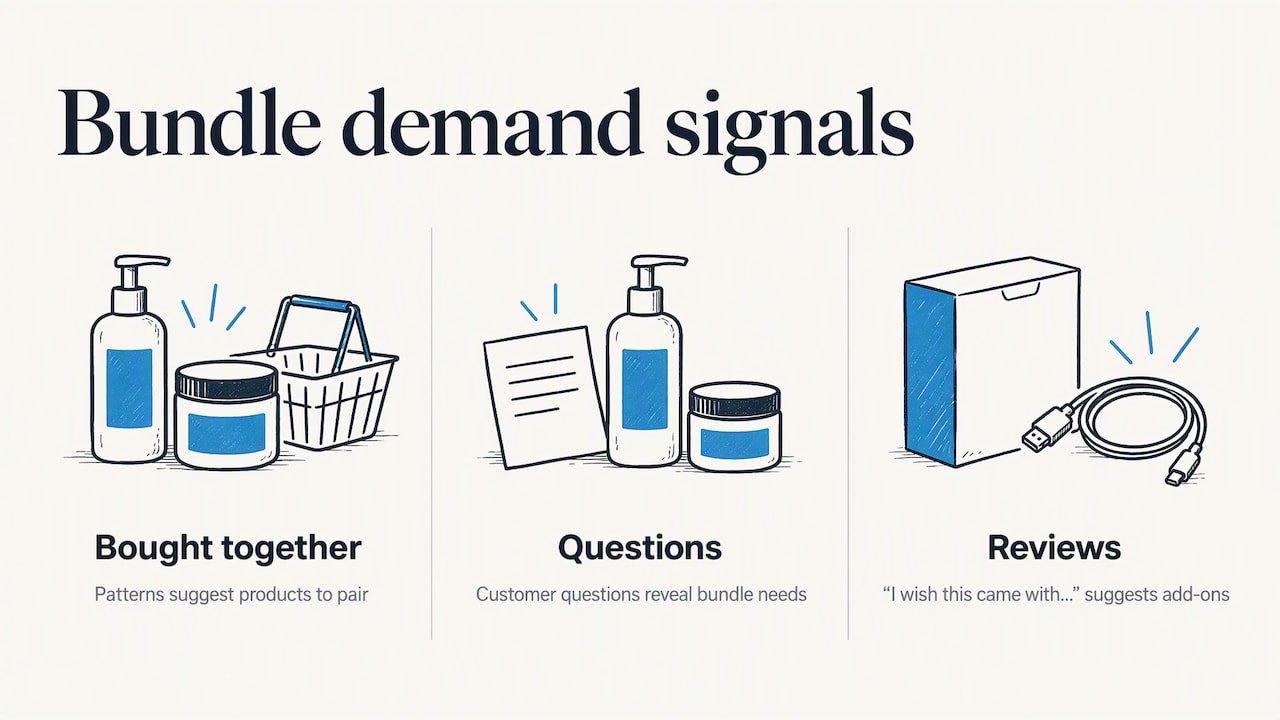
Start with data you already have. Look at your “frequently bought together” patterns and customer questions. Reviews that say “I wish this came with…” are free bundle ideas. Our Amazon FBA product research playbook shows how to read demand signals like this.
A worked example
Say you own a brand of silicone baking mats. Your mat sells well. Your small bench scraper sells slowly. Both are your own brand and in FBA.
- Mat: $18.00 sold alone.
- Scraper: $7.00 sold alone.
- Bundle: $23.50, which is under the combined $25.00.
The shopper gets a small saving and one checkout decision. You get a higher order value and help moving the scraper. Whether it is profitable depends on your own fees and costs, so test with a small run and compare unit economics. These figures are illustrative, not a benchmark.
Common mistakes to avoid
- Bundling other brands without authorization. This is exactly what the 2027 rule targets.
- Ignoring component stock. One missing item can take the whole bundle offline.
- Overstuffing. More items do not mean more value. A focused pair often beats a box of five.
- Treating the bundle as a dumping ground. If the add-on is poor quality, you collect bad reviews on your best listing.
- Forgetting the listing basics. Clear images that show everything included, and a title that says what is in the set, matter as much as the discount.
Where bundling fits in your wider FBA plan
Bundling is a lever, not a business model. It works best once you have a product with reviews and a reliable supply chain. If you are still choosing a plan or getting started, our guides on how to start Amazon FBA, shipping inventory to FBA and Amazon seller plans cover the groundwork that bundles depend on.
Our perspective
We have watched sellers lean on bundling for years because it looked like a loophole: find two products, combine them, own a listing. We never thought that was the strong version of the idea. The durable version is the one Amazon itself describes: make the buyer’s decision easier.
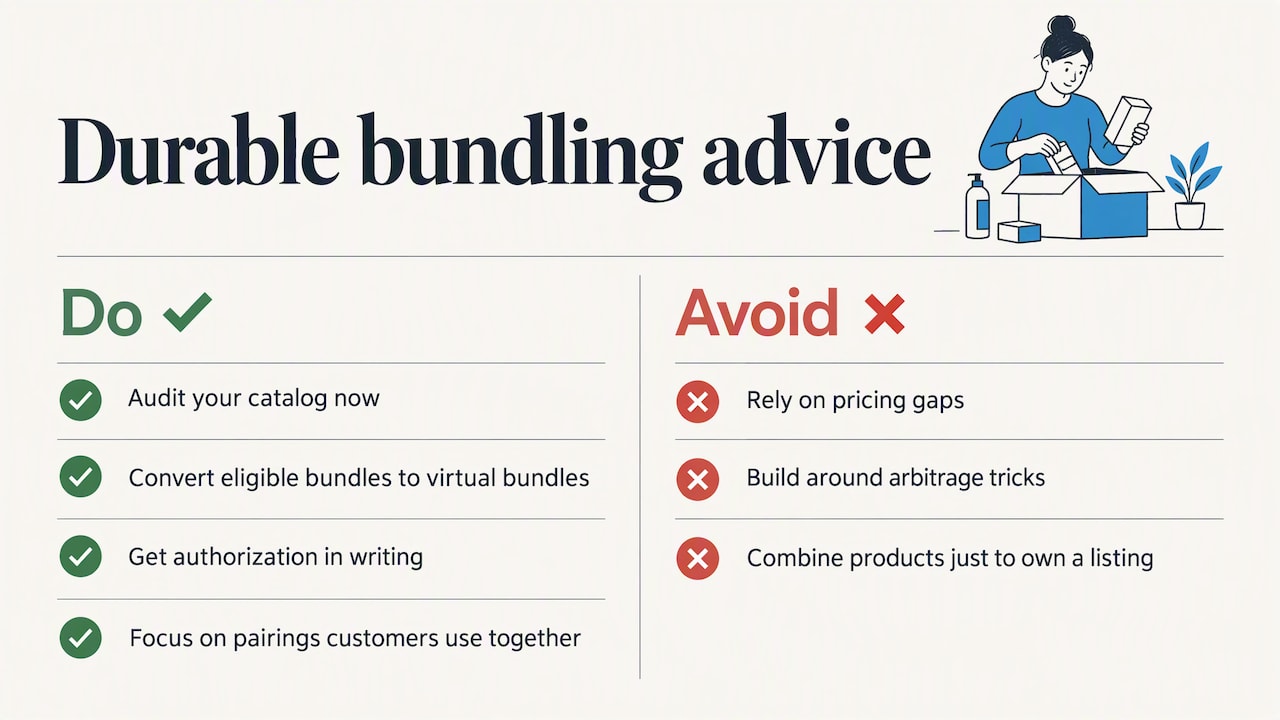
That is why the 2027 change does not worry us for sellers who own a brand. If you make the products and bundle them in ways customers genuinely use together, you are on the right side of both the policy and the shopper. If your bundle only existed because of a pricing gap or an arbitrage trick, that is the model that was always fragile.
Our advice: audit now, convert what you can to virtual bundles, get authorization in writing where you need it, and spend your energy on the product pairings customers ask for. Treat the deadline as a forcing function to clean up your catalog.
— Nathaniel
Want a structured path to selling on Amazon?
If you would rather follow a complete system than piece together policy updates, Instant Course Access for Life is available for a one-off $97. It is built for entrepreneurs who want a clear route into online selling, and you can review the details on the page before you decide.
FAQ
Can you bundle products on Amazon?
Yes. You can create physical bundles or, if you are in Brand Registry, virtual bundles. From January 11, 2027, most single-ASIN bundles must be packaged by the original manufacturer or brand, with exceptions for virtual bundles, authorized repackaging and the Gifting and Camera categories.
What is the new Amazon bundle policy?
It is an update taking effect January 11, 2027, that limits most single-ASIN bundles to those packaged by the original manufacturer or brand. Sellers who repackage need a brand letter of authorization. Read the official notice for the full wording.
What is an example of product bundling?
A shampoo and conditioner sold together is the classic case, and Amazon’s own guidance uses it. Another is a necklace with matching earrings, which Amazon cites when describing virtual bundles. The common thread is two items serving one purpose.
Do virtual bundles need Brand Registry?
Yes. Products must belong to a Brand Registry-enrolled brand, be new and have active FBA inventory. Gift cards, digital goods and used or refurbished items are not eligible.
Sources
- New requirements for product bundles starting January 11 (Amazon Seller Central)
- Learn about Virtual Bundles (Amazon Seller Central)
- Virtual Bundle reporting (Amazon Seller Central Help)
- 5 product bundling tips to boost sales (Sell on Amazon)
- Bundles (Amazon Buy with Prime)