

If you're still updating stock in a spreadsheet, checking Amazon FBA quantities in one tab, Shopify orders in another, and supplier emails in your inbox, you're probably already feeling the strain. A product sells faster than expected on one channel, your numbers don't sync, and by the time you catch it, you've either stocked out of a winner or overbought a slow mover.
That mess isn't just annoying. It changes what you order, what you promote, and how much cash stays trapped on the shelf instead of funding the next batch.
Manual inventory control breaks earlier than most sellers expect. Manual inventory processes average only 63 to 65% accuracy, while real-time automated systems can approach 99% accuracy. Some businesses also reduce stockouts by 30% and increase operational efficiency by 50% according to Anchor Group's inventory management statistics. For an online seller, that gap is the difference between guessing and operating with confidence.
Automatic inventory management doesn't mean buying enterprise software and turning your business into a warehouse science project. It means building a system that updates stock in real time, flags exceptions quickly, and gives you reorder logic you can trust. If you want a clearer view of the reporting side, this piece on hybrid BI for inventory management is worth reading alongside your operations setup.
From Inventory Chaos to Automated Control
A familiar pattern shows up in growing e-commerce stores.
One SKU starts to work. Sales come in from Shopify, maybe Amazon too. You reorder based on instinct, a rough sales average, and whatever quantity your system seems to show that morning. Then returns hit, inbound shipments get delayed, and a few orders from one channel haven't synced correctly. Suddenly your "in stock" number is fiction.
I've seen sellers make the same two mistakes repeatedly. They trust whatever the dashboard says without checking how it was calculated, or they mistrust every dashboard and keep a parallel spreadsheet forever. Both approaches create drag. One gives you false certainty. The other makes automation impossible.
What automatic control actually fixes
At its core, automatic inventory management replaces delayed, manual updates with a single operating system for stock movement. The practical gains are simple:
- Fewer stock mismatches: Receiving, sales, returns, and transfers update from one source of truth.
- Better purchasing decisions: Reorders happen from actual demand and lead time, not memory.
- Less dead stock: Slow movers show up earlier, before they eat more cash and storage.
Automatic inventory management works best when it removes repetitive decisions but keeps important exceptions visible.
For Amazon and Shopify sellers, that's the essential aim. You don't need a giant system. You need one that knows what sold, what was received, what was returned, and what needs to be ordered next.
Where sellers usually get stuck
Most businesses don't fail because automation is a bad idea. They fail because they try to install software before they define how inventory should flow. If the team can't answer basic questions like which quantity is the master count, how bundles are handled, or when returns go back into sellable stock, the software just automates confusion.
That's why the rest of this guide focuses on the operating model first, then the tools.
The Real Business Case for Automating Inventory
The strongest reason to automate inventory isn't convenience. It's margin control.
When inventory is wrong, sellers make expensive decisions in both directions. They run out of products that are still selling, which kills momentum and often hurts rank on marketplaces. Or they over-order to "be safe," which ties up cash in units that may sit too long. Both outcomes punish a small business harder than a large one because your working capital is tighter.

Why this has become a competitive requirement
The market has already moved. The inventory management automation software market is projected to grow from $2.75 billion in 2026 to $5.52 billion by 2034. Already, 46% of SMBs use inventory management software, and businesses adopting AI-enabled systems report 15% lower logistics costs and 35% reduced inventory levels based on Firework's e-commerce inventory management statistics.
That matters because your competitors don't need perfect systems to create pressure. They only need faster stock visibility, cleaner reorder logic, and fewer avoidable stockouts than you.
For a seller running Shopify plus Amazon, a decent automation stack helps in a few specific ways:
- Cash flow gets cleaner: You stop buying "just in case" quite so often.
- Promotions become safer: You can push traffic to products with more confidence in available stock.
- Multichannel selling gets manageable: One oversell event doesn't turn into a customer service fire.
If you want a broader operations view, this breakdown of the benefits of efficient inventory systems adds useful context around cost control and workflow design.
What the business case looks like in practice
The return usually doesn't come from one dramatic feature. It comes from eliminating a series of avoidable mistakes.
A good system helps you stop:
- Reordering off stale numbers
- Forgetting inbound inventory in purchasing decisions
- Treating all SKUs the same when their sales patterns are completely different
- Letting returns and damaged stock distort your available count
Sellers usually think they have a demand problem when they actually have an inventory visibility problem.
That distinction matters. If your stock data is weak, your forecasting will look weak too. Better automation doesn't just speed up operations. It improves the quality of every downstream decision, from ad spend to replenishment timing.
Planning Your Automatic Inventory Architecture
Most inventory software demos look easier than real life. The interface is clean, the stock numbers update instantly, and every workflow seems straightforward. The trouble starts when your store has duplicate SKUs, inconsistent supplier naming, bundled products, split fulfillment paths, and years of bad spreadsheet habits baked into daily operations.
That's why planning matters more than software selection.
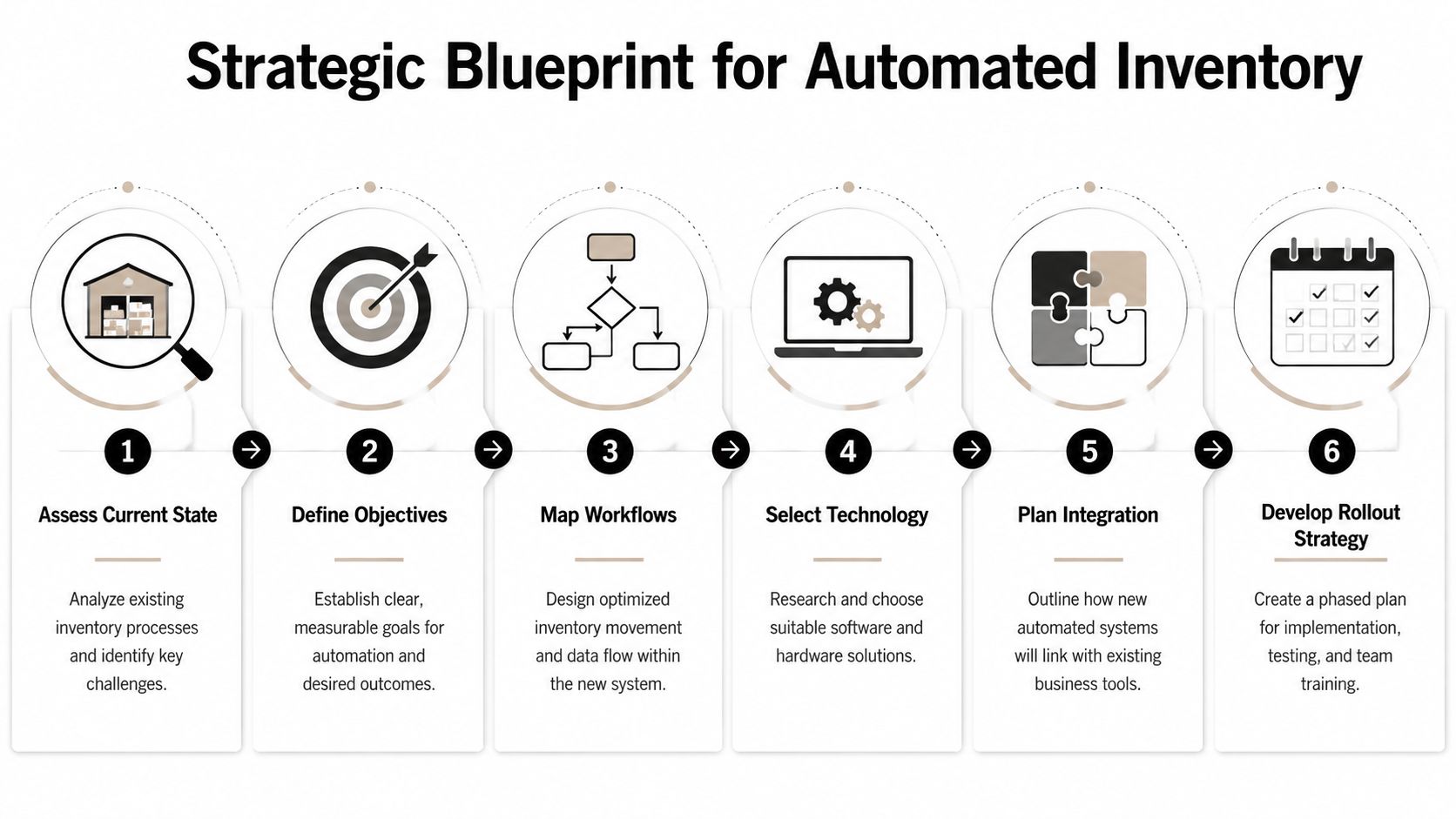
Start with a SKU and data audit
Before you automate anything, clean the foundation.
Look at every active SKU and ask:
- Is the SKU naming consistent across Shopify, Amazon, your warehouse app, and supplier records?
- Do bundles, kits, and multipacks have clear component relationships?
- Are returns, damaged units, reserved stock, and inbound stock separated correctly?
- Do duplicate listings exist under slightly different names or codes?
This isn't glamorous work, but it's where implementation succeeds or fails. If one sales channel calls a product "Black 20oz Bottle" and another calls it "Bottle Black 20 OZ," you'll eventually create mapping errors, purchasing mistakes, or both.
Define the operating rules before the tool
A lot of sellers ask which app to buy first. The better question is how your inventory should behave.
Write down the rules in plain English:
- Master quantity: Which system owns the truth?
- Sellable status: When does returned inventory become available again?
- Inbound logic: Does stock count only when received, or earlier when a PO is placed?
- Bundle allocation: How should component inventory decrement when a kit sells?
- Warehouse exceptions: What happens when received quantities don't match the PO?
If you need a broader operations perspective before committing to a stack, this guide on how custom ERP solutions help small business owners be more efficient is a practical reference point.
Why phased rollouts beat big-bang launches
Many bootstrapped sellers get hurt trying to migrate everything at once. Every marketplace, every SKU, every warehouse process, every automation rule. Then they hit sync issues, team confusion, and ugly stock discrepancies all in the same week.
A 2025 survey of e-commerce solopreneurs found that 62% abandon automated systems within the first year due to setup complexity and unexpected costs, according to NetSuite's overview of automated inventory management.
Field rule: Roll out automatic inventory management on your cleanest sales channel and your highest-volume SKUs first. Don't start with bundles, edge cases, and legacy mess.
A phased rollout usually looks like this:
- Phase one: Connect one store and stabilize core SKU counts.
- Phase two: Add receiving workflows and purchasing logic.
- Phase three: Add more channels, kits, bundles, and advanced automations.
- Phase four: Tighten reporting, forecasting inputs, and exception handling.
Set goals that change decisions
Your goals should be operational, not aspirational.
Good goals sound like this:
- Reduce stock discrepancies on top sellers
- Shorten the time between receiving inventory and making it sellable
- Stop emergency reorders on predictable SKUs
- Create one purchasing view across Amazon and Shopify
Bad goals sound like "modernize inventory" or "use AI." Those don't help you choose settings, workflows, or tools.
The architecture phase is where you decide whether your future system will save time or just generate prettier confusion.
Understanding The Core Logic of Automation
Software doesn't "know" inventory. It follows rules. If you understand the logic behind those rules, you'll configure your system better and trust it more when sales spike or supply gets messy.
The three concepts that matter most are demand forecasting, reorder points, and safety stock.
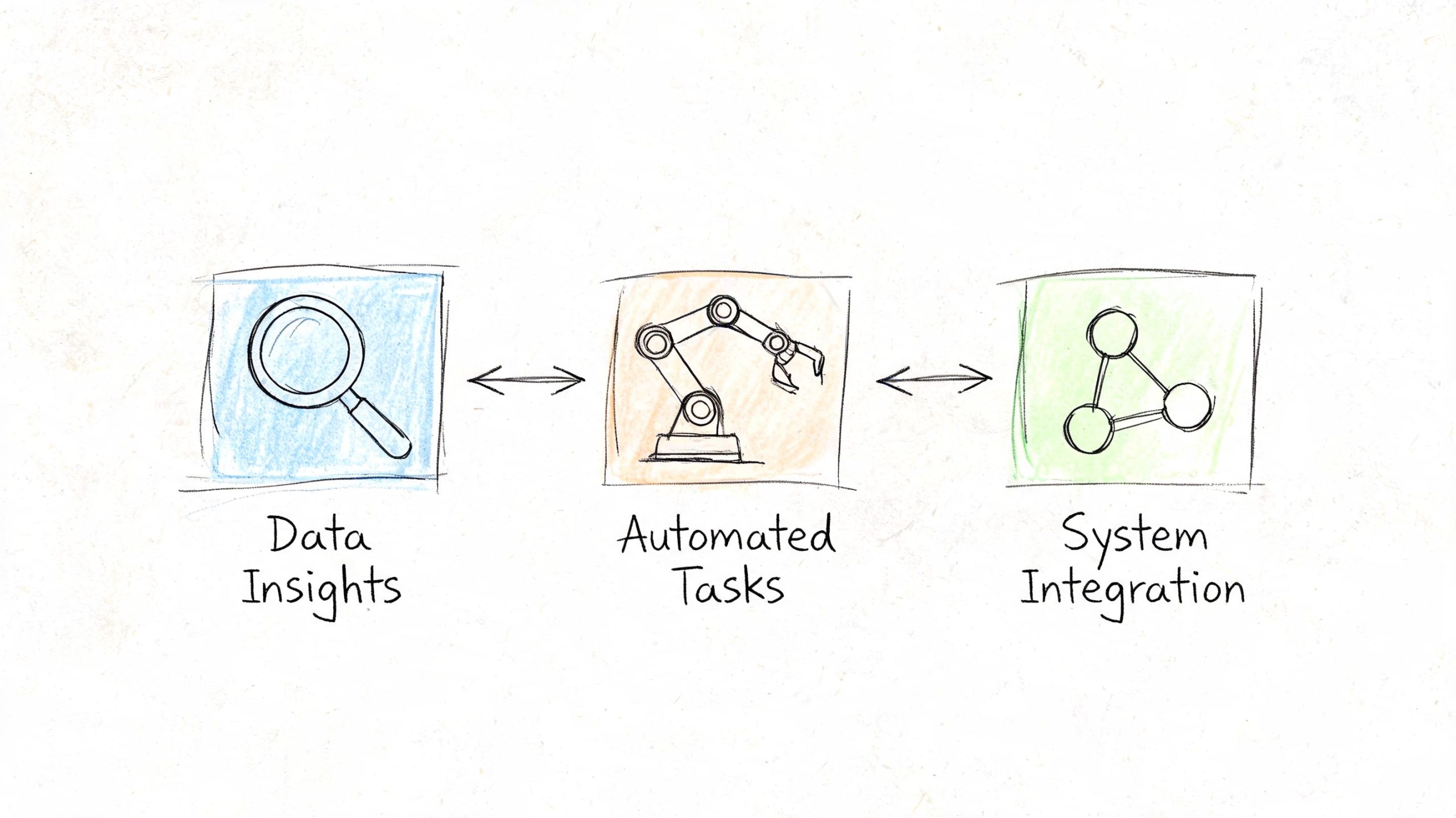
Demand forecasting without the fluff
Forecasting is just your best estimate of future demand based on what has already happened and what you know is changing. For a small seller, that means looking beyond a simple average when the business has clear patterns.
A basic moving average can work for stable SKUs. If a product sells at a steady pace and doesn't react much to promotions, seasonality, or ranking changes, the average of recent weeks may be enough to set a reorder rule.
But many e-commerce products aren't stable. They move because of:
- Ad changes
- Seasonal demand
- Marketplace rank shifts
- Promotions and discounts
- Supplier stock constraints
When that happens, the average becomes misleading. It smooths reality too much. Your software may call demand "normal" when you're clearly entering a stronger or weaker period.
A practical approach is to split SKUs into categories:
- Steady sellers: Use a simple recent sales average.
- Promotional SKUs: Review manually before and after campaigns.
- Seasonal items: Forecast with last season's patterns in mind.
- Volatile products: Keep tighter review cycles and larger judgment input.
Forecasting should reduce bad decisions, not pretend the business is more predictable than it is.
Reorder points that actually work
The reorder point is the stock level where you need to trigger a purchase so you don't run out before replenishment arrives.
The core formula is simple:
| Element | Meaning |
|---|---|
| Lead time demand | Expected demand while you're waiting for replenishment |
| Safety stock | Buffer for uncertainty |
| Reorder point | Lead time demand + safety stock |
If a product usually sells consistently and your supplier lead time is reasonably stable, this logic is enough to build useful automation. Your software can create low-stock alerts or draft purchase orders as soon as the available quantity drops to that threshold.
What trips sellers up isn't the formula. It's the inputs. If lead time is inaccurate, if inbound stock isn't tracked correctly, or if reserved quantities aren't separated from available stock, the reorder point becomes decorative.
Safety stock as a buffer, not a panic buy
Safety stock protects you from uncertainty. It exists because suppliers run late, sales don't move in a straight line, and inventory records aren't always perfect.
For small businesses, the temptation is to treat safety stock as "extra units I buy because I'm nervous." That's not a system. That's fear wearing a spreadsheet.
Better practice:
- Tie safety stock to products with variable demand or unreliable suppliers.
- Review buffers after major sales events or supplier disruptions.
- Avoid using the same safety stock rule for every SKU.
Some products need a meaningful cushion. Others don't. A cheap, fast-replenishing SKU from a dependable supplier can carry less buffer than a slower-to-source private-label item.
Where automation helps and where it doesn't
Automatic inventory management is strong at repeated decisions with defined rules. It can monitor stock levels, compare demand against thresholds, and trigger actions consistently.
It is weak when the business context changes suddenly and nobody updates the rules.
That means you still need judgment for:
- Flash sales
- Supplier failures
- Listing suspensions
- Product launches
- One-time demand spikes from creators or affiliates
A good setup lets the machine handle routine replenishment while the owner handles exceptions. That's the balance most growing sellers need.
A Practical Guide to Implementation and Integration
Once your data is clean and your operating rules are clear, implementation becomes much more straightforward. The target is not "lots of automation." The target is reliable automation.
The most dependable setups follow a clear sequence. Organizations that achieve inventory accuracy above 95% typically unify sales channels via API, implement barcode-enabled receiving, deploy automated cycle counts, and configure dynamic reorder points using statistical forecasting, based on Inventory System Solutions' automated inventory management guidance.
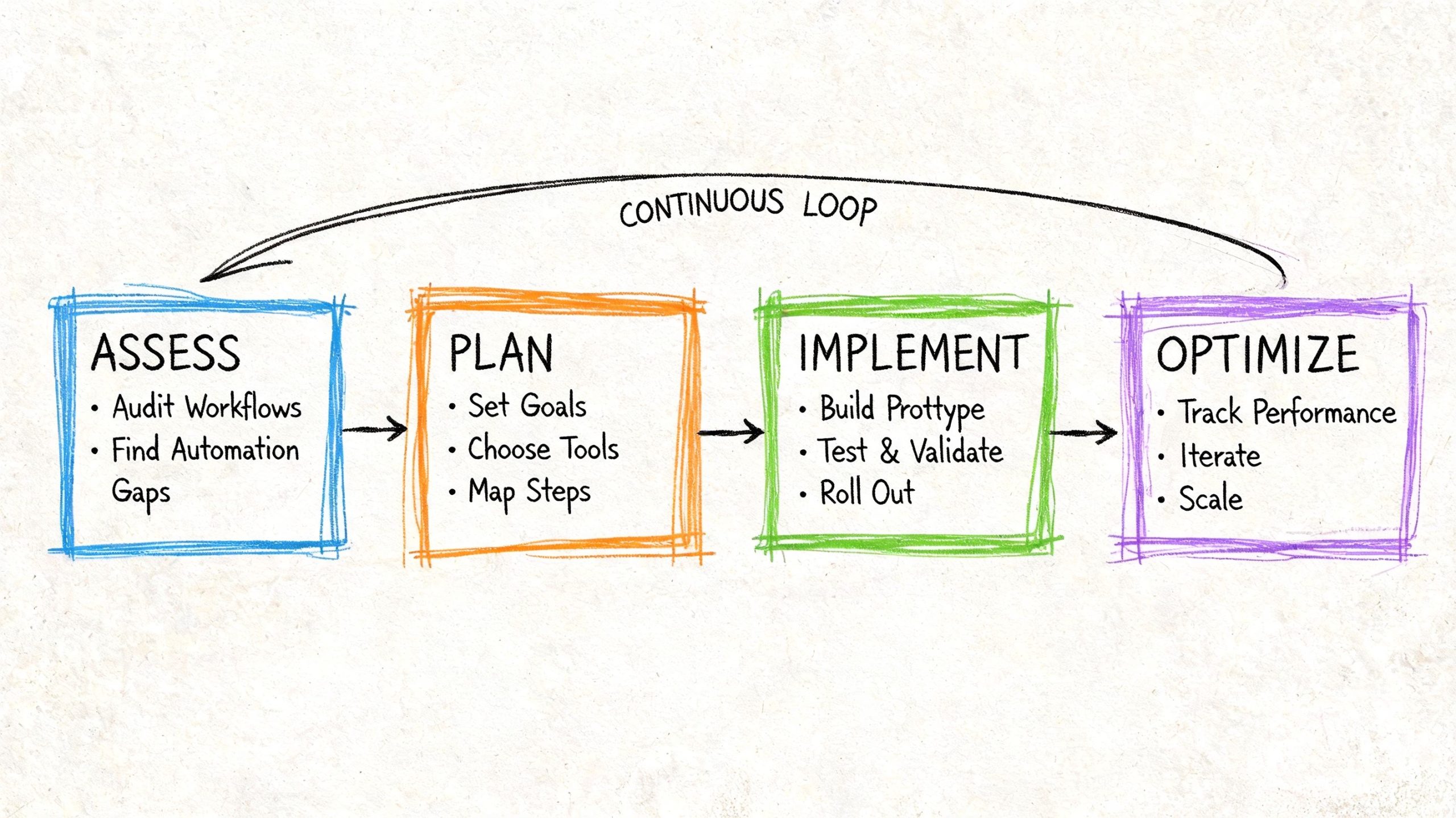
Build one source of truth
For most online sellers, that means connecting Shopify, Amazon Seller Central, and any other active storefronts to one inventory hub. The exact app can vary. The principle can't.
Your central system should receive:
- Orders
- Returns
- Receipts
- Current stock by location
- Inbound purchase order data
If one channel updates stock manually while the others sync automatically, you'll keep fighting reconciliation problems. Every connected platform has to follow the same inventory logic or the whole system starts drifting.
Use barcode receiving from day one
The biggest implementation mistake I see is automating sales sync but leaving receiving half manual. That's a fast way to import errors into a very efficient system.
Barcode-based receiving fixes that by forcing a physical confirmation step when inventory arrives. If you're setting up a small warehouse or prep area, even a compact scanner can make receiving cleaner and faster. This review of the KDC200i 1D laser Bluetooth barcode scanner shows the kind of hardware many sellers use when they want mobility without a bulky station.
Good receiving rules are simple:
- Scan each SKU on receipt
- Compare received quantity against the PO
- Quarantine mismatches before they enter sellable stock
- Tag damaged units separately from available inventory
If your receiving process is loose, your automatic inventory management system will spread bad counts faster than a spreadsheet ever could.
Configure alerts that deserve attention
Most low-stock alerts are useless because they're too noisy. If every small movement triggers a message, the team stops looking.
Set alerts around business-critical exceptions:
- A reorder point has been reached for a core SKU
- A top seller has unusually low weeks of cover
- A purchase order is late and threatens availability
- A sync failure leaves channel quantities unmatched
- A return volume pattern suggests count distortion
The best alert is one that leads to a decision. If it doesn't change what someone does today, it probably shouldn't be an alert.
Add cycle counting before you trust the dashboard
A lot of sellers think automation eliminates counting. It doesn't. It changes how you count.
Instead of shutting everything down for massive full counts, use cycle counts on a schedule. Focus on high-value SKUs, fast movers, and products with a history of discrepancies. This validates the system continuously and catches drift before it becomes expensive.
After your core workflows are stable, this video gives a useful visual overview of how automation thinking applies in practice:
Prepare for ugly real-world exceptions
This is the part software sales pages skip.
You need written rules for:
- Flash sales that accelerate demand beyond your recent baseline
- Supplier delays that break normal replenishment timing
- Returns that arrive unsellable, partial, or mismatched
- Marketplace sync failures that create temporary quantity conflicts
- Bundled SKUs that consume component inventory unexpectedly
If those workflows aren't defined, staff will improvise under pressure. Then your "automated" system becomes a patchwork of manual overrides nobody remembers a month later.
The implementation that works isn't the fanciest one. It's the one that keeps count accuracy trustworthy when business conditions stop being tidy.
Monitoring KPIs and Avoiding Common Pitfalls
Once the system is live, the work changes. You're no longer trying to build the machine. You're trying to verify that it's making the right decisions.
That starts with a small KPI set. You don't need a giant dashboard. You need a few measures that tell you whether stock is healthy, purchasing is sensible, and your cash is moving in the right direction.
Essential e-commerce inventory KPIs
| KPI | Formula | What It Measures | Good Benchmark (E-commerce) |
|---|---|---|---|
| Inventory Turnover | Cost of goods sold ÷ average inventory | How efficiently inventory is sold and replaced | Healthy relative to your product category and lead times |
| Sell-Through Rate | Units sold ÷ units received | How much of incoming stock is actually moving | Strong enough to avoid buildup in core SKUs |
| Stockout Rate | Stockout events ÷ total SKU opportunities | How often demand can't be fulfilled due to no stock | As low as possible, especially on proven winners |
| Carrying Cost Trend | Total storage, holding, and inventory-related costs over time | Whether inventory is consuming more cash than it should | Flat or improving as operations scale |
| Inventory Accuracy | System count compared with physical count | Whether your records match reality | Consistently high and stable over repeated cycle counts |
| Weeks of Cover | Available units ÷ average weekly sales | How long current stock should last | Appropriate to supplier lead time and SKU volatility |
For Amazon-focused operators, shipment visibility can support the KPI side too. Tools built around FBA tracking can help surface where inbound friction or receiving delays are distorting your inventory picture. This review of Boxem Amazon FBA shipments analytics software is useful if your pain point sits between sending inventory and seeing it land correctly.
The pitfalls that quietly wreck good systems
The first is bad starting data. If your SKU mappings are wrong, your bundles are messy, or your opening counts are unreliable, the system starts with false assumptions and keeps amplifying them.
The second is alert fatigue. Teams stop responding when every exception looks urgent. Tighten thresholds and reduce noise.
The third is ignoring seasonality and campaign effects. A system that relies only on recent averages can underreact before a surge and overreact after one. Sellers need to adjust forecasts around promotions, content pushes, and known seasonal windows.
What to do when numbers drift
Use a short diagnosis process instead of guessing.
- Check integration logs: Look for failed or delayed sync activity.
- Inspect receiving records: Confirm physical receipts matched purchase orders.
- Audit a sample of fast movers: These usually expose process errors quickly.
- Review manual overrides: Repeated overrides often reveal a broken rule.
- Look at returns handling: Returned stock gets misclassified more often than is typically understood.
A dashboard isn't proof. Physical verification and exception review are what keep automated inventory trustworthy.
The strongest systems don't avoid every mistake. They make mistakes easier to spot, isolate, and correct before they spread.
A Sample Playbook for Your Automated Workflow
Once automatic inventory management is running well, the owner's role shifts from counting units to reviewing signals. That's the benefit. You spend less time asking "what happened?" and more time deciding "what should we do next?"
Here's a simple SOP you can adapt.
Daily
Check critical alerts only. Review low-stock warnings on core SKUs, late purchase orders, receiving mismatches, and sync failures between channels. Resolve anything that could create a bad available quantity today.
Weekly
Review sales velocity on top sellers, slow movers, and any SKU touched by a promotion, listing change, or supplier issue. Confirm reorder suggestions still make sense based on actual business context, not just the default system logic.
Weekly
Run cycle counts on a focused batch of products. Prioritize fast movers, high-value items, bundles, and SKUs with a history of discrepancies. Compare physical stock to system stock and fix root causes, not just counts.
Monthly
Review forecasting assumptions, supplier reliability, and reorder settings. Tighten or relax safety buffers where needed. Look for patterns in returns, damaged inventory, and stranded stock that the system may be classifying poorly.
Monthly
Audit one workflow end to end. Purchase order creation, receiving, listing sync, sale, return, and restock. If one handoff is weak, the whole inventory model gets less reliable.
The payoff isn't that the software runs your business for you. It doesn't.
It gives you cleaner information, faster warnings, and fewer repetitive decisions. That's what makes a small e-commerce business easier to scale without losing control of cash, stock, and customer experience.
If you want more operator-focused tutorials, tool breakdowns, and practical systems for Amazon, Shopify, and other online business models, explore more resources on EntreResource.