

The fastest way to understand a standard operating procedure (SOP) is to read a good one. Below are seven SOP examples for a small or online business, each with a purpose, trigger, owner, steps and the spot where it usually breaks. After them comes a simple template, a way to use AI without trusting it blindly, and a routine for keeping everything accurate.
An SOP is a written, repeatable way to do a task so the result does not depend on who happens to be doing it. Think of it as a recipe card for your business.
TL;DR
- Document the workflows that repeat often, touch customers or money, or break when one person is out: onboarding, refunds, invoicing, publishing, order handling and support escalation.
- Every SOP needs a title, purpose, scope, owner, trigger, numbered steps and a revision history. Anything beyond that is optional.
- Write in active voice, one action per step, and have the person who does the work test it.
- AI can draft a first version, but someone who runs the process must check the systems, exceptions and sensitive data before it is approved.
- Review each SOP on a set schedule, or it becomes the document everyone ignores.
Table of Contents
- Which workflows deserve an SOP first
- Seven SOP examples for business
- An SOP template you can copy
- How to write steps people will follow
- Using AI to draft SOPs
- Keeping SOPs accurate
- Our perspective: start with the process that costs you sleep
- Go deeper with our course
- FAQ
- Sources
Which workflows deserve an SOP first
You do not need a 200-page manual. Start with the work that fits at least two of these tests:
- It repeats weekly or more. Small time savings multiply.
- A mistake costs money or trust. Refunds, invoices, customer data, shipments.
- Only one person knows how to do it. That is a risk, not a strength.
- You want to hand it off. Outsourcing a task without a written process means paying someone to guess.
Published lists of SOPs for online sellers tend to converge on the same areas: order processing, returns and refunds, inventory management, new-product listing, customer-service escalation and supplier management. Guides aimed at service and content businesses add client onboarding, invoicing and social publishing. The seven examples below cover both camps.
Seven SOP examples for business
Each example is a working draft. Swap in your own tools, names and time limits. The time limits are illustrations, not industry standards.
1. New client onboarding SOP
Purpose: Give every new client the same professional first week, whoever handles them.
Owner: Account manager, or you if you are solo.
Trigger: Signed contract or paid deposit.
Steps:
- Send the welcome email with your contact details, timeline and what you need from the client. Aim to send it the same business day.
- Create the client folder in your shared drive using the standard naming format (Client-Project-Year).
- Add the client to your project tool and assign a task owner for each deliverable.
- Send the intake questionnaire and set a due date three business days out.
- Book the kickoff call and send the agenda 24 hours ahead.
- Log the start date and billing schedule in your invoicing tool.
Where it breaks: Step 4. Clients forget the questionnaire, so build a reminder into the task.
2. Invoicing and payment follow-up SOP
Purpose: Get paid on time without awkward improvisation.
Owner: Whoever manages your books.
Trigger: Milestone completed or billing date reached.
Steps:
- Confirm the deliverable is approved or the billing date is reached.
- Generate the invoice from the template, with the purchase order number if the client uses one.
- Check amount, tax treatment and payment terms against the contract.
- Send the invoice and log it in your tracker.
- Send a friendly reminder three days before the due date.
- If unpaid one week after the due date, send a second notice and call or message the client directly.
- Record payment and close the entry.
Where it breaks: Step 3. Mismatched amounts are the most common reason clients delay payment, so a second pair of eyes helps above a set dollar amount.
3. Customer complaint and refund SOP
Purpose: Resolve problems quickly and consistently, and protect your reputation.
Owner: Support lead.
Trigger: Complaint, return request or chargeback notice.
Steps:
- Acknowledge the message within one business day with a human reply, not only an auto-response.
- Log the issue: customer, order number, product, what went wrong.
- Check the case against your policy. Within policy, approve the refund or replacement.
- Outside policy, escalate to the owner with a one-line summary and a recommended action.
- Issue the refund or replacement and confirm by email.
- Tag the cause (late shipping, defect, wrong item, unclear listing) so patterns show up monthly.
Where it breaks: Step 6. Teams fix the single case and never learn from the pattern.
4. Order processing and fulfillment SOP
Purpose: Get the right product to the right customer, with no manual guesswork.
Owner: Operations lead or virtual assistant.
Trigger: New paid order.
Steps:
- Verify payment cleared and the address is complete.
- Check stock. If below your reorder point, flag it before shipping.
- Pick and pack to the packing checklist (item, insert, label).
- Print the label and photograph the packed box if the order is high value.
- Mark the order shipped and send tracking to the customer.
- Update inventory counts.
If you sell through Amazon, the inbound side needs its own procedure. Our guide to shipping to Amazon FBA is a good base to convert into a checklist, and the step-by-step FBA playbook covers the surrounding workflow.
Where it breaks: Step 2. Stockouts surface after the sale instead of before it.
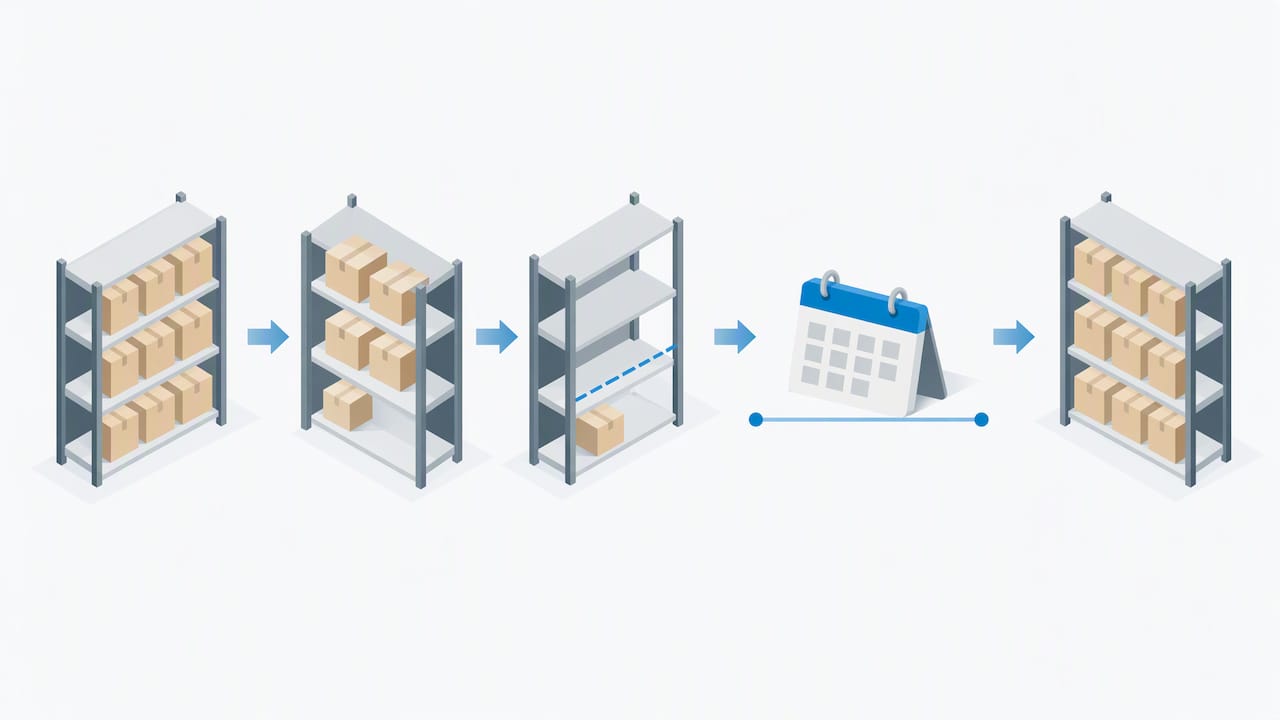
5. Inventory and reorder SOP
Purpose: Avoid both stockouts and cash tied up in slow stock.
Owner: Whoever places supplier orders.
Trigger: Weekly review day, or stock hitting the reorder point.
Steps:
- Export current stock and the last 30 days of sales.
- Calculate days of cover for each SKU (stock divided by average daily sales).
- Flag anything under your supplier lead time plus a buffer.
- Check the unit economics before reordering, including fees. For Amazon sellers, calculating profit per ASIN against FBA fees belongs in this step.
- Send the purchase order and record the expected arrival date.
- Log the order so the next review can compare actual to expected delivery.
For sellers who want to see how procedures like this apply to marketplace stock, there is a useful rundown of inventory management procedures for Amazon sellers.
Where it breaks: Step 3. Lead times drift and nobody updates the number.
6. Content publishing SOP
Purpose: Ship posts, videos or emails that meet the same quality bar every time.
Owner: Editor or content lead.
Trigger: Draft marked ready for review.
Steps:
- Check the draft against the brief: keyword, audience, promised outcome.
- Edit for clarity, then fact-check every number and link.
- Add images with alt text and a clear featured image.
- Set the title, meta description and URL.
- Add affiliate or product links and the required disclosure.
- Preview on mobile, then schedule.
- After publishing, share it to your channels and add it to the newsletter queue.
- Log the publish date so you can update it later.
Where it breaks: Step 5. Disclosures are forgotten when the process lives in someone’s head. In the US, the Federal Trade Commission expects clear disclosure of material connections, so put it on the checklist and read the FTC’s endorsement guidance before you publish sponsored or affiliate content.
7. Task handoff and weekly check-in SOP
Purpose: Stop work from vanishing between people.
Owner: Team lead.
Trigger: Any task changing hands, plus every Monday.
Steps:
- The giver writes a handoff note: goal, current status, files, deadline and open questions.
- The receiver confirms in writing that they understand and accepts the task.
- In the weekly check-in, each person lists what shipped, what is blocked and what is next.
- Blockers get an owner and a date before the meeting ends.
- Notes go in the shared log.
Where it breaks: Step 2. A handoff without a confirmed acceptance is just a hope.
An SOP template you can copy
You can write all seven examples above with one skeleton. The sections most guides agree on are title, objective, scope, roles, tools needed, procedure, and a way to track revision and approval. A longer template adds version number, definitions, references and appendices, as in HubSpot’s free SOP template.
For a small business, this is enough:
| Field | What to write |
|---|---|
| Title and version | Plain name plus a number, such as “Refund Handling v1.2” |
| Purpose | One sentence on why the process exists |
| Scope | Who and what it covers, and what it does not |
| Owner | One named person or role |
| Trigger | The event that starts it |
| Tools and access | Software, logins, templates needed |
| Steps | Numbered, one action each, with decision points |
| Exceptions | What to do when something goes off-script |
| Output | What “done” looks like |
| Revision history | Date, change, who approved |
The official side of procedure writing is worth a skim if you want rigor. The U.S. Environmental Protection Agency publishes guidance for preparing standard operating procedures. It was written for laboratory and quality systems, not online stores, but the discipline carries over: a procedure should be clear enough that a trained person can follow it and get the same result.
How to write steps people will follow
A perfect template with vague steps still fails. Four habits make the difference:
- Use active voice and one action per step. “Send the invoice” beats “The invoice should be sent.”
- Define internal terms and acronyms on first use. New hires and contractors do not know your shorthand.
- Use a flowchart when there are several outcomes. Refunds and escalations branch, and a diagram is faster to read than nested sentences. Both this and the previous habit appear in Shopify’s SOP writing guidance.
- Give the draft to someone who will use it. If they stumble, the SOP is wrong, not the person.
Screenshots or a short screen recording help for software tasks. Keep the written steps as the source of truth, because videos are harder to update.
Using AI to draft SOPs
Yes, ChatGPT and similar tools can draft an SOP. Give the tool the outcome you want, who will follow it and your rough notes or a recording of the process, and you will get a decent first version in minutes.
The draft is not the SOP. Before approval, have the people who do the work review it and check systems, exceptions, compliance, sensitive data, approval gates and expected outputs, then test it on a real task. Two cautions:
- Never paste customer data, passwords or contract details into a public AI tool.
- Models invent plausible steps. If the draft names a menu or setting you do not recognize, check the real software.
If you want prompts to start from, grab our free resources.
Keeping SOPs accurate
An outdated SOP is worse than none, because people follow it. ISO 10013:2021 frames it as a quality principle: documented information should be developed and maintained to support the organization’s quality management system and tailored to its specific needs. You do not need ISO certification to borrow the idea.
A light routine works for most small teams:
- Name one owner per SOP. Unowned documents decay.
- Set a review date on each one, such as every six months for fast-changing tools and yearly for stable processes.
- Update after every incident. A refund error or missed shipment is a free audit.
- Keep one home. One shared folder or wiki, with old versions archived, not scattered across inboxes.
- Log changes in the revision history so people can see what moved.
Training matters as much as the document. If you want to roll SOPs out across a small team, a structured 30 to 60 day plan for organizing knowledge can help you collect, store and retrieve what your team knows.
Our perspective: start with the process that costs you sleep
We have run online businesses long enough to see the same pattern. Owners write SOPs for the tidy, low-stakes tasks first because they are easy, and leave the messy ones, like refunds or supplier problems, living in their heads. That is backwards.
Our advice is to pick the one process that wakes you up at night and document it badly today. A rough, numbered list that a freelancer can follow beats a polished manual you never finish. Then improve it each time the process runs. SOPs become valuable when you delegate, which is why we link them so closely to outsourcing and tool choices on this site. If you are weighing software to store and run your procedures, our database of SaaS tools for entrepreneurs is a good place to compare options.
Don’t chase perfection. Chase the point where someone else can do the job without calling you.
— Nathaniel
Go deeper with our course
If you are building an online business and want the systems, not only the theory, our Instant Course Access for Life is a one-time $97 purchase. It gives you lifelong access to the course material so you can return to it as your business grows.

See what is included on the course page. If you are starting an online store and want the groundwork first, read our step-by-step guide to starting an online store.
FAQ
What are examples of SOPs in business?
Common examples include client onboarding, invoicing, refund handling, order fulfillment, inventory reordering, content publishing, customer support escalation and weekly team check-ins. Retail businesses also use opening and closing checklists. Any task that repeats and has a right way to be done is a candidate.
What are the five parts of an SOP?
There is no single official list, but most guides include a title, purpose, scope, roles and responsibilities, and the numbered procedure. Add a revision and approval record, and you have a solid small-business SOP. Longer versions include definitions, tools, references and troubleshooting.
How long should an SOP be?
As short as the task allows. Most small-business SOPs fit on one to two pages. If a procedure runs much longer, split it into separate SOPs, such as “Process refund” and “Handle chargeback”.
Can ChatGPT write an SOP for my business?
It can write a useful first draft from your notes, the goal and the intended user. You still need to test the draft with someone who does the work and correct any steps or tool names it got wrong. Keep customer and financial data out of the prompt.
Sources
- 10 SOPs Every E-commerce Business Needs
- How To Write a Standard Operating Procedure (Shopify)
- Free Standard Operating Procedure Template (HubSpot)
- Guidance for Preparing Standard Operating Procedures, EPA QA/G-6
- AI SOP Generator (Process Street)
- ISO 10013:2021 Quality management systems guidance
- Disclosures 101 for Social Media Influencers (FTC)