
For entrepreneurs and bloggers just starting out, the best seo tools for beginners almost always boil down to a simple combo: one non-negotiable free platform and one user-friendly paid suite. I always tell people to start their journey with Google Search Console to get essential site health data straight from the source. From there, you can expand to a paid tool like Mangools for its incredible ease of use and affordable keyword research.
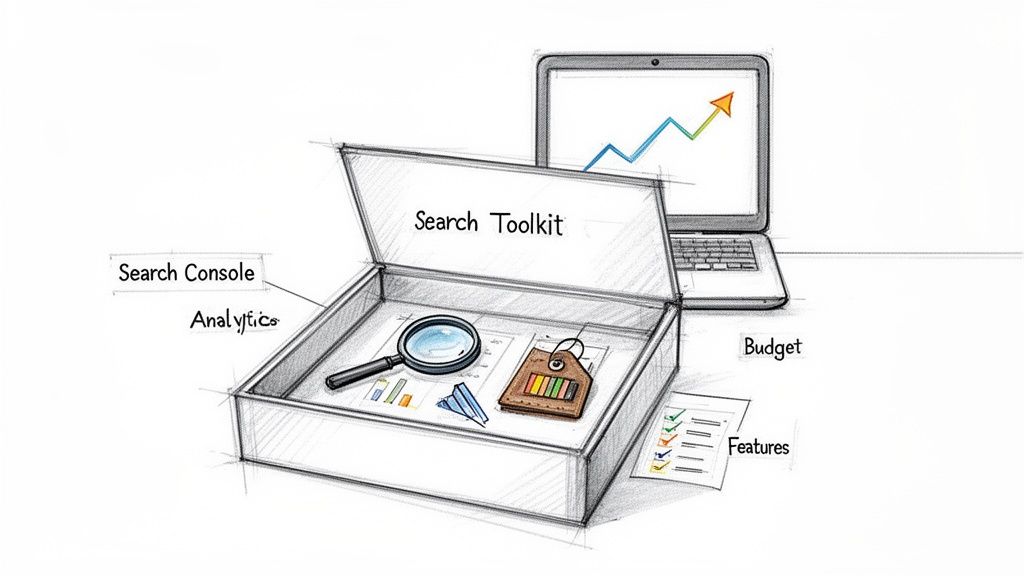
Why Your First SEO Tool Choice Matters
Choosing your first SEO toolkit can feel overwhelming. The market is flooded with options, and every single one promises top rankings and a tidal wave of traffic.
But for a beginner, picking the right tool from day one is critical. It’s about building sustainable growth without getting bogged down by features you don't need or a price tag that kills your budget. The wrong choice leads to wasted money, sure, but more importantly, it wastes your time on metrics that don't matter.
The right starting point helps you focus on what actually moves the needle. Instead of getting lost in a dozen different dashboards, you can concentrate on the foundational activities that truly deliver results.
These are the basics:
- Understanding what your audience is actually searching for.
- Fixing the critical technical errors that are quietly tanking your rankings.
- Tracking your progress to see what’s working and what’s not.
- Analyzing your closest competitors to find juicy opportunities.
The Foundation of Every SEO Strategy
Every new website owner absolutely must start with Google Search Console (GSC). This free platform is your direct line to Google, and it provides invaluable data you can't get anywhere else. Think of it as your site’s report card.
GSC alerts you to crucial issues like mobile usability errors and Core Web Vitals problems—metrics that have been a big deal since Google's 2021 page experience update. I've seen sites that actively use GSC get their new content indexed faster. Plus, its performance reports show you the exact search queries driving traffic, which is gold for making small on-page tweaks that can seriously boost your clicks.
You can learn more about the essential tools for SEO success on hobo-web.co.uk.
Free vs. Paid: The Beginner's Dilemma
While free tools like GSC are non-negotiable, they have their limits. They’re great at showing you what is happening on your site but often fall short in explaining why it's happening or how to find brand-new opportunities. This is where paid tools come into play.
A paid tool's main job is to give you competitive intelligence and make complex data easy to understand. It lets you peek "under the hood" of other websites to see which keywords they rank for and what content strategy is fueling their success.
For beginners, the answer is rarely an expensive, all-in-one suite built for massive agencies. Instead, a tool that nails the core features with a simple interface provides the best return on your investment.
To give you a clearer picture, here’s a quick rundown of the foundational tools every beginner should consider.
Top SEO Tools for Beginners At a Glance
This table breaks down my top picks to help you see exactly where each tool shines and who it’s built for.
| Tool | Best For | Price | Ideal For Entrepreneurs Who… |
|---|---|---|---|
| Google Search Console | Site Health & Performance | Free | …want to monitor how Google sees their site and fix critical errors. |
| Mangools | Keyword & Competitor Research | Starts at $29/mo | …need an intuitive, affordable tool to find low-competition keywords. |
| Ahrefs (Webmaster Tools) | Backlink & Site Audits | Free | …want powerful audit and backlink data without a paid subscription. |
Ultimately, starting with a solid free foundation and then adding a targeted paid tool is the smartest path forward. You get the best of both worlds—critical site data and actionable competitive insights—without breaking the bank.
Mastering the Essential Free SEO Tools
Before you even think about dropping a credit card on a pricey SEO suite, you need to get your hands dirty with the free stuff. Honestly, mastering these free tools is the single smartest thing you can do early on. They give you priceless data straight from the source.
Think of these tools as the absolute bedrock of your entire SEO strategy. They give you a clean, unfiltered look at how Google sees your site and how real people use it. Every optimization you make later on will build on the data you find here. Let's walk through the three platforms that every blogger, affiliate, or e-commerce seller needs to know inside and out.
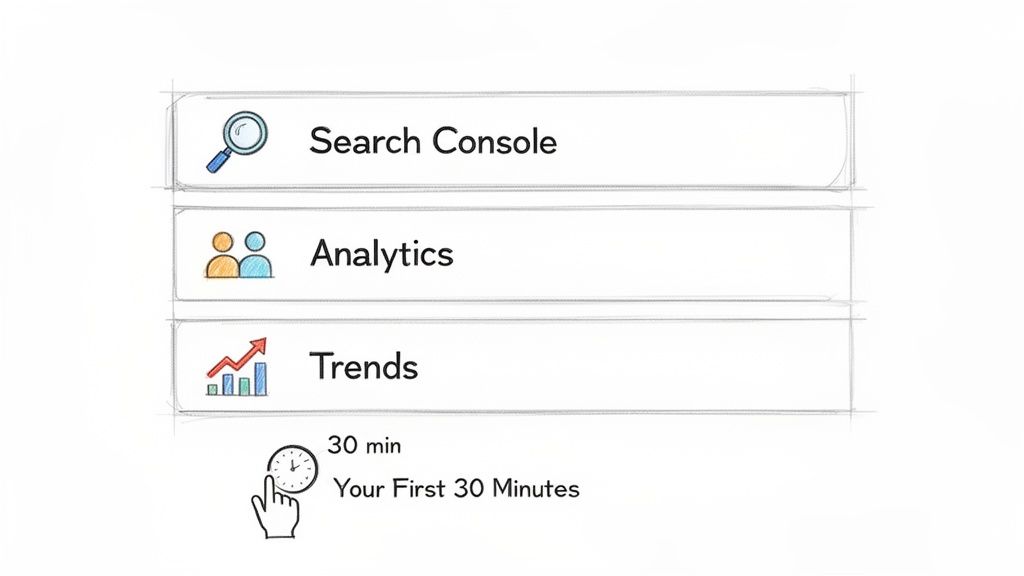
Your First 30 Minutes In Google Search Console
If you only use one tool, make it Google Search Console (GSC). It's your direct line of communication with Google, showing you exactly how they crawl and index your site, what technical problems they're finding, and which search queries are actually bringing people to your pages.
Here's how to spend your first 30 minutes to get the most impact:
Connect Your Site: First things first, you have to verify your ownership. It's a quick process that proves the site is yours and unlocks all the good stuff inside.
Review the Performance Report: This is your treasure map. Head straight to the "Queries" tab to see the exact search terms people are using to find you. Then, filter by pages to see which articles are your heavy hitters. I always look for pages with high impressions but low clicks—those are screaming for a title and meta description tweak.
Check the Indexing Report: Go to "Pages" under the Indexing section. This report shows you which pages Google has successfully indexed and which ones it's ignoring. The "Not indexed" tab is gold; it often points to technical issues like low-quality content or crawl errors that are quietly tanking your rankings.
GSC isn’t just for fixing problems; it's for finding opportunities. The Performance report is pure gold. It tells you what Google thinks your content is about, revealing keyword gaps you can plug to pull in way more traffic.
Tapping into User Behavior with Google Analytics
While GSC shows you how people find your site, Google Analytics (GA4) shows you what they do when they get there. Figuring out user behavior is how you improve your content and turn those visitors into subscribers or customers.
Your First 30 Minutes Inside GA4:
Traffic Acquisition Report: Navigate to
Reports > Acquisition > Traffic acquisition. This shows you where your traffic is coming from. Is it organic search? Social media? Direct visits? Knowing this helps you double down on what's working.Pages and Screens Report: You'll find this under
Reports > Engagement > Pages and screens. It highlights your most popular articles based on views and, more importantly, user engagement. If an article has high engagement, that's a huge signal to create more content around that same topic.
Uncovering Opportunities with Google Trends
Google Trends is a powerhouse for content strategy, but so many people overlook it. It lets you see a keyword's popularity over time, which is amazing for spotting seasonal patterns or jumping on emerging topics before everyone else does.
Here’s a quick way to use it:
- Compare Topics: Pop in a few related keywords. You'll instantly see which one has more consistent search interest over time.
- Find Breakout Queries: When you're looking at a topic, check the "Related queries" box and switch it to "Rising." This can unearth brand-new keywords that are just starting to take off.
Getting a grip on these free tools gives you a massive head start. Paid suites are great for advanced features, but they're really just building on the foundational data you get here. If you're looking for more firepower without the cost, you should also explore some of the best free Ahrefs alternatives out there. And to put this data into action, check out our guide on how to find blog keywords and build out your content plan.
Which All-In-One SEO Tool Should You Actually Pay For?
While you can get pretty far with free tools, eventually you hit a ceiling. Investing in a paid, all-in-one suite is how you break through that ceiling and really start to scale your growth. These platforms bundle everything—keyword research, competitor analysis, rank tracking—into one place to give you a serious edge.
The trick is picking the right one for where you are right now. For anyone just starting out, the market really boils down to two fantastic, but very different, choices: Mangools for its incredible ease of use and Ahrefs for its powerful, industry-standard data. Let's skip the boring feature list and compare them based on what you’ll actually be doing.
Finding Keywords You Can Realistically Rank For
The first job of any paid tool is to find keywords you have a fighting chance to rank for. This is where you immediately see the difference between Mangools and Ahrefs.
Mangools is almost always my recommendation for true beginners. As of 2026, its affordable plan packs in KWFinder, SERPChecker, and other tools that are just plain intuitive. It’s brilliant at surfacing long-tail keywords with low difficulty scores—the kind of terms that convert way better than broad, competitive ones anyway. Sources like Zapier have also praised it for making complex data so easy to grasp.
Ahrefs, on the other hand, gives you a Keyword Difficulty (KD) score that’s arguably more precise. Why? Because it’s drawing from a much, much larger backlink index, and links are a massive factor in ranking difficulty. The interface is definitely more intimidating for a newcomer, but the data quality is undeniable.
So, what's the call?
- Go with Mangools if: You're a visual person who just wants a clean, color-coded system to find low-hanging fruit quickly. Its difficulty score is more than enough for new sites going after low-competition keywords.
- Go with Ahrefs if: You've got some SEO experience under your belt and need the most accurate difficulty score you can get. If your plan involves taking on even moderately competitive topics, Ahrefs' data gives you a much clearer view of the battlefield.
Spying on Your Competitors' Backlink Strategies
Figuring out where your competition gets their links is one of the fastest shortcuts to building your own site's authority. Both tools let you do this, but the depth and approach are miles apart.
Ahrefs is widely seen as the gold standard for backlink analysis. Its web crawler is second only to Google's, meaning its backlink index is more complete and current than almost any other tool out there.
When you plug a competitor into Ahrefs, you're getting the most complete picture possible of their link profile. You can filter for new links, lost links, and links from high-authority sites with a level of precision that’s just unmatched. You can see its full power in our complete review of Ahrefs.
Mangools’ SiteProfiler tool gives you backlink data powered by Majestic, which is a very respected name in link intelligence. It shows you the essentials: referring domains, anchor text, and link authority. For a beginner, this is absolutely enough to find your first handful of link-building opportunities.
But the sheer size of Ahrefs' index gives it the upper hand in finding those obscure or newly-acquired links that are often the easiest ones to replicate for your own site.
Mangools vs Ahrefs: A Beginner's Comparison
To make the choice easier, I've broken down the core differences from a beginner's perspective. Think about your budget, experience, and what you need to accomplish first.
| Feature | Mangools | Ahrefs (Lite Plan) | Situational Recommendation |
|---|---|---|---|
| User Interface | Unbelievably intuitive. Strong focus on visual data (color codes, simple charts) that makes sense right away. | Professional and data-dense. It's powerful, but it comes with a steeper learning curve for new users. | Choose Mangools for a frictionless, "plug-and-play" experience. |
| Keyword Difficulty | Very solid for finding low-competition keywords (think difficulty scores below 25). | The industry's most trusted metric because it’s backed by superior backlink data. | Choose Ahrefs if you need dead-on accuracy for more competitive niches. |
| Pricing | Much more budget-friendly. Entry-level plans start around $29/month. | A bigger investment. The Lite plan starts at $99/month. | Choose Mangools if your budget is a primary concern. |
| Core Strength | Making keyword research and SERP analysis simple, delivering quick, actionable wins. | Unmatched backlink analysis and deep competitive intelligence for serious SEO campaigns. | Choose Ahrefs for ambitious link-building and competitor takedowns. |
Ultimately, you can't go wrong with either one, but choosing the right tool for your current stage will save you a lot of time and money. Mangools helps you get early wins without the overwhelm, while Ahrefs is the tool you graduate to when you're ready to compete in the big leagues.
Building Your Own SEO Toolkit with Specialized Software
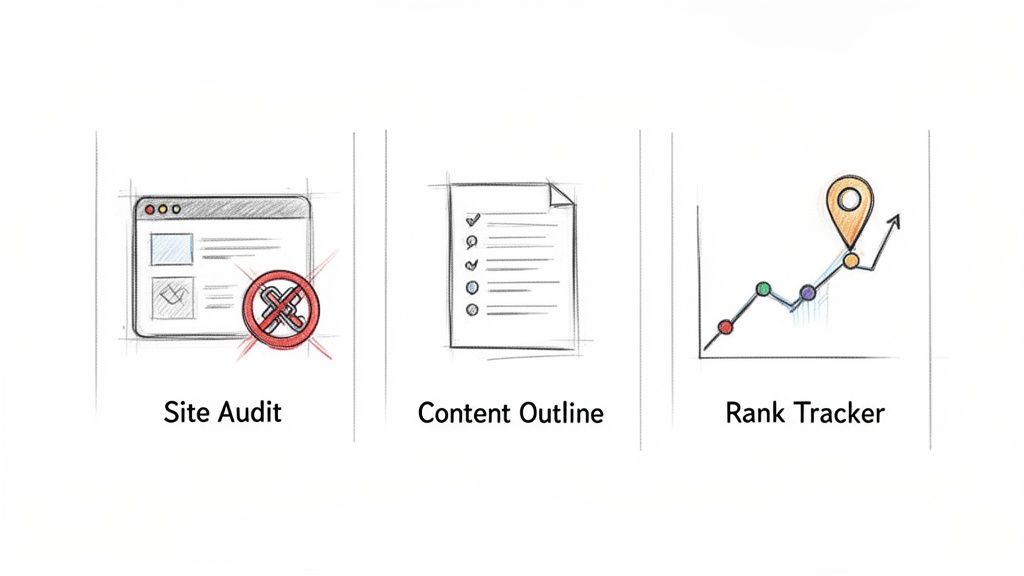
While the big all-in-one suites are great, sometimes you just need a specialized tool for one specific job. You don't want to pay for a dozen features you'll never touch. I've found that building a custom toolkit with best-in-class software can be a much smarter—and cheaper—way to go.
This approach lets you create your own powerful stack that’s perfectly matched to what you actually need. By cherry-picking these standalone tools, you often get better functionality for a fraction of the cost. For anyone on a tight budget, this is the way to go.
Technical and On-Page SEO Audits with Screaming Frog
When you need to really dig into your site's technical health, nothing beats Screaming Frog SEO Spider. Yeah, the name is a bit weird, but it's a legendary tool in the SEO world for a reason. It crawls your entire website just like a Google bot would, sniffing out technical problems that could be tanking your rankings.
The free version is ridiculously generous. You can crawl up to 500 URLs, which is more than enough for most new bloggers or small business owners to get started.
A perfect beginner task is using it to find and fix broken links (404 errors) or pages with missing meta descriptions. These are low-hanging fruit—easy fixes that can give you a quick, positive bump in how Google sees your site's quality.
When to Use This: Run a quick audit with Screaming Frog once a quarter. Think of it as a regular health checkup. It helps you catch technical hiccups like broken links, redirect chains, or missing image alt text before they turn into bigger headaches for your users and your rankings.
Data-Driven Content Outlines with Surfer SEO
Writing good content is tough. Writing content that actually ranks is a whole other level of difficult. This is where a specialized content tool can give you a massive leg up. My go-to in this category is Surfer SEO, which uses data to show you exactly what Google wants to see for any given keyword.
While the full suite is a paid tool, Surfer has a few freebies that are perfect for getting started. One of the most valuable is their AI Outline Generator.
Just plug in your target keyword, and the tool tears through the top-ranking pages to spit out a data-backed outline for your article. It suggests all the right headings and subheadings, making sure you cover the topic from every angle that matters. You can see more of what it can do in our complete Surfer SEO review.
How to Use Surfer's Free Tool:
- Head over to Surfer's free AI Outline Generator.
- Type in the main keyword for the blog post you're about to write.
- Let the tool do its thing, analyzing the search results to build a logical structure for your content.
This simple process takes all the guesswork out of structuring your articles. It helps you build content that’s optimized for both readers and search engines right from the start.
Affordable Rank Tracking with SERProbot
Finally, you need to know if any of this is actually working. All-in-one suites have rank trackers, but their costs can add up fast. A standalone, cheap tool like SERProbot is an awesome alternative.
Its job is simple: it tracks where your website ranks for your target keywords in Google over time. Seeing this historical data is the only way to truly understand what's working and what's not.
When to Use This: Set up SERProbot the moment you start targeting your first batch of important keywords. I recommend checking your rankings once a week. This gives you enough data to spot trends without getting obsessed with the daily ups and downs, which are completely normal.
Building Your First SEO Tool Stack on a Budget
Picking your first SEO tools isn't about finding a single "perfect" platform. That's a rookie mistake. It's about putting together the right combo—your "stack"—that fits what you're trying to do, how much you can spend, and frankly, how you like to work.
Instead of getting lost in a sea of options, you can just follow a playbook that’s already proven to work. The idea is to build a custom toolkit that gives you everything you need and nothing you don't. A smart stack delivers the data you need to make good decisions while keeping your monthly software bill from getting out of control.
Here are three stacks I recommend for the most common situations I see beginners in.
The Bootstrapped Blogger Stack
This one’s for the entrepreneur who is all hustle and no budget. Your world revolves around content creation and clawing your way up the organic search results, so we’re sticking to the most powerful free tools out there.
- Google Search Console (GSC): This is non-negotiable. It's your direct line to understanding exactly how Google sees your website.
- Google Analytics (GA4): For digging into user behavior and seeing what content actually connects with the people visiting your site.
- AnswerThePublic: A simple, visual way to find the questions your audience is actually typing into Google.
Workflow: How to Find Your First 10 Keywords
Let's walk through how you'd use this 100% free stack. Start by brainstorming a broad topic in your niche—we'll use "cold brew coffee" as an example.
- Pop "cold brew coffee" into AnswerThePublic. It will spit out a mind map of real questions people are searching, like "how long does cold brew last" or "is cold brew stronger than espresso."
- Now, take those potential keywords over to your GSC Performance Report. Hunt for queries where you already have some impressions but almost no clicks. Google already thinks you're relevant for these topics, which makes them low-hanging fruit.
- Finally, jump into Google Analytics and see which of your existing articles get the most engagement. This shows you what your current audience already loves, helping you fine-tune and prioritize your new list of 10 keywords.
The Aspiring Affiliate Marketer Stack
This playbook is for the affiliate marketer who needs to move faster. Your goal is to uncover profitable, low-competition keywords and quickly figure out what makes the top-ranking pages tick. Here, you'll add an affordable, specialized tool to your free essentials.
- Google Search Console: Still the foundation for monitoring your own site’s health.
- Mangools: This is your secret weapon for targeted keyword research and SERP analysis. I recommend it all the time because its interface is incredibly beginner-friendly.
Workflow: Analyzing a Competitor's Top Pages
With this stack, you can efficiently reverse-engineer what's already working for your competitors. Let's say you're breaking into the home office niche.
- Find a competing affiliate site and plug its domain into Mangools' SiteProfiler. This gives you a quick snapshot of their site authority and best-performing content.
- Switch over to KWFinder and use the "By Domain" search. This will reveal the exact keywords your competitor is ranking for. Filter for keywords with a low Keyword Difficulty score—anything under 30 is a fantastic place to start.
- Once you've picked a target keyword, use SERPChecker to break down the top 10 results. It pulls all the key metrics into a single dashboard, letting you instantly see the backlink profiles and authority of the pages you need to beat. This process is miles more efficient than trying to piece all that data together by hand.
The Growth-Focused Ecommerce Seller Stack
This stack is for the e-commerce seller who has a bit of a budget and serious growth ambitions. You need deep competitive intelligence—not just to find keywords, but to understand the entire market, from product page optimization to backlink strategies.
- Google Search Console: For keeping an eye on your product and category page performance in search.
- Ahrefs (Entry-Level Plan): The industry standard for deep-dive competitive intelligence and backlink analysis.
The decision to pay for a tool like Ahrefs is a sign you're shifting from a hobby into a real business. It's pricier, sure, but the quality of its backlink data and competitive analysis tools is just on another level. The insights you get can directly shape your product strategy and marketing campaigns.
By starting with one of these focused stacks, you avoid getting overwhelmed and keep your costs down. You can always add more specialized tools later as your site grows and your needs evolve.
How to Choose the Right SEO Tool for Your Business
Picking your first real SEO tool can feel like the hardest part of the whole process. There are so many options out there, and it's easy to get stuck in a loop of reading reviews and never actually making a decision. This is classic analysis paralysis.
But you can cut through all that noise. The trick is to stop looking for the "best" tool and start looking for the best seo tool for beginners in your specific situation. By answering just three straightforward questions, you can match a tool's strengths to your own goals, budget, and available time. This way, you can move forward and invest in something that will actually help you grow.
What Is Your Primary SEO Goal Right Now?
Your immediate focus should steer your decision. What's the main job you need to get done? Are you trying to pump out a ton of new content, or is your mission to build up your site's authority with backlinks?
- Content Creation & Keyword Research: If your day-to-day is all about finding topics and writing articles, you need a tool that's a beast at keyword discovery and SERP analysis. A platform with a clear, easy-to-understand keyword difficulty score is non-negotiable.
- Technical Optimization: For those of you trying to get your site's health in order, a powerful crawler is what you need. Finding broken links, auditing meta descriptions, and spotting redirect chains should be its bread and butter.
- Link Building & Competitor Analysis: If you're trying to figure out what makes your competitors tick and how to replicate their success, you'll want a tool with a massive backlink database and deep competitive analysis features.
What Is Your Monthly Software Budget?
This is the most practical filter you have. Be honest with yourself about what you can comfortably spend each month, because consistency is everything in SEO.
The most expensive tool is the one you pay for but don't use. It’s far better to master an affordable tool that fits your budget than to be overwhelmed by a pricey suite you can't justify.
A clear budget immediately cuts your choices in half. A budget under $50 per month will point you toward some seriously efficient, specialized tools. A more flexible budget opens up the world of all-in-one, data-heavy platforms. As one expert at Hobo Web puts it, a real pro toolkit is a curated system, not just a random pile of expensive software.
This chart shows how your budget and your primary goal can lead you to the right starting point.
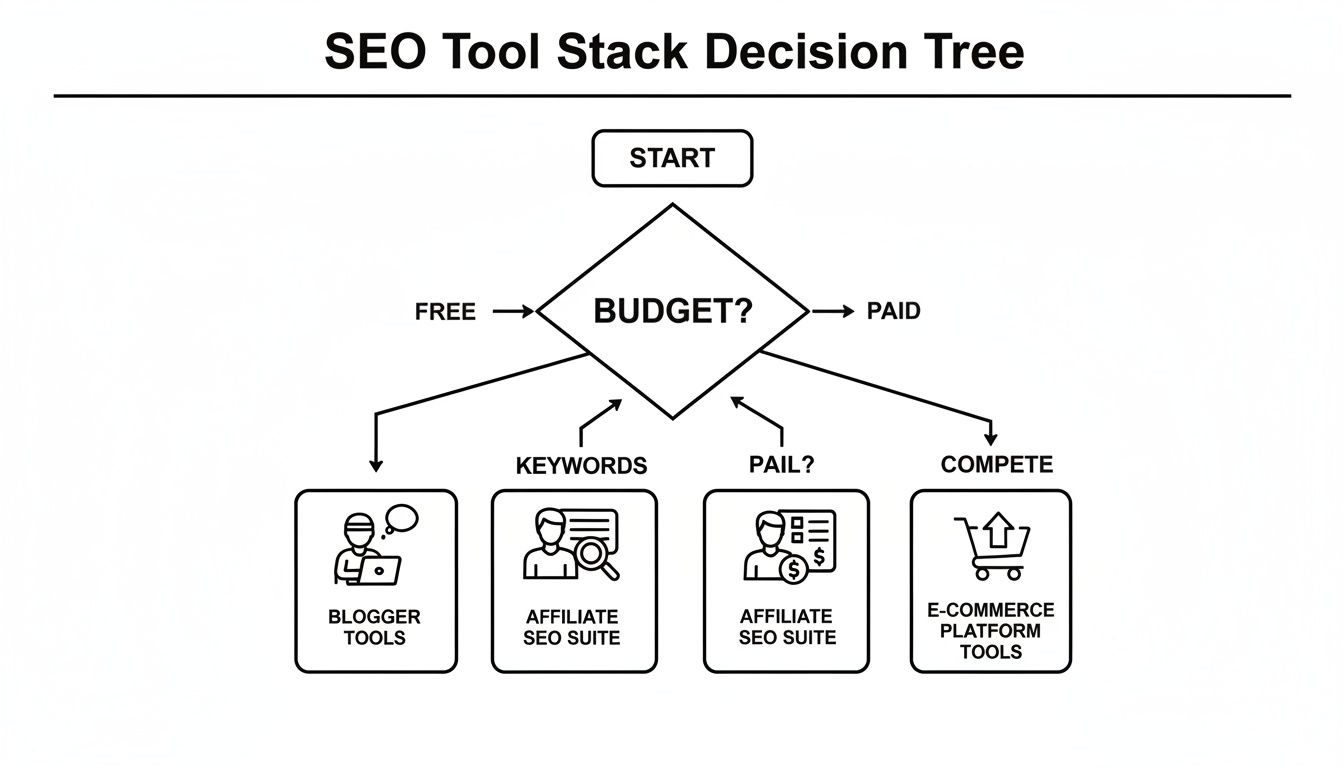
As you can see, a tight budget logically points you to a free stack. If you have some money to spend, you then have to decide between tools focused on keywords (great for affiliate marketers) or tools focused on competitor analysis (a must for e-commerce).
How Much Time Can You Dedicate to Learning?
Finally, be real about how much time you have to learn new software. Some tools feel intuitive the second you log in. Others are incredibly powerful, but they come with a steep learning curve and might take weeks to truly master.
If you can only spare a few hours a week for SEO, grab a tool that's known for being user-friendly. But if you have the time to really dig in and learn a more complex platform, that investment could pay off for years to come.
Frequently Asked Questions About SEO Tools
Jumping into the world of SEO tools can feel like you've opened a can of worms. It’s easy to get overwhelmed by all the options, and once you finally pick one, you start second-guessing yourself. Let's tackle some of the most common questions I hear to get you on the right track.
Do I Really Need Paid SEO Tools to Rank on Google?
This is the million-dollar question, isn't it? The honest answer is no, you don't need them. You can absolutely get started and see real progress with free tools, especially with something as powerful as Google Search Console. It gives you the raw data you need to make smart moves.
But here’s the thing: paid tools are like pouring gasoline on the fire. They’re a massive shortcut. They streamline the messy data, automate the mind-numbing research, and give you a peek into your competitor's playbook that’s almost impossible to get otherwise. Think of them as buying back hundreds of hours of your time.
How Long Does It Take to Learn These Tools?
It really depends on what you're using. You can get the hang of Google Search Console in a couple of hours. It’s designed to be pretty straightforward, pointing you directly to performance numbers and red flags on your site.
On the other hand, mastering a beast like Ahrefs is a whole different story. Expect to spend several weeks of consistent use before you feel truly comfortable with its more advanced features, like digging deep into backlink profiles and competitive analysis. It’s a journey.
What Is the Most Important Metric for a Beginner to Track?
It is incredibly easy to get lost in a sea of metrics. If you're just starting out, laser-focus on two things: organic traffic growth and keyword ranking improvements for your most important pages. These two numbers tell you directly if what you're doing is actually working.
Sticking to these keeps your eyes on the prize: getting more of the right people to your website. Before you get too deep in the tools, though, make sure you have a solid grasp of the basics. A lot of people dive into tools without understanding the "why" behind the data. This guide on Search Engine Optimization for Beginners Made Simple is a fantastic place to start building that foundation.