
I spent $4,000 on editors and formatters for my first book, Evergreen Affiliate Marketing, to get it ready for Amazon. The book was important to me, and I wanted to do it right.
Flash forward to 2026, and I'm ready to pump out some shorter form, non-fiction books,s and I'm going the DIY approach. I needed to find a good solution to help with the formatting of my e-book for publication, and after some research, two names stood out above all the others. Atticus and Vellum.
I wasn't sure which was better, and I decided they were affordable enough that I could justify giving both a try and then sharing my results with you here.
So, let's dive into my experience with Atticus vs. Vellum so you can make the right decision for your book.
Quick Summary: Atticus vs. Vellum
I was impressed by both Atticus and Vellum. Both did what they advertised and they did it well. I went with Vellum for my final publication but Atticus is the more robust software. Atticus offers more formatting options, sharing functionality, additional preview modes, and can be used online or offline which allows you to more easily work on your projects across devices. It is also slightly more affordable that Vellum. You can't go wrong with either, but these are currently the two serious considerations for serious book publishing. I would not try to publish a book without being able to polish it in one of these programs.
What I Liked about Vellum
The first thing that stood out about Vellum was its speed and minimalism. I always compose my books in Scrivener, which is the opposite of minimalistic. Scrivener is complex, but that is to be expected as it's for complex writing. Vellum is focused almost entirely on the layout and design of your book.
It gives you enough options to style your book effectively, but not so many that it is easy to get sidetracked or overcomplicate the process.
If you like to control every detail and have a keen sense of design, you might find this limiting. However, I like it and believe this simple method works best for most writers.
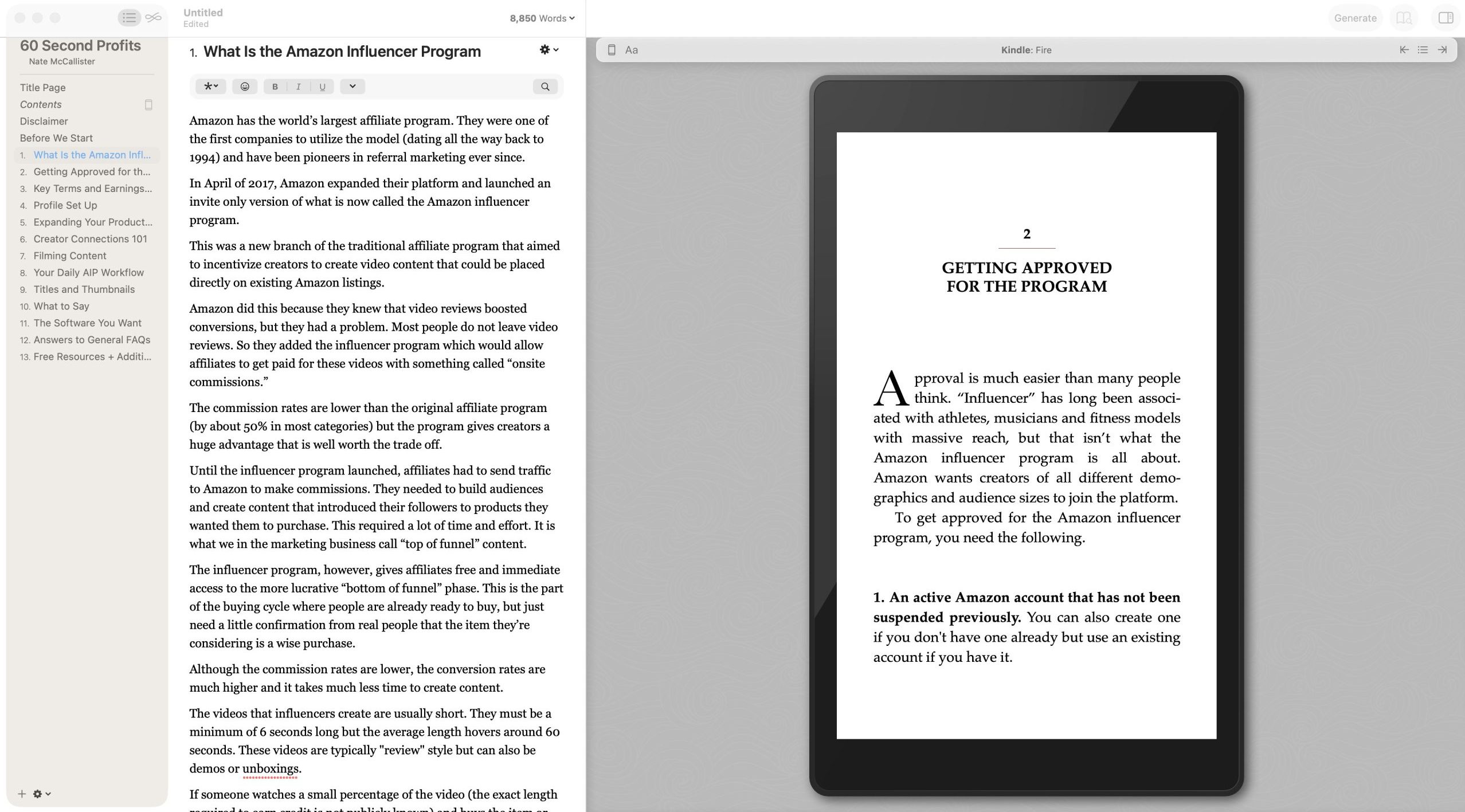
I loved the instant feedback I received when I made styling changes, as well. I could immediately see what the book would look like on an actual e-reader.
What I Didn't Like about Vellum
I'd love a better spellcheck and grammar feature. Vellum does the minimum with checking for typos, but does nothing beyond that. It won't suggest changes to wording or do things like fix run-on sentences. In fairness, most tools like Vellum do not. I just write elsewhere and then bring the content into Vellum.
I also had a bit of hassle upgrading to the paid plan once I was ready to export, but it wasn't anything so serious that I'd hold it against them. It was just a little odd that it was hard to pay.
Vellum also requires you to work on an island. If you want to collaborate, send your .DOCX file to your team, and you can't work concurrently on the same documents like you can with Atticus.
What I Liked about Atticus
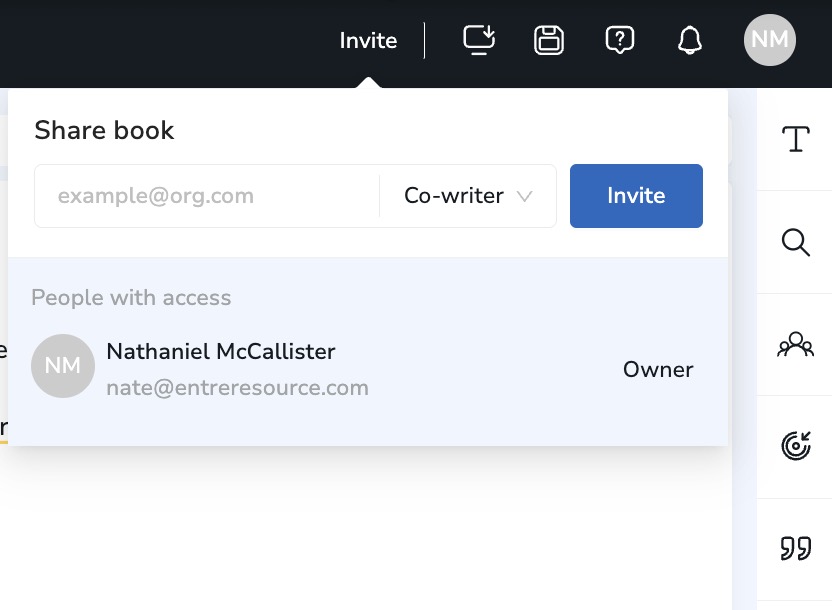
Atticus does what Vellum does and then a little more. I loved it can be used as an app or online. Unlike Vellum, which is only available offline on Mac and doesn't support giving access to an editor, additional writers, or beta readers.
While Vellum focuses on one book at a time, Atticus allows you to view all of your books on the same dashboard. It feels more congruent.
Atticus also has a better writing experience if you want to actually compose your book inside your publishing app. It lets you set timers and goals and nurture writing habits.
Atticus can handle footnotes for traditional non-fiction books slightly better than Vellum.
Since Atticus is a web-based app, it allows me to use ProWritingAid for grammar suggestions and spelling corrections. This is very valuable. Unfortunately, Grammarly is not supported on Atticus, but I prefer ProWritingAid anyway.
What I Didn't Like about Atticus
The only genuine issue I had with Atticus is that it doesn't run as smoothly as Vellum does. That's to be expected since Atticus is web-based and Vellum is optimized for Mac only. Atticus is still plenty smooth, but it feels a little clunkier when you run Vellum side by side. I didn't experience any bugs, but other users report small bugs that might arise at scale.
Vellum vs. Atticus Side-by-Side Comparison
Header |  |  |
|---|---|---|
Devices | Windows, Mac, Linux, Chromebook and web. | Mac only. |
Cost (e-Book and Print) | $147 | $249 |
Import Options | DOCX | DOCX |
Fonts | 1,500+ | 26 |
Default Themes | 17 | 26 |
Share Access | Add Editors and Co-Authors | No Sharing |
Cloud Storage Backups | Yes | No |
Callout Boxes | Many | Minimal |
Images | Yes | Yes |
Export Options | EPUB, PDF, DOCX | EPUB, MOBI, PDF, DOCX |
So, which is better?
This is a rare situation where I actually preferred the lesser option for my current project. "Addition by subtraction," was why I landed on Vellum and actually paid slightly more for it. But if I had to say which is the "better" option for most of my readers, I'd have to go with Atticus. Again, you can't go wrong with either.