
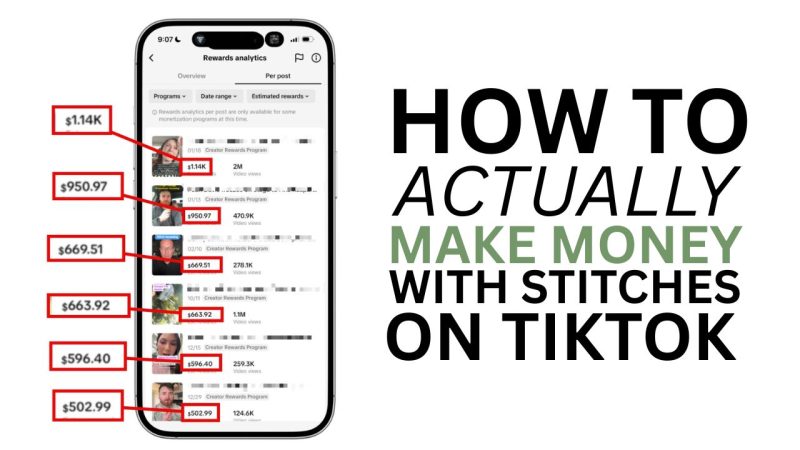
The title of this post is a little misleading. Yes, I will show you how to do a standard stitch on TikTok (as promised) but that isn't what I want you to be doing. Not if your goal is actual views, serious growth, and actual TikTok earnings.
We will start with the official stitch method, and then I'll show you the correct way to do it.
This is more of a content framework than a practical how-to guide.
But let's start with the incorrect practical how to just in case you came here for that and insist on learning it. If I don't answer it, this post won't be shown in search engines (curse you, Google).
How to Make a TikTok Stitch (Don't Do This Though)
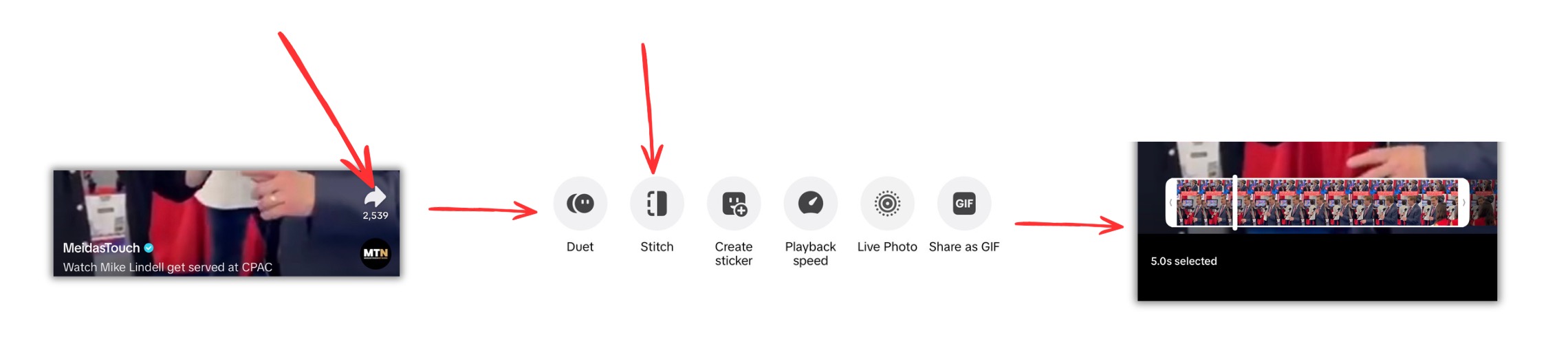
Step #1: Find the content you want to stitch
Step #2: Click on the share button on the bottom right.
Step #3: Scroll to the right and see if "Stitch" is available. If not, the creator turned off stitches. If it's there, click on it.
Step #4: Select the portion of the clip you want to use. By default, it's the first 5 seconds, but you can scrub forward or shorten the duration of their clip to shorter than 5 seconds.
Step #5: Add your own video recording. Minimum of 3 seconds. You can take multiple clips, but they can't be over 15 seconds in total.
Step #6 Post. Optional but recommended. Give a description, add hashtags, and create a better thumbnail.
You're done.
You are now well on your way to no money and, most likely, a couple hundred views (with some rare outliers that go viral).
Why You Don't Want to Do Regular TikTok Stitches (or Duets)
Here's why doing regular stitches on TikTok using the method above isn't ideal if your goal is to earn creator rewards.
- They aren't monetizable. You can't earn creator rewards from a stitch (or a duet).
- They seem throttled by TikTok. Yes, I've seen some take off, but I've never had much success with them. Not at all like the method I'm about to show you.
- They don't give you as much flexibility as the method I'm going to show you. You're capped at one 5 second clip from the 3rd party content and then 15 seconds of your own response (minimum of 3). You also literally cannot edit your timeline.
- Many videos have stitches disabled. The other approach has zero limitations.
Here's how to do them the right way.
TikTok Stitch vs. Duet
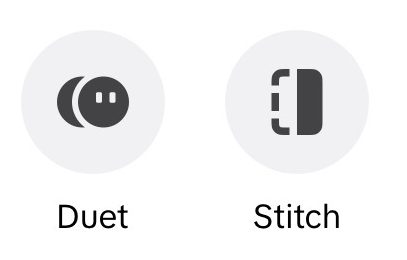
Stitches and duets are similar, but different. Stitches start with a short (5 second max) full screen clip of the 3rd party content and are followed by a full screen video that you add after it. Duets are a shared screen where both your video and the original video appear side by side. Everything I show you in my content cut framework can be applied to duets as well as stitches. Just like I don't recommend regular stitches, I don't recommend regular duets.
How to Stich for Actual Results (Content Cut Framework)
I decided to share this method once I realized it was the foundation of my top 6 highest earning videos this year.
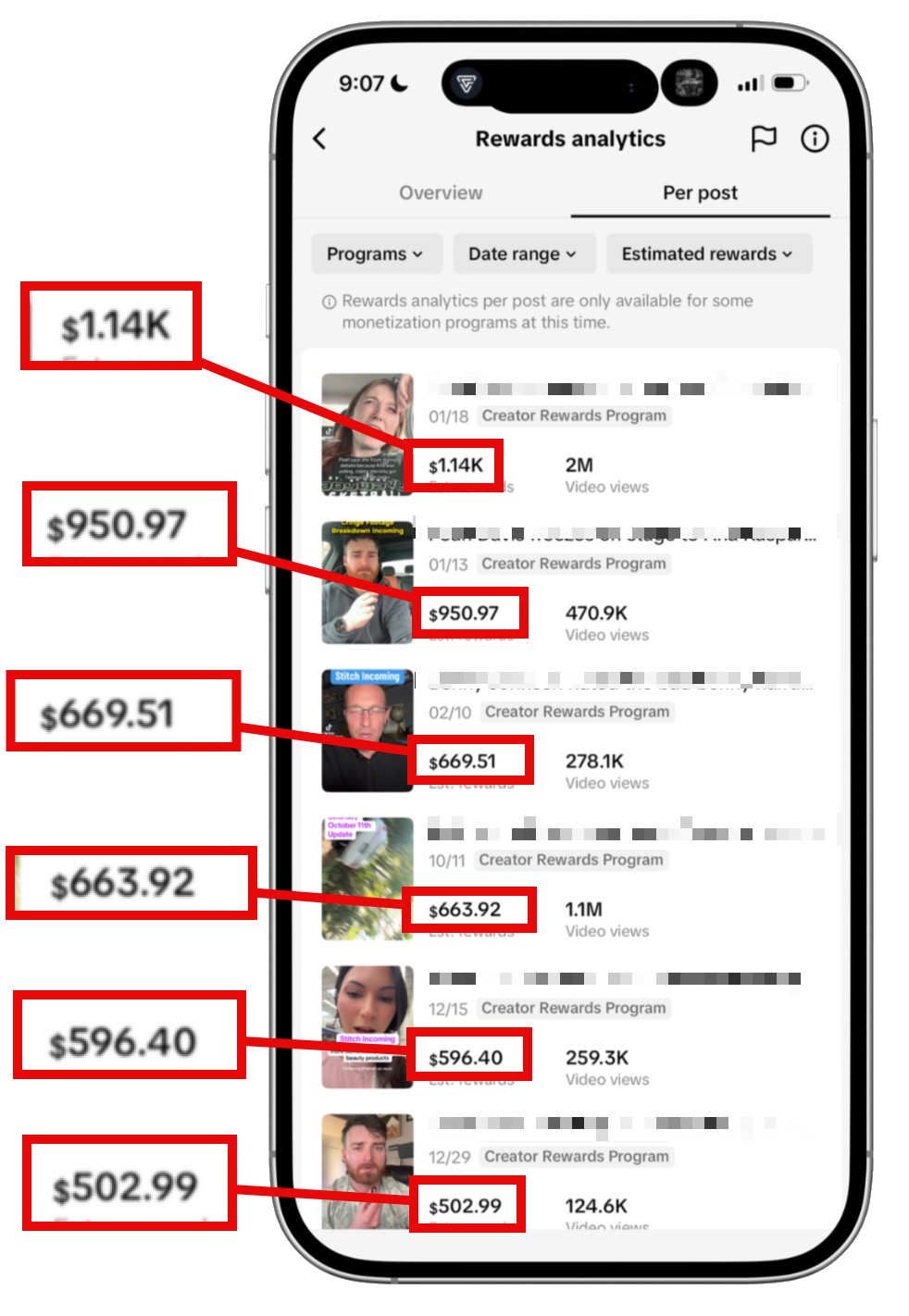
Every single one of these videos leveraged the same, simple, repeatable framework.
If you want to make money with the TikTok creator rewards program, bookmark this video and leverage this tactic ASAP.
I call it content + commentary.
I’m actually doing it right now.
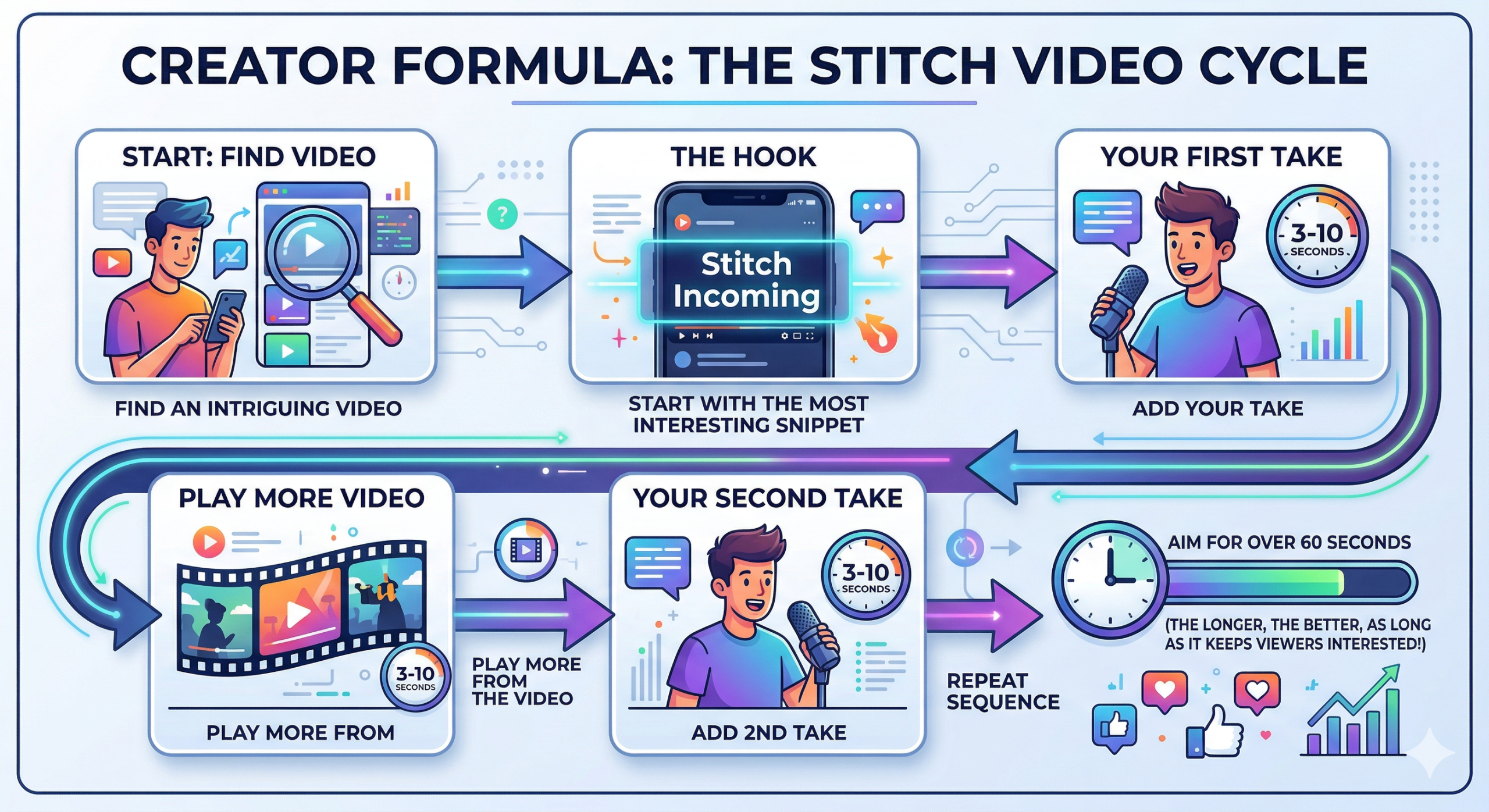
Here is the formula.
- Find an intriguing video.
- Start with the most interesting snippet of the video.
- Add text overlay (“Stitch Incoming”)
- Add your take (3-10 seconds)
- Play more from the video (3-10 seconds)
- Add 2nd take (3-10 seconds)
- Repeat, aiming for over 60 seconds (the longer, the better, as long as it keeps the viewer interested).
Remember, this is NOT a stitch.
Important Tips to Make This Work
Be sure to apply the following to give each video the best shot at success.
Tip #1: Make sure more than half the content is yours. Ideally 75% to avoid having the video demonetized.
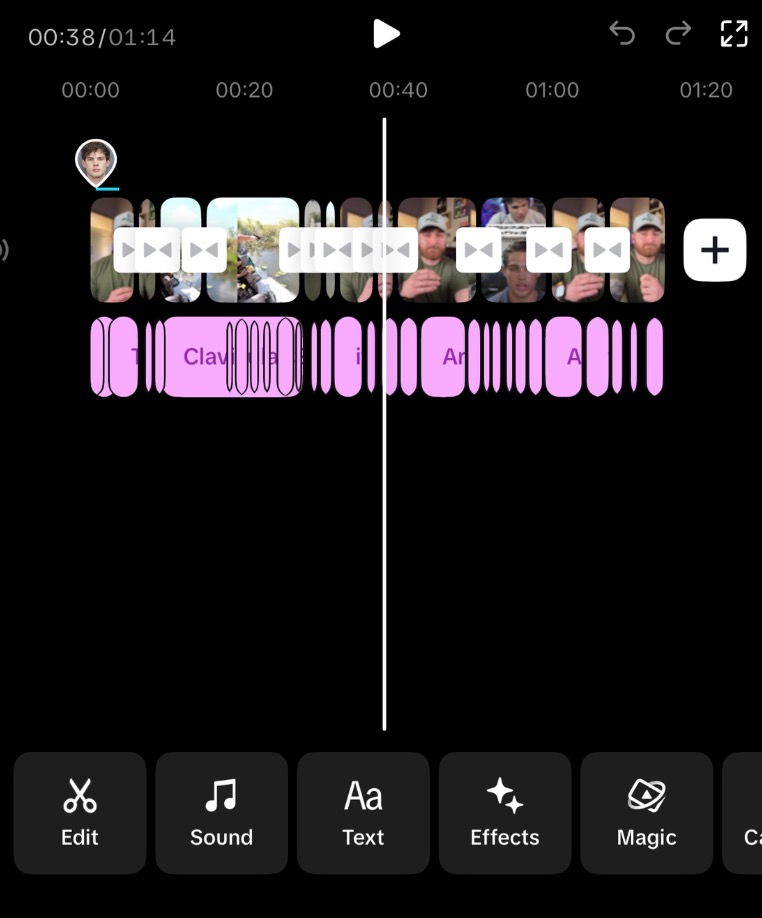
Example of the editing process.
Tip #2: Download content without watermarks or existing subtitles. I use an app called “Faves” but there are other ways to do it. Ideally, if you're posting to TikTok, pull the content from a different platform like Instagram or YouTube.
Tip #3: Make sure the video is over 60 seconds. The longer the better. TikTok pays an additional reward for videos with very long average watch times, and the best way to do that is make longer videos.
Tip #4: Make sure the description focuses on the original video. TikTok search is a great source of traffic. Make sure that you're describing what your video is about, especially if it's a current event video, so TikTok knows to put you in the search results.
Tip #5: Consider adding a speed increase to the clipped content. This can help keep viewers longer if the video is slower. I never go over 2x speed, as it becomes unwatchable at that point.
Tip #6: Use as many back-and-forth clips as possible. Keeping viewers engaged with clip changes boosts watch time which increases every positive metric.
Tip #7: Remove as much dead air as possible. This is a common best practice anyway, but doing this on this type of content can help reduce the risk of "unoriginal" content labels
Is This "Legal"
Commentating on content like this is absolutely legal. The only gray area is avoiding TikTok's ambiguous "unoriginal content" label. These typically just result in demonetization and happen when you use too much of the 3rd party footage and not enough original video.
Don't panic if you get a notice that the video is ineligible for monetization. TikTok only cracks down on habitual offenders who regularly repost content with little added value.