
Imagine having an expert assistant who writes killer marketing campaigns and personalizes sales outreach while you’re off doing, well, literally anything else. That’s the reality of AI email today. It's so much more than the basic inbox filters or canned responses we’re used to—it’s about bringing real, intelligent strategy to your most important communication channel.
What Is AI Email and How Can It Help You Grow
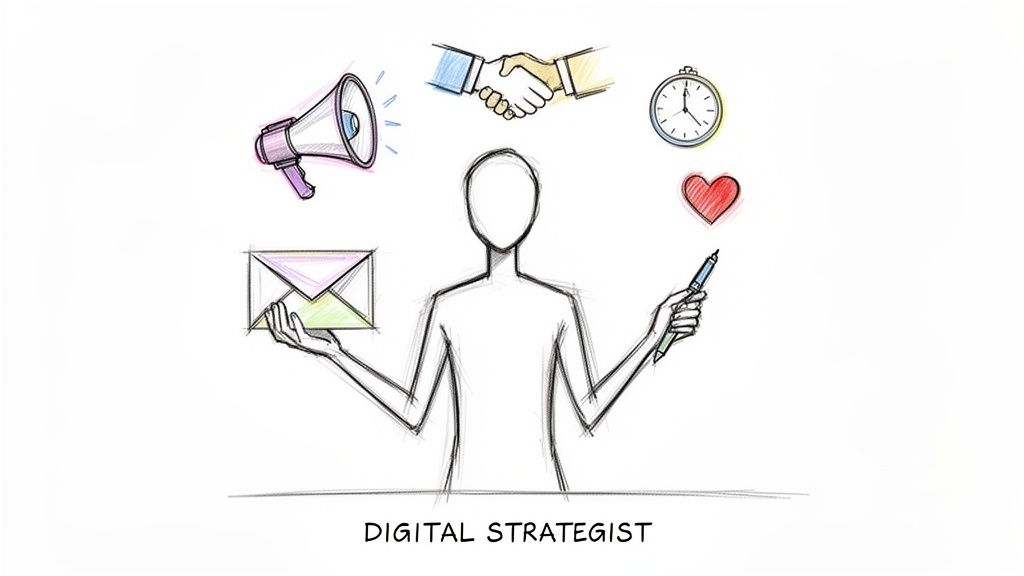
The best way to think about AI email isn't as just another automation tool. Think of it as your own personal digital strategist. It doesn’t just execute pre-set commands; it actually understands context, intent, and tone to make your emails genuinely more effective.
It’s the difference between a simple "if-this-then-that" rule and a system that can read a frustrated customer's question and draft an empathetic, genuinely helpful reply on its own.
This is a game-changer for entrepreneurs. Instead of getting bogged down sorting a monster inbox or A/B testing subject lines for hours, you can delegate those jobs to an AI assistant. This frees you up for the stuff that actually moves the needle, like talking to customers and building a better product.
More Than Just Automation
Traditional email automation is like setting up a line of dominoes. You do the work once, and they fall in a perfectly predictable, unchangeable sequence. An AI email system, on the other hand, is like playing chess against a grandmaster who adapts their strategy with every single move.
For example, a good AI email tool can:
- Generate personalized copy for marketing campaigns based on a customer's specific purchase history.
- Summarize massive email threads so you can get the gist in seconds without reading a novel.
- Draft smart replies to common questions, saving you from typing the same thing a dozen times a day.
- Analyze your email performance and tell you exactly which subject lines are getting the best open rates and why.
These aren't just small tweaks. They turn your email from a simple messaging tool into a powerful growth engine for your business.
An AI email system learns from your interactions, mimics your brand voice, and makes smart suggestions. It helps you send the right message, to the right person, at the right time—at scale—without losing that crucial human touch.
To help you see the potential, I've broken down the core functions into a simple table. This is where AI email really shines.
Key AI Email Capabilities at a Glance
| Capability | Description | Primary Business Benefit |
|---|---|---|
| Intelligent Drafting | Generates context-aware email copy, from marketing blasts to personal replies, often in your specific brand voice. | Saves Time & Boosts Quality: Drastically cuts down on writing time while improving the relevance and quality of your messaging. |
| Personalization at Scale | Analyzes customer data (like purchase history or behavior) to automatically tailor content for individual recipients. | Increases Engagement & Conversions: Personalized emails feel more relevant, leading to higher open rates, click-through rates, and sales. |
| Inbox Management | Sorts, prioritizes, and summarizes incoming emails, and can draft replies to common inquiries. | Boosts Productivity: Turns an overwhelming inbox into a manageable to-do list, freeing up hours of your day. |
| Performance Analytics | Analyzes campaign data to provide actionable insights on what's working (e.g., subject lines, send times) and what's not. | Drives Smarter Decisions: Replaces guesswork with data, helping you continuously improve your email strategy for better results. |
As you can see, this technology goes way beyond just automating repetitive tasks. It’s about adding a layer of intelligence that makes your entire email operation smarter and more effective.
A Rapidly Expanding Market
Let's be clear: using AI in email isn't some niche trend. It's a massive market shift. The AI-powered email assistant sector is projected to explode from $2.56 billion in 2026 to an estimated $5.46 billion by 2030.
That’s a compound annual growth rate of 20.9%, which signals one thing loud and clear: AI is becoming a standard part of the modern business toolkit. For an entrepreneur, this means your competitors are almost certainly using these tools to work faster and smarter. You can dive deeper into the market's trajectory and explore the data in this comprehensive report on the AI-powered email assistant market.
Core AI Email Applications for Entrepreneurs
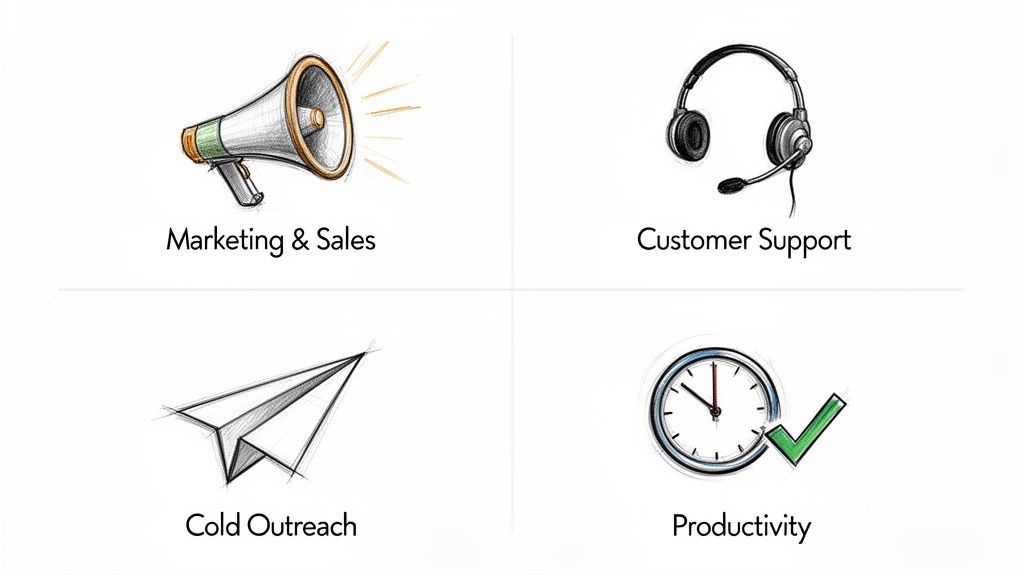
While the idea of an "AI digital strategist" sounds cool, the real magic happens when you apply it to the stuff you do every single day as an entrepreneur. An AI email tool isn't some single-purpose gadget; think of it more like a multitalented assistant that can seriously boost the four main areas of your business.
This is where the theory gets real. We're talking about Marketing & Sales, Customer Support, Cold Outreach, and your own Personal Productivity. Let's break down exactly how AI can change the game in each area with some practical examples you can actually use.
Powering Marketing and Sales
In marketing, AI is like having a data scientist and a top-notch copywriter on your team. It can dig through your customer data to spot trends and customer groups you might have missed, then write incredibly specific emails that speak directly to what those people want.
Imagine you run an e-commerce store that sells artisanal coffee. Your AI email tool notices a handful of customers who always buy your dark roast beans but have never touched your new espresso blend. The AI can instantly spin up a targeted campaign with a subject line like, "Love a bold, rich flavor? We think you'll love our new Volcanic Espresso," and even toss in a special offer.
This level of targeted marketing used to be something only huge companies with massive budgets could pull off. Now, AI email puts that power in the hands of any entrepreneur, helping you turn one-time buyers into loyal fans.
The benefits for sales are just as clear. An AI assistant can help draft personalized outreach emails that don't sound like a robot wrote them. It can handle the follow-ups, track which email versions get the most replies, and free you up to talk to leads who are actually interested. Automating that persistence can make a huge difference in your closing rate.
Elevating Customer Support
Great customer support is how you build trust and loyalty, but man, is it time-consuming. This is where AI email really proves its worth, acting as a smart and empathetic first line of defense. It can sort through incoming support tickets, flag the urgent stuff for you, and handle the common questions all on its own.
Think about a customer emailing you, "My order hasn't arrived." The AI can spot the order number, check the tracking status through an integration, and draft an immediate reply: "Hi [Customer Name], I see your order is currently out for delivery and should arrive today. You can track it here: [link]." The issue is solved in seconds, without you lifting a finger. For tougher problems, the AI can summarize the entire situation and past conversations, giving you all the context you need to jump in and solve it like a pro.
Scaling Cold Outreach
Cold outreach is a numbers game, but quality always trumps quantity. Blasting out hundreds of generic emails is a fast way to land in the spam folder and burn your domain's reputation. AI completely changes this by making personalization at scale a reality.
Instead of spending a whole day writing one hundred generic emails, you can tell your AI to research each prospect's company or their recent activity on LinkedIn and write a unique opening line for every single one. It might come up with an opener like, "Saw your company's recent feature in TechCrunch—congratulations on the launch." That personal touch makes all the difference, dramatically increasing reply rates and opening the door to real conversations.
Reclaiming Personal Productivity
Finally, let's talk about the most immediate win: getting your time back. The average professional spends over three hours per day on email (Adobe, 2019). That's a massive chunk of time that, as an entrepreneur, you just don't have to spare. You can find more ways to make your workflow efficient with our guide on 10 AI tools for entrepreneurs.
Imagine opening your inbox and your AI assistant has already:
- Summarized those long, confusing email chains into a few simple bullet points.
- Drafted replies to common questions that are just waiting for your one-click approval.
- Sorted and labeled everything so you can immediately focus on what's truly important.
This flips your inbox from a source of stress into a streamlined command center. It lets you get back to the high-impact work that actually grows your business instead of just managing communications.
Your Playbook for AI-Powered Email Marketing
Alright, let's get past the theory and put AI to work. This is the exact playbook I use to launch email marketing campaigns with AI, from defining the goals to writing prompts that generate everything you need.
It's not enough to just use AI; you have to know how to use it well. I've seen a huge performance gap between people who dabble with AI and those who really master it. While a staggering 87% of businesses have adopted AI for email, only a tiny 6% are considered "high performers" (Knak, 2023).
And the rewards for getting it right are massive. These top performers are seeing up to a 22% jump in open rates from AI-generated subject lines. They're also hitting a 9.44% click-through rate, which blows past the 8.46% from human-written emails. You can dig into more of these stats in the detailed report on AI email trends from Knak.
Step 1: Define Your Campaign Goal and Audience
Before you even think about writing a prompt, you need crystal-clear clarity. What's the one thing you want this email to accomplish? Are you trying to drive sales for a brand-new product, get sign-ups for a webinar, or maybe wake up some subscribers who have gone quiet? Your goal is the North Star for every decision that follows.
Next, get specific about your audience. "Everyone" is not a real audience. Are you talking to first-time buyers? What about loyal customers who haven't bought anything in the last 90 days? Or maybe leads who just downloaded a specific guide? The tighter your focus, the better the AI can craft a message that actually connects.
Step 2: Craft Your Master Prompt
Your master prompt is the creative brief for your AI. It’s the foundation for the entire campaign, giving the AI all the context it needs to generate copy that is consistent and sounds like your brand.
Here's a template I've refined that you can adapt for your own use:
AI Master Prompt Template:
Role: You are an expert direct-response copywriter for [Your Brand Name], a company that sells [Your Products/Services] to [Your Target Audience].
Brand Voice: Our brand voice is [Adjective 1, Adjective 2, Adjective 3 (e.g., witty, knowledgeable, encouraging)]. We avoid [words or phrases to avoid]. We always use a conversational and friendly tone.
Campaign Goal: The primary goal of this email is to [Your Goal (e.g., drive sales for our new "Pro" widget)].
Audience: This email is for [Your Specific Audience Segment (e.g., customers who bought our "Classic" widget in the last 6 months)]. Their main pain point is [Audience Pain Point].
Product/Offer: The email promotes [Product Name/Offer]. The key benefits are [Benefit 1], [Benefit 2], and [Benefit 3]. The offer includes [details like a 20% discount or a free bonus].
This level of detail is what stops the AI from spitting out generic marketing fluff. It forces the AI to write copy that sounds like you and speaks directly to the person you're trying to reach. For entrepreneurs trying to make their outreach even more efficient, pairing this with other strategies, like those in this guide on How Marketers Write Faster Emails Using Voice Typing, can be a serious game-changer.
Step 3: Generate and Refine Your Email Components
With your master prompt ready, it's time to generate the individual pieces of your email. I get much better results by using separate, specific prompts for each part.
Subject Line & Preheader Text:
- Prompt: "Using the master prompt, generate 5 compelling subject lines under 60 characters that create curiosity about our new product. Also, provide a matching preheader text for each."
Email Body Copy:
- Prompt: "Write the body copy for this email. Start with a hook that addresses the audience's main pain point. Introduce our product as the solution, highlight its key benefits, and build excitement. Keep paragraphs short, around 1-3 sentences each."
Call to Action (CTA):
- Prompt: "Generate 3 clear and urgent CTAs for this email. The button text should be action-oriented and no more than 5 words."
Remember, the first draft you get from your AI email tool is just that—a draft. Your real job is to be the editor. Go through the copy, tweak it to add your own personal flair, and make sure the message is perfectly aligned with your brand.
Awesome copy is just one piece of the puzzle. You also need great design. Check out our guide on the best practices for email design and layout in 2025 to make sure your emails look as good as they read. By following this structured playbook, you’ll turn AI from a simple writing tool into a strategic partner that actually drives results.
Achieving Inbox Zero with an AI Workflow
Email overload is the universal struggle for every entrepreneur I know. That constant firehose of messages creates a state of perpetual distraction, yanking your focus away from the work that actually moves the needle. This is where an AI email workflow can completely change your relationship with your inbox, turning it from a source of stress into a streamlined command center.
Forget spending an hour every morning just sorting and deleting. An AI-powered inbox system is like having a personal gatekeeper who intelligently manages every single email so you only have to deal with what truly matters. This isn't just about better spam filtering; it's a daily routine that hands you back your time and mental energy.
Step 1: Sort and Label by Priority
The first step in any sane triage system is sorting. Before you even lay eyes on your inbox, an AI can analyze incoming emails—looking at the sender, keywords, and how you’ve handled similar messages in the past—to categorize everything. It’s like having an assistant who pre-organizes your desk.
Instead of facing one long, overwhelming list, your inbox is already sorted into clear, actionable buckets.
- Urgent Client: Emails from your top clients get flagged and pushed right to the top. No more missing a critical message.
- Team Question: Internal messages that need your input are grouped together, ready for you to tackle in a batch.
- Newsletter: All those subscriptions and marketing emails are filed away for you to read later (or never).
- Receipts: Every one of those purchase confirmations gets automatically archived into a dedicated folder.
This automated sorting means that when you finally do check your email, you’re looking at a prioritized to-do list, not a random mess of other people's demands.
Step 2: Summarize Long Threads Instantly
We’ve all been there. You get pulled into an email chain that's already a dozen messages deep. It’s a huge productivity killer to waste twenty minutes just trying to piece together the context. This is where AI email summarization becomes your absolute secret weapon.
With a single click, AI tools can read an entire thread and spit out a concise summary of the key points, decisions that were made, and any action items still on the table.
An AI summary can condense a 2,000-word email conversation into a 50-word brief. This gives you all the context you need in seconds, letting you jump in and respond intelligently without having to play detective.
This feature alone can save you hours every single week. You can get up to speed on any conversation instantly and keep things moving forward.
Step 3: Use Smart Replies for Common Inquiries
So many of the emails we get are just slight variations of the same questions. "What are your hours?" "Can you send me the link to that resource?" "Are you free for a call next week?" Answering these over and over is a repetitive, soul-crushing task.
AI-powered "Smart Reply" features analyze an incoming email and suggest several relevant, context-aware responses. These aren't just generic "Thanks!" or "Okay." They are fully-formed sentences that you can either send with one click or tweak slightly before hitting send. For all those FAQs, this function is a total game-changer, helping you clear out a huge chunk of your inbox with almost zero effort.
Step 4: Archive Non-Essential Mail Automatically
The final piece of this workflow is telling the AI how to handle non-essential mail. Plenty of emails don't need a response but are good to keep for your records—think project updates, receipts, or industry news.
You can set up AI-driven rules to automatically archive these messages as they arrive. For example, you can create a rule that says, "any email containing the word 'invoice' from a known vendor should be automatically labeled 'Financial' and archived." This keeps your main inbox clean and focused only on communications that require your action, while ensuring everything else is neatly filed away and searchable for when you need it.
By putting this four-step AI workflow into practice, you can finally conquer email overload and get closer to that coveted—and almost mythical—state of "Inbox Zero."
How to Choose the Right AI Email Tools
Picking your first AI email tool can feel like walking into a crowded electronics store where every salesperson is shouting at you. The market is packed with options, and every single one claims it will change your life.
To cut through the noise, you need to understand one simple thing: most of these tools fall into three main categories. Each one is built for a different job. The trick is to figure out your biggest pain point first. Are you trying to write better marketing campaigns, or is your personal inbox just a complete disaster? Your answer will point you straight to the right tool.
Integrated AI in Email Service Providers
First up, you have integrated AI. These are the AI features being baked directly into the email service providers (ESPs) many of us already use, like ConvertKit or HubSpot. Think of it as a built-in assistant that lives right inside your email marketing platform.
For a lot of entrepreneurs, especially if you run a newsletter or an e-commerce shop, this is the easiest way to get started. There’s nothing new to install or integrate. You can get help generating subject lines, drafting campaign copy, or even finding the best time to send an email, all without leaving your ESP.
Ideal User: Entrepreneurs who live inside one email platform for all their marketing. If you want an all-in-one solution for campaigns and newsletters without juggling different tools, this is for you.
You can check out our complete list of email marketing software to see which platforms have already rolled out AI features. Just know that while it’s convenient, the AI here is often a generalist—it might not have the specialized creative power of a dedicated writing tool.
Standalone AI Copywriting Tools
Next, you have the heavy hitters: standalone AI copywriting tools like Jasper or Copy.ai. These platforms are specialists. Their entire reason for existing is to generate top-tier copy for just about anything you can think of, including email.
These are perfect if you need high-quality, versatile copy that goes beyond just email—think social media posts, blog articles, and ad campaigns. They often give you more control over brand voice and can whip up some seriously creative and nuanced text. The main drawback? They're a separate tool, which means you’ll be doing a lot of copying and pasting into your ESP, which can sometimes break your flow.
AI Inbox Assistants
The final category is all about personal productivity. These are AI inbox assistants like SaneBox or Superhuman. Their job isn't to help you write marketing copy; it's to help you fight back against the never-ending flood of emails hitting your inbox every day.
This flowchart gives you a good idea of how an inbox assistant thinks. It’s like having a virtual assistant who sorts your mail before you even see it.
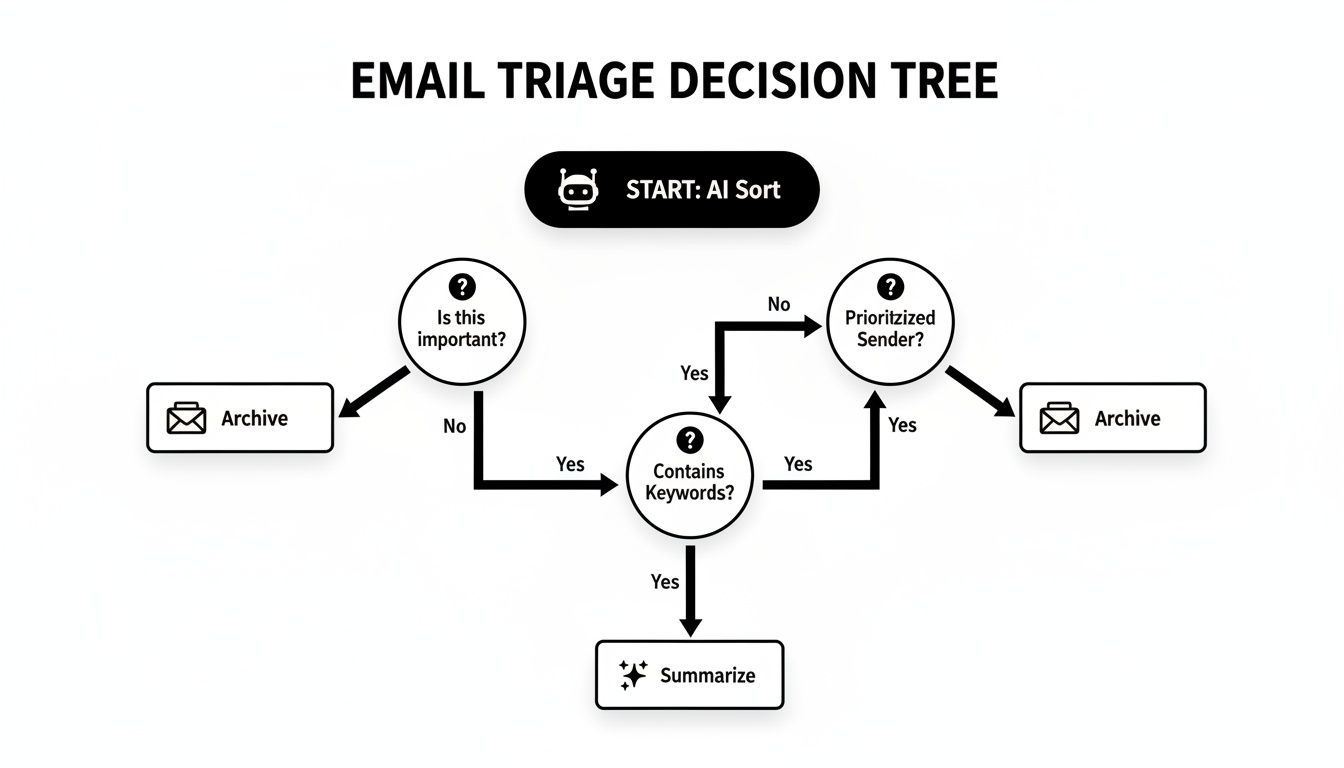
As you can see, the AI acts as a smart filter. It learns what's important, what can wait, and what's just noise.
If your biggest headache is simply the sheer volume of email you deal with, an inbox assistant is a game-changer. It will automatically sort your messages, give you summaries of long email threads, and even help you draft quick replies. It’s less about marketing and all about getting your time and focus back.
Comparing AI Email Tool Categories
So, how do you decide where to start? This table breaks down the three categories to help you match the right tool type to what you actually need to accomplish.
| Tool Category | Best For | Pros | Cons | Example Use Case |
|---|---|---|---|---|
| Integrated ESP AI | All-in-one marketing workflows | No extra software, easy to use, good for quick tasks | Less specialized, may lack advanced features | Generating 5 subject line ideas for your weekly newsletter inside ConvertKit. |
| Standalone Copywriting | High-quality, versatile content | Creates superior copy, brand voice controls, multi-channel use | Requires copy/pasting, adds another subscription | Writing a multi-email sequence for a major product launch. |
| Inbox Assistant | Taming a chaotic inbox | Saves hours on email management, improves focus, automates sorting | Not for creating marketing content, personal use focus | Automatically sorting 100+ daily emails into "Urgent" and "Read Later" folders. |
Ultimately, you might find that the best setup involves a mix of these tools. I personally use my ESP's built-in AI for quick subject line ideas, a standalone writer for important launch campaigns, and an inbox assistant to keep my sanity.
My advice? Start with the tool that solves your biggest, most painful problem right now. You can always expand your toolkit from there.
Navigating AI Email Ethics and Compliance
Getting your hands on an AI email tool feels like unlocking a superpower. But as we all know, with great power comes great responsibility. Bringing this tech into your daily emails isn't just about flipping a switch; you need to set some clear guardrails to protect your brand and keep the trust you've built with your customers.
Think of it like hiring a brilliant, incredibly fast new assistant. You wouldn't just hand over the keys to your entire business on day one. You’d establish boundaries, review their work, and make sure they represented your company the right way. The same exact thinking applies to AI.
The Non-Negotiable Need for Human Oversight
If you remember only one thing from this section, make it this: AI is your co-pilot, not the pilot. You are always the final editor. AI can whip up some impressive drafts, sure, but it has no real-world context, no emotional nuance, and none of the life experience that gives your brand its soul. Letting it run completely unsupervised is asking for trouble.
Keeping a human in the loop is essential for a few big reasons:
- Maintaining Your Brand Voice: Your brand's voice is its personality. An AI can do a pretty good impression, but only you can make sure the final copy feels truly authentic, not just like a clever fake.
- Catching Obvious Errors: AI can "hallucinate" facts or just plain get things wrong. I've seen it happen. A quick human proofread can catch an embarrassing mistake before it lands in thousands of inboxes.
- Adding Emotional Intelligence: AI is notoriously bad at genuine empathy. When you're dealing with a sensitive customer issue or a critical sales email, that human touch is what makes all the difference.
The real job of AI is to knock out the first 80% of the work. Your job is to come in and add that final 20% of polish, personality, and critical thought that makes the email truly yours. That’s how you connect with people.
Protecting Customer Data and Privacy
When you start using AI, especially for personalization, you're inevitably working with customer data. This is where the stakes get incredibly high. Your customers are trusting you with their information, and breaking that trust can do permanent damage to your reputation.
Here’s a hard and fast rule: never feed personally identifiable information (PII) into an AI prompt. I'm talking about names, email addresses, phone numbers—anything that can be tied to a specific person. Even if a tool has a solid privacy policy, it's just smarter and safer to keep that data out of the equation entirely.
So what do you do instead? Use placeholders. For example, tell your AI to write an email using [Customer Name] and [Last Purchase Date]. Once the AI spits out the draft, your email marketing platform can safely merge the real data into the template right before it sends. This keeps your customers' info locked down in your own secure systems.
Staying Compliant with Regulations
Finally, using an AI email tool doesn't give you a free pass on the legal stuff. You're still on the hook for following regulations like the CAN-SPAM Act in the U.S. and GDPR in Europe.
These laws cover the basics: providing a clear unsubscribe link, not using shady subject lines, and having permission to email people in the first place. An AI can't make those calls for you. As the sender, the legal buck stops with you. This is only going to get more important as AI becomes standard practice. Projections show that while 64% of marketers are using AI now, that number is expected to jump to 97% by 2030 (Statista, 2023). You can explore the full email marketing forecast to see how this is reshaping the industry, but the bottom line is that AI-driven compliance will soon be a non-negotiable part of doing business.
Your AI Email Questions, Answered
Thinking about adding AI to your email workflow? It's normal to have a few questions. This tech is moving at lightning speed, and it can be hard to tell what's just hype and what's actually going to help your business. Let's tackle some of the most common questions and concerns I hear from other entrepreneurs.
Will Using AI Make My Emails Sound Like a Robot Wrote Them?
I get this question all the time, and it’s a good one. The short answer is: only if you let it. Modern AI tools aren't meant to be the pilot—think of them as your co-pilot. The magic is in how you guide it. You have to give the AI clear directions on your brand’s specific tone, voice, and style.
It's like hiring a talented but new assistant. They'll write a solid first draft, but you’re the editor. It's your job to add that final human touch, tweak the phrasing, and make sure it genuinely connects with your audience.
A weird myth I've seen floating around is that using certain punctuation, like an em dash, is a dead giveaway for AI. The truth is, good writing is about the quality and authenticity of your ideas, not the symbols you use. The best practice is to always review and polish AI-generated copy until it sounds exactly like you.
Make it a non-negotiable rule: always proofread and edit anything an AI generates before you hit send. This is your chance to keep your brand's voice consistent and find that perfect balance between AI's efficiency and your own creative spark.
Do I Need to Be a Tech Whiz to Use AI Email Tools?
Nope, not at all. The companies building these tools know their customers are marketers and business owners, not developers. Most of the popular platforms have built AI right into their existing editors with super simple interfaces. You'll usually just see a button that says 'Write with AI' or a handy slash command.
If you can type out a clear instruction in plain English, you have all the technical skill you need. The real learning curve is strategic—it’s about figuring out what to ask the AI for, not wrestling with complex software.
Is It Expensive to Get Started with AI for Email?
It’s way more affordable than most people think. A lot of email marketing platforms are now baking AI features directly into their standard plans at no extra cost. For more powerful, specialized needs, you can find standalone AI writing tools that offer tiered pricing, often with free or cheap starter plans that are perfect for a solo entrepreneur.
When you think about the hours you'll save and the potential boost in performance from better emails, the investment in an AI tool usually pays for itself in no time. It's a true force multiplier for your productivity.
How Do I Keep Customer Data Safe When Using AI?
This is a huge responsibility, and you’re right to be thinking about it. Your first line of defense is to stick with reputable providers that are transparent about their data privacy policies. You absolutely need to check whether they use your customer data to train their models.
A simple but critical habit to get into is to avoid feeding personally identifiable information (PII) directly into an AI prompt. Instead, use placeholders like [Customer Name] or [Company]. Let your email service provider do the heavy lifting of securely merging that personal data into the email after the AI has finished writing the copy.
Protecting your business also means being aware of how the bad guys are using this tech. As AI becomes a go-to tool for legitimate businesses, it also powers more sophisticated phishing attacks. Learning how to identify AI-generated phishing emails is now an essential skill to protect your business, your team, and your customers.